
 0
0
QNAP
10 –
20
of
74
Availability
Sort by
Advance Filters
QNAP
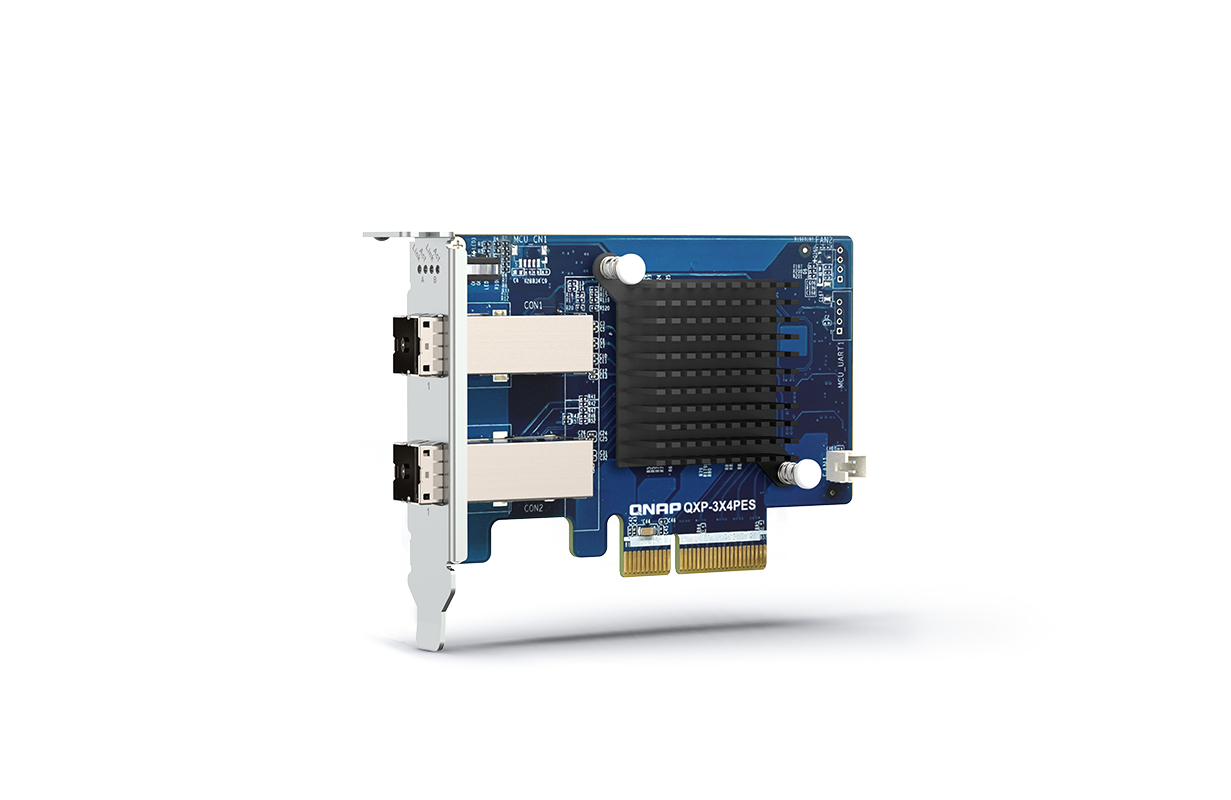
QNAP QXP-3X4PES QNAP QXP-3X4PES network card Internal 32000 Mbit/s
The QXP-3X4PES PCIe card is designed for expanding the capacity of a QuTS hero or QTS NAS by connecting it to QNAP TL PCIe Interface JBOD. Multiple JBODs can be daisy-chained via high-speed cables to scale up to petabyte-level storage to handle exponential data growth caused by archiving/backing up surveillance recordings, RAW multimedia files, big data, and virtualization applications.
Part# QXP-3X4PES
SKU S19454
In
Stock


QNAP
QNAP TL-R1620Sep-RP QNAP TL-R1620Sep-RP HDD enclosure Black, Grey 2.5/3.5"
The TL-R1620Sep-RP SAS 12Gb/s storage expansion enclosure is designed for expanding the storage space of your QTS or QuTS hero NAS. Up to sixteen expansion enclosures can be daisy-chained via high-speed mini SAS HD cables to support up to 4.6PB raw capacity, ideal for archiving/backing up virtualization applications, surveillance recordings, large data, or multimedia. Featuring Broadcom® SAS DataBolt™ bandwidth optimization technology, the TL-R1620Sep-RP consolidates 6Gb/s infrastructure into 12Gb/s. With four mini SAS HD SFF-8644 Wide Ports, the TL-R1620Sep-RP delivers up to 192Gbps transfer speed when connected to a single host. When connected to a QTS/QuTS hero NAS that supports multipath routing, the TL-R1620Sep-RP can achieve smoother data transmission and continuous system operation.Achieve up to 96Gb/s with link aggregationThe TL-R1620Sep-RP is powered by a low-power 28nm SAS35x36R SAS Expander and supports 12/6 Gb/s SAS/SATA drives. Also, it has four 12 Gb/s SAS 3.0 (x4 Lane) SFF-8644 SAS Wide Ports. By connecting the TL-R1620Sep-RP to the host NAS and daisy-chaining multiple JBODs with two wide ports configured with link aggregation, the solution delivers up to 96Gb/s transfer speed.Supports SAS DataBolt technology, delivers 12Gb/s speed using existing 6Gb/s infrastructure Featuring Broadcom® SAS DataBolt™ bandwidth optimization technology, the TL-R1620Sep-RP features an intelligent data buffer for transferring data to drives at speeds that match the performance of the host NAS. Whether the TL-R1620Sep-RP uses 12Gb/s or 6Gb/s drives, the NAS host will transfer data to the TL-R1620Sep-RP at 12Gb/s, allowing you benefit from high-speed 12Gb/s SAS transmission with existing 6Gb/s infrastructure.Connect up to 16 JBODs, support up to 4.6 PB raw capacityThe TL-R1620Sep-RP has four 12 Gb/s SAS 3.0 (x4 Lane) SFF-8644 SAS Wide Ports. Up to sixteen TL-R1620Sep-RP can be daisy-chained to achieve a raw capacity of up to 4.6PB.Multipath routing to ensure continuous system operationsBy daisy chaining the TL-R1620Sep-RP, data transmission loads can be balanced with multipath routing to achieve high availability. If one route fails, another transmission route can be used to access the data and ensure continuous system operations. The TL-R1620Sep-RP also features a redundant power supply to ensure system uptime.Flexible daisy chaining modesBy daisy-chaining your NAS to multiple TL SAS JBODs and REXP SAS JBODs, you can take advantage of multipath routing and link aggregation to benefit from higher transfer speeds and system availability.Storage ManagementWith Storage & Snapshot Manager on the host NAS, you can configure and manage the TL-R1620Sep-RP settings (including RAID groups, storage pools and snapshots), allowing you to easily expand NAS storage to accommodate massive data or backup files. You can also configure and manage the TL-R1620Sep-RP via the Console Port.Speed up remote file transfers with JBOD migrationMoving many small files or a single large data file over a network can be time-consuming and negatively impact network performance. By setting up the RAID configuration on the TL-R1620Sep-RP, you can use it to move files to another computer or NAS. Simply save the files to the TL-R1620Sep-RP, connect it to the destination device, and then copy the files over.
Part# TL-R1620Sep-RP
SKU S19454
In
Stock
QNAP
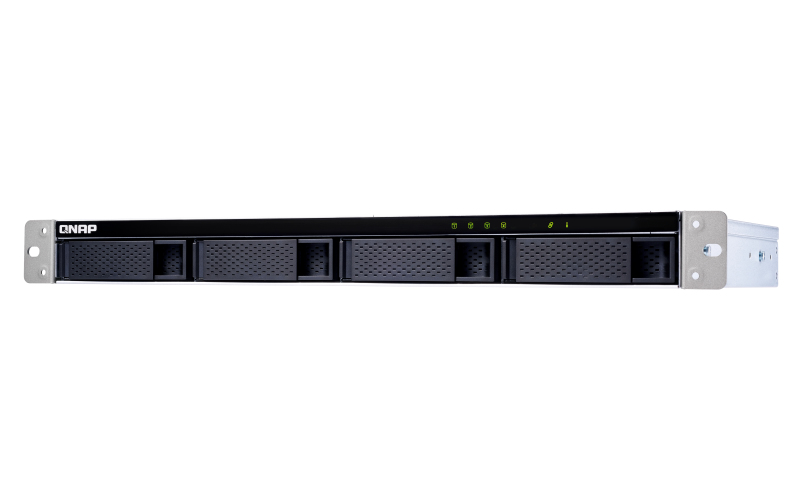
QNAP TL-R400S QNAP TL-R400S storage drive enclosure HDD/SSD enclosure Black, Grey 2.5/3.5"
TL-R400S Rackmount JBOD storage enclosure allows you to back up and expand your QNAP NAS, Windows and Ubuntu computers and servers. The TL-R400S features four 3.5-inch SATA 6Gb/s drive bays, the shallow rack design is perfect for installing the TL-R400S in a compact rack, or in areas with a lot of cabling. TL-R400S comes with a QXP PCIe card for connecting the enclosure using a SFF-8088 (or SFF-8644) cable. It provides reliable read/write performance for smooth storage and backup tasks.High-performance of TL SATA JBODThe TL SATA JBOD supports multi-lane SATA 6Gb/s transfer, and each SATA lane directly connects to a single SATA drive to help improve performance. With the 1-1 high-speed channel, the TL SATA JBOD delivers excellent transfer performance.Flexible Storage Configuration and ManagementThe TL-R400S provides software-controlled storage configuration for greater management flexibility. You can configure RAID and monitor JBOD enclosure and disk health with Storage & Snapshots when connected to a QTS or QuTS hero NAS, or with the QNAP JBOD Manager utility when connected to a computer.What you need to knowYou can connect your TL-R400S to Windows® and Ubuntu® computers and servers through the SFF-8088 (or SFF-8644) high-speed cable and use built-in utility to manage the RAID configuration.Intelligently Monitor JBOD Enclosure Status on PC and Servers with QNAP JBOD ManagerThe QNAP JBOD Manager is a desktop utility for monitoring the TL-R400S on Windows and Ubuntu computers. You can quickly obtain the disk statuses, JBOD information and health, view fan rotation speed, and check for firmware version updates. All device events are recorded, and will send desktop notifications when a system alert occurs.Flexibly Expand Connectivity with QXP PCIe CardsInstall an exclusive QXP PCIe card onto your QNAP NAS, Windows or Ubuntu PC and servers to connect the JBOD enclosure via SFF-8088 (or SFF-8644) cable, for easy and flexible storage expansion.Versatile usage scenarios to meet storage expansion needsThe TL-R400S meets many storage expansion requirements for the home and office. Below is a list of potential application scenarios:Scenario 1: Expand your NAS capacityThe TL-R400S provides an alternative method for users to expand their NAS storage capacity. By connecting the TL-R400S to their NAS and using Storage & Snapshots Manager in QTS or QuTS hero, users can easily configure and manage their storage expansion. The TL-R400S supports a variety of QNAP NAS storage and file management functions, allowing users to build storage pools, finding files with Qsirch, and organizing files with Qfiling.Scenario 2: External storage for your NASYou can use the TL-R400S to expand your NAS storage. You can select disks to create storage pools for expanding your NAS capacity, or you can treat each disk as an individual external storage space and use it as a removable drive for greater flexibility. Regardless of the mode you use, you can always use Storage & Snapshots Manager in QTS or QuTS hero to set up and manage your TL-R400S and use hard drive S.M.A.R.T. and Notification Center to check disk status anytime and anywhere.Scenario 3: Expand the storage space of your Windows and Ubuntu computers and serversYou can use your TL-R400S with Windows and Ubuntu computers and servers to expand more storage space. You can set up the RAID configuration of your TL-R400S to further secure data protection. Moreover, you can also use the single disk mode and format with exFAT file system for more convenient access and sharing of files between Windows and Ubuntu computers.Scenario 4: Third-party hardware RAID card for advanced protectionYou can install third-party hardware RAID cards on your TL-R400S for advanced hardware RAID 1, RAID 5, RAID 6, RAID 10, RAID 50, and RAID 60 protection and use Windows® utility software to manage your TL-R400S.TL-R400S Offers Better Performance Than Other USB and eSATA JBOD SolutionsThe TL-R400S features SFF-8088 (or SFF-8644) connectivity and multiple SATA 6Gb/s bays. This provides better sequential read performance and faster data transfer speeds than existing USB and eSATA expansion enclosures, while also being a more economical option compared to a QNAP REXP SAS enclosure.
Part# TL-R400S
SKU S19454
In
Stock
QNAP
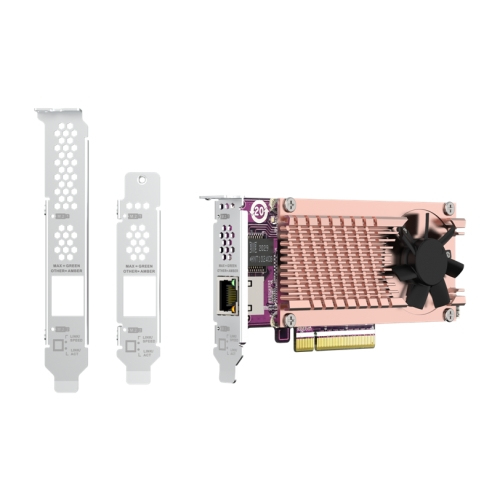
QNAP QM2-2P10G1TB QNAP QM2 CARD interface cards/adapter Internal PCIe
Part# QM2-2P10G1TB
SKU S19454
In
Stock
QNAP
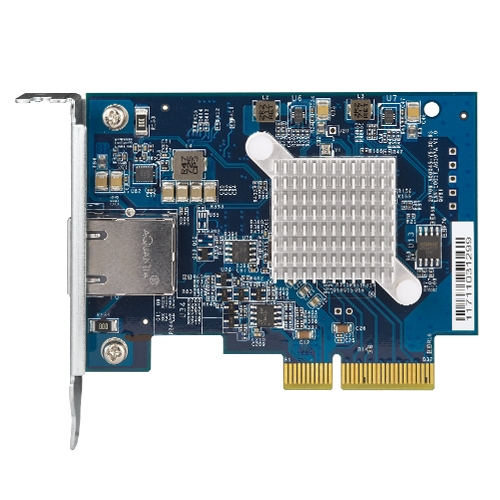
QNAP QXG-10G1T QNAP QXG-10G1T network card Internal Ethernet 10000 Mbit/s
QNAP offers various Ethernet network expansion cards to assist businesses and organizations in enhancing the bandwidth of their QNAP NAS to accommodate intensive data transfer and virtualization applications. These cost-effective network expansion solutions include adding a 1 GbE expansion card through a PCI slot, 10 GbE expansion cards with SFP+ or 10GBASE-T interface, and even 40 GbE expansion cards.
Part# QXG-10G1T
SKU S19454
In
Stock

QNAP
QNAP TL-R1600PES-RP QNAP TL-R1600PES-RP storage drive enclosure HDD/SSD enclosure Black, Grey 2.5/3.5"
The TL-R1600PES-RP TL PCIe interface JBOD storage enclosure allows you to expand the storage capacity of a QuTS hero or QTS NAS by using SATA hard drives. Providing large data capacity and fast transfer speed, the TL-R1600PES-RP is the ideal solution for archiving/backing up virtualization applications, surveillance recordings, large data, and multimedia.2.9 PB capacityExpand up to 2.9 PB capacity for QuTS hero NAS, by connecting twelve expansion enclosures (up to 192 hard drives in total).EconomyThe TL-R1600PES-RP supports SATA hard drives, which are common, budget-friendly, and available with large capacities.Up to 64 Gb/sThe TL-R1600PES-RP features PCIe Gen 3 x8, providing up to 64 Gb/s data transfer speed.Easy setupJust connect your TL-R1600PES-RP to the host NAS to expand NAS capacity. RAID re-building on the host NAS is not required, and setup is finished within a few minutes.Host-based power managementThe TL-R1600PES-RP power on/off is linked with the host NAS.Redundant power supplyEnsures service continuity with stable and reliable power supplies.QNAP enterprise NAS with petabyte-class storageUse QNAP enterprise and all-flash QuTS hero NAS paired with multiple TL-R1600PES-RP JBODs, to obtain both breakthrough performance and massive capacity. The TL-R1600PES-RP supports SATA hard drives, providing greater choice in selecting high-capacity drives. This configuration is ideal for enterprises, science research institutions, and media production companies that require high-capacity storage for backing up or storing virtual machines, containers, and what is produced/generated by their high-performance NAS.
Part# TL-R1600PES-RP
SKU S19454
In
Stock
QNAP
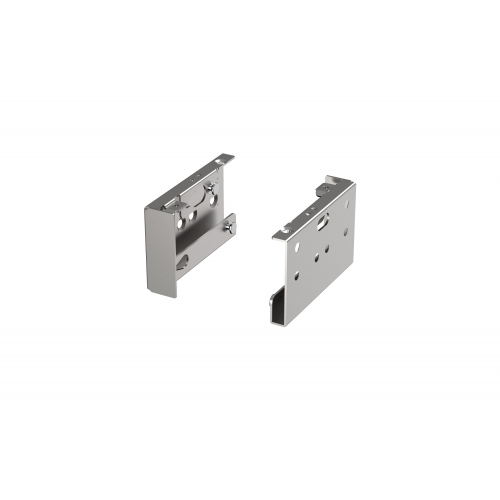
QNAP SP-EAR-QSW2FOR1-01 QNAP SP-EAR-QSW2FOR1-01 rack accessory Mounting kit
Part# SP-EAR-QSW2FOR1-01
SKU S19454
In
Stock
QNAP
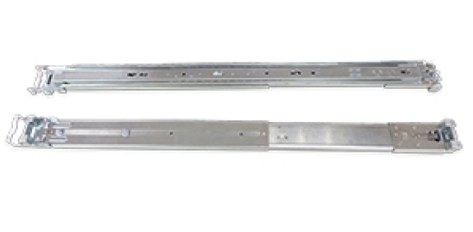
QNAP RAIL-A03-57 QNAP RAIL-A03-57 rack accessory
The TS-x80 rack mount models comply with ANSI/EIA-RS-310-D rack mounting standards. Before purchasing the server racks for these models, please make sure the server racks conform to the following criteria:1. Rack sizeA. Mounting post width: ≥ 451mm.B . Panel width: ≥ 500mm.C. Mounting post depth: 650mm~850mm.2. The optional rack kits for the TS-x80 rack mount models are only compatible with square-hole server racks.
Part# RAIL-A03-57
SKU S19454
In
Stock
QNAP
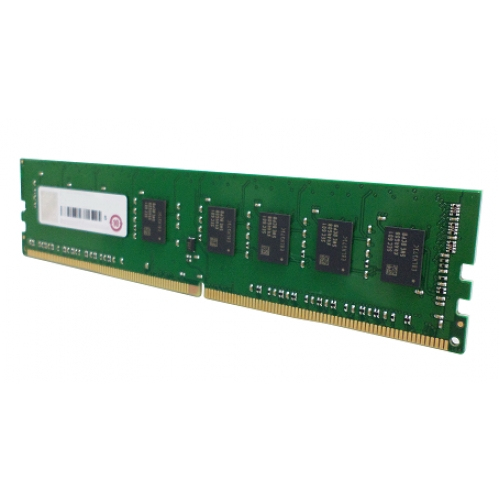
QNAP RAM-16GDR4ECT0-UD-2666 QNAP RAM-16GDR4ECT0-UD-2666 memory module 16 GB 1 x 16 GB DDR4 2666 MHz ECC
Part# RAM-16GDR4ECT0-UD-2666
SKU S19454
In
Stock
QNAP
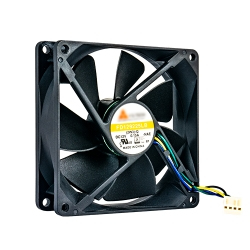
QNAP FAN-9CM-T01 QNAP FAN-9CM-T01 computer cooling system Universal 9.2 cm Black
QNAP FAN-9CM-T01. Type: Fan, Fan diameter: 9.2 cm, Rotational speed (max): 2400 RPM. Voltage: 12 V. Width: 92 mm, Depth: 92 mm, Height: 25 mm. Product colour: Black
Part# FAN-9CM-T01
SKU S19454
In
Stock

Item(s) added to cart

