
 0
0
QNAP
80 –
90
of
102
Availability
Sort by
Advance Filters
QNAP
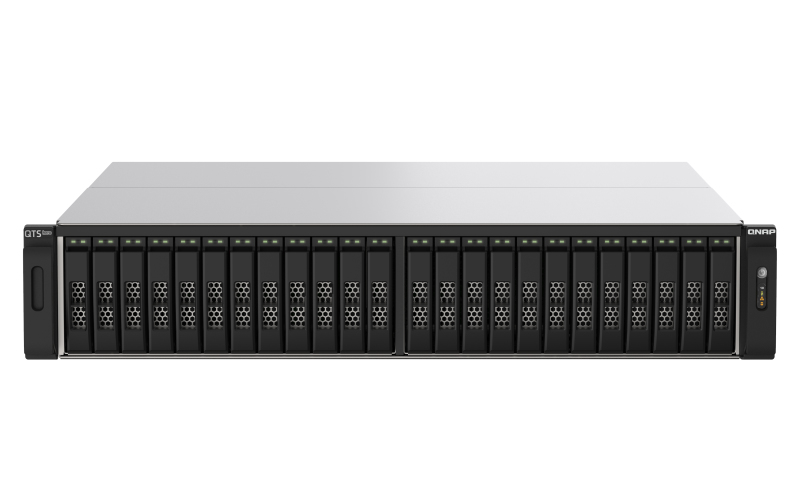
QNAP TS-H2490FU-7302P-256 QNAP TS-h2490FU NAS Rack (2U) Ethernet LAN Black, Grey 7302P
ZFS-based, 24-bay U.2 NVMe all-flash storage built for high-performance and low-latency virtualized workloads, data centers, and 8K streamsThe NVMe all-flash TS-h2490FU is designed for providing extreme performance with high cost-efficiency. Featuring 24 U.2 NVMe Gen 3 x4 SSD bays, the TS-h2490FU delivers up to 661K / 245K random read/write IOPS with ultra-low latency. The ZFS-based QuTS hero operating system supports inline data deduplication and compression for reducing I/O and SSD storage consumption, which significantly extends SSD lifespan with a higher price-performance ratio for all-flash storage arrays. Coupled with near-unlimited snapshots, real-time SnapSync, and petabyte-scale storage expansion capabilities, the TS-h2490FU is ideal for I/O-intensive and latency-sensitive applications, and eliminates productivity bottlenecks in modern data centers, virtualization, and mission-critical backup/restore tasks.Build high-performance storage infrastructure for IOPS-demanding applicationsVirtualizationEliminates storage bottlenecks for unstructured data and I/O intensive workloads; ideal for server virtualization and virtual desktop infrastructure (VDI).Data CentersDelivers ultra-low latency and high IOPS performance, providing response times within microseconds for data centers that host significant business-critical systems and data.Media and Entertainment (M&E) productionSatisfies smooth 4K/8K media streaming and post-production, empowering multimedia workflows with faster data transfer, access, and backup for boosted efficiency.2nd Gen AMD EPYC™ processors and DDR4 ECC memoryThe TS-h2490FU is armed with 2nd Gen AMD EPYC™ 7002 series processors (Rome). Based on the “Zen 2” architecture with cutting-edge 7nm process technology, up to 128 PCIe lanes of I/O are provided for 32Gb/s dedicated bandwidth per SSD. With DDR4 ECC memory that detects and corrects single-bit memory errors for higher reliability, the TS-h2490FU provides 8-channel modules and 16 Long-DIMM slots to fulfill memory-intensive workloads. Demonstrating immense computing power and multi-tasking capabilities, the TS-h2490FU is the ideal choice for uncompromising performance demands in HPC, virtualization, and hybrid/multi-cloud applications.U.2 NVMe Gen 3 x4 All-Flash Storage ArrayThe 2U rackmount TS-h2490FU has 24 drive bays for U.2 NVMe Gen 3 x4 SSDs, with each individual SSD having 32Gb/s dedicated bandwidth for the utmost application response times. Coupled with powerful ZFS data deduction and SSD optimization technologies, the TS-h2490FU provides solid foundations for overcoming complexity and performance demands in today’s evolving data center workloads.Empower high-speed data transfer with four 25GbE portsThe TS-h2490FU provides breakthrough network connectivity with two pre-installed dual-port 25GbE SFP28 SmartNICs* (that use the Broadcom NetXtreme®-E Series BCM57414, Mellanox® ConnectX®-4 Lx, or the same level SmartNIC). With failover and Port Trunking for up to 100Gb/s bandwidth, the TS-h2490FU empowers your organization with the bandwidth to tackle the most demanding applications, including data centers, virtualization, massive file transfer, high-speed backup/restoration, and multimedia transmission.Leverage the M.2 PCIe NVMe SSD to U.2 AdapterInstall one or more QDA adapter in the TS-h2490FU to maximize PCIe bandwidth utilization in a cost-effective way by using M.2 PCIe NVMe SSD instead of the U.2 SSD for optimizing data-intensive applications. It can also boost IOPS performance when configuring SSD caching. Users can monitor drive health and manage SSD usage from the QTS Storage & Snapshots Manager. The M.2 SSD installed in the QDA adapter is hot swappable.Multiple PCIe Gen 4 slots for flexible expansionThe TS-h2490FU is equipped with five PCIe Gen 4 slots. With twice the I/O performance of PCIe Gen 3, the TS-h2490FU can take advantage of many PCIe cards to expand application potential.Robust hardware paralleled to boost all-flash NVMe performanceThe TS-h2490FU features high-level hardware with an expandable architecture to provide businesses with high performance and low latency access. With a removable motherboard drawer design, IT staff can easily maintain the TS-h2490FU without needing to remove it from the rack.ZFS-based QuTS hero operating system enhances NAS performance and data integrityQuTS hero combines the app-based QTS with the 128-bit ZFS file system to provide flexible storage management, comprehensive data protection, and optimized performance to tackle the complexity and performance demands of modern IT. From storage management, virtualization, to collaborative media workflows, QuTS hero streamlines your business-critical tasks.Data integrity is keyQuTS hero’s self-healing ensures data integrity and reliability. Write Once, Read Many (WORM) is also supported.Data reduction improves storage efficiency and performanceInline data deduplication, compression, and compaction reduce file size to conserve storage capacity and optimize performance.Multi-level cache technologyMain memory read cache (L1 ARC), SSD second-level read cache (L2 ARC), and ZFS Intent Log (ZIL) for synchronous transactions with power fail protection are simultaneously supported to boost performance and security.RAID Z enables robust data protectionMultiple RAID levels allow flexible capacity utilization. RAID Triple Parity and Triple Mirror deliver higher levels of data protection.QSAL (QNAP SSD Antiwear Leveling) enhances data protectionRAID-level SSD lifespan is automatically and regularly detected to prevent simultaneous SSD failure, improving your data protection and system reliability.App Center ecosystem extends NAS functionalityApps for backup/sync, virtual machines/containers, content management, productivity, and more features can be used to expand the application potential of the TS-h2490FU.Inline data deduplication, compression, and compaction improve SSD enduranceQuTS hero supports advanced block-based data reduction technologies (including inline data deduplication, compression, and compaction) to reduce file sizes, conserve storage capacity, and optimize performance. For example, if 20 virtual machines on a NAS are replicated using the same template, then storage space requirements for all 20 virtual machines can be reduced by up to 95%. Whether acting as primary or backup storage, the TS-h2490FU optimizes storage utilization to provide a reliable storage cornerstone in the Big Data era. All-flash solutions thus achieve higher cost efficiency while improving both random write performance and SSD lifespan.More SSD performance and lifespan optimization technologiesWrite CoalescingTransforms all random writes to sequential writes along with reduced I/O, effectively increasing write performance in all-flash environments.Pool Over-provisioningDedicated space can be flexibly reserved in an SSD storage pool to allow new data to be written into a complete block even if the pool is almost full, thus improving the performance of fragmented pools.TRIMAllows QuTS hero to inform SSDs to delete unneeded data blocks and process the deletion tasks during system idle times, meaning it does not have to wait for when new data is written to the block.Real-time SnapSync ensures minimal RPO with real-time disaster recoveryReal-time SnapSync ensures that both the primary and secondary NAS maintain identical data. When data is written to the source, it is immediately written to the destination. If the primary NAS goes offline, IT staff can simply adjust the privilege settings of the secondary NAS to ensure continuous operations. SnapSync provides the strongest support for nonstop business operations and helps users to reduce the risk of data loss.Snapshots multiply backup protectionAttain peace of mind with near-limitless, instant snapshots. Copy-on-write technology makes snapshot creation almost instantaneous without affecting ongoing data writing. Snapshot Replica replicates snapshot files to the backup NAS, simplifying data protection with version control.HBS simplifies 3-2-1 backup plansHBS centralizes backup, restoration, and synchronization for easily transferring data in the TS-h2490FU to another QNAP NAS, remote server, or cloud storage space. HBS supports QuDedup technology that eliminates redundant data at the source and makes multi-version backup faster.All-in-one virtual machine and container hosting solutionYou can count on Virtualization Station and Container Station for comprehensive virtualization support. Coupled with the Network & Virtual Switch app that boosts interoperability between virtual machines, containers, QNAP NAS, and other physical devices on the network, you can flexibly allocate physical and virtual network resources to simplify network deployment.Virtualization StationRun multiple Windows®, Linux®, UNIX®, and Android™ virtual machines and access them via a web browser or Virtual Network Computing (VNC). Businesses can run virtualized server applications on a single NAS without the need for additional physical servers.Container StationExperience LXC and Docker® lightweight virtualization technologies, download apps from the built-in Docker Hub Registry®, import and export containers, and create abundant microservices.Single Root I/O Virtualization (SR-IOV)By installing an SR-IOV compatible PCIe SmartNIC in the TS-h2490FU, you can allocate bandwidth resources from a physical network card directly to VMs. With traffic bypassing the Hypervisor vSwitch, it helps enhance I/O throughout and network efficiency, ensuring reliable VM applications and reduced CPU overheads.License-free VMware® and Hyper-V backup applianceWith Hyper Data Protector, the TS-h2490FU becomes an agentless backup tool for unlimited VMware® vSphere and Microsoft® Hyper-V VM backup. Hyper Data Protector features incremental backup, global deduplication, backup scheduling and recovery compression. Hyper Data Protector also simultaneously backs up multiple VMs, providing you with a cost-effective and reliable disaster recovery plan, ensuring 24/7 operation of your services.Move business data to the cloud and enjoy low latency access to cloud-based dataThe TS-h2490FU perfectly integrates NAS with mainstream cloud services. By deploying cloud storage gateways and enabling local caching, organizations can seamlessly use the cloud for storage, backup, and data recovery with low-latency access. This greatly helps in realizing cost-effective, flexible and secure hybrid cloud applications.HybridMount file-based cloud gatewayFlexibly expand storage capacity by connecting to cloud storage. You can leverage QuTS hero apps to manage and edit your cloud files or multimedia files. HybridMount is ideal for file server online collaboration and file-level data analysis.VJBOD Cloud block-based cloud gatewayVJBOD Cloud supports streamlined NAS backup to object cloud storage. The block-based data transmission uploads random data and large files to the cloud in blocks, and only transmits block-based volume or LUN changes (such as addition, modification, or deletion). This is ideal for enterprise-level applications with large file transfer requirements, such as databases, VM volumes, and videos.High-performance, reliable storage solution for virtualization- Supports block-based iSCSI LUN as a high-performance, reliable, and affordable storage solution for VMware®, Microsoft® Hyper-V®, and Windows Server® 2019 virtualization environments.- Supports VMware VAAI and Microsoft ODX to increase performance by offloading server loading for ESXi server and Hyper-V respectively, and supports QNAP vSphere Client plug-in with enhanced operational efficiency and management in virtualization applications.Build an affordable Fibre Channel SAN environmentCommon Fibre Channel Storage Area Networks (SAN) devices are often costly. By installing QNAP dual-port 16Gb/32Gb Fibre Channel expansion cards in the TS-h2490FU, you have more budget-friendly options to add a NAS to a SAN environment. You can set a Fibre Channel Target using the iSCSI & Fibre Channel app. Moreover, the LUN Masking and Port Binding features provide an additional layer of data security.More productivity applicationsBoxafeSafeguard enterprise cloud data by backing up/syncing files, emails, calendars and contacts from Google™ Workspace and Microsoft® Office 365® to the TS-h2490FU.Security CounselorA security portal for checking weaknesses and receiving recommendations for enhancing NAS security. It also integrates anti-virus and anti-malware scanning software.QsirchQNAP’s powerful, Google-like search tool helps you quickly find images, music, videos, documents, and emails by keywords, color, and more search conditions. It also supports Qfiling to perform one-time or automatic archival tasks based on your search criteria.Build a high-density petabyte-scale data center with Seagate® Exos™ E series JBODQNAP and Seagate® join hands to assist you in overcoming the challenges of extreme data growth! The TS-h2490FU supports connecting a Seagate Exos E series JBOD, offering a competitive storage solution with unprecedented capacity, industry-leading storage density, and high reliability while also minimizing TCO by saving rack space. You can flexibly install one or more QDA-UMP adapters with IronWolf 525 M.2 NVMe SSDs in the TS-h2490FU to maximize PCIe bandwidth utilization in a cost-effective way by using M.2 SSD instead of U.2 SSD for optimizing data-intensive applications.
Part# TS-H2490FU-7302P-256
SKU S19454
Limited Availability


QNAP
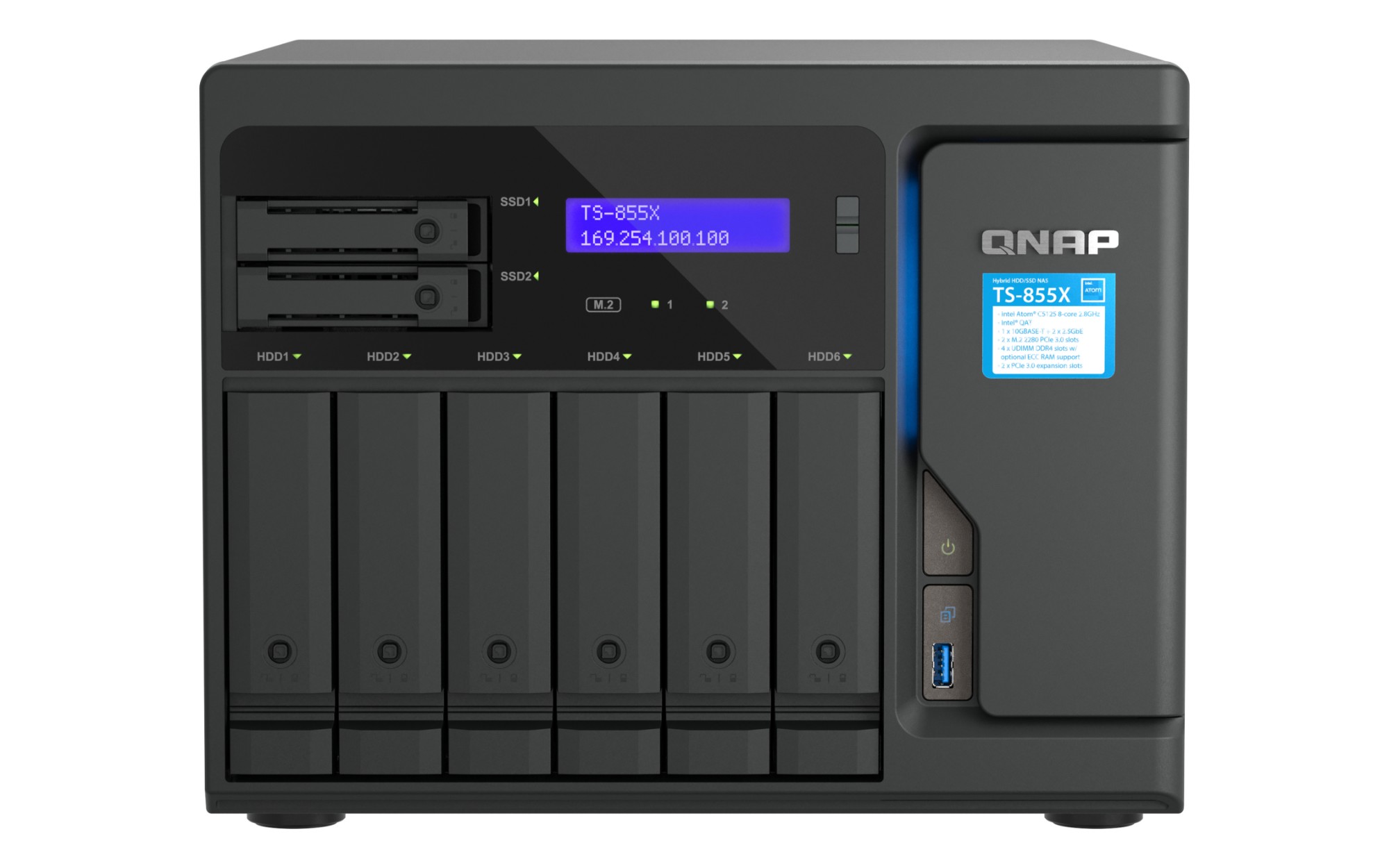
QNAP TS-855X-8G QNAP TS-855X SAN Tower Intel Atom® C5125 8 GB DDR4 0 TB QNAP QTS Black
High-performance 8-core 10GbE NAS for deploying hybrid-infrastructure storage and high-speed virtualization applicationsThe high-capacity TS-855X has six 3.5-inch SATA drive bays (for HDDs), two 2.5-inch SATA drive bays (for SSDs) and an 8-core processor supporting Intel® QuickAssist Technology (QAT), greatly assisting businesses in deploying a data storage and virtualization environment. The built-in 10GbE/2.5GbE high-speed connectivity helps realize fast data access, backup/restoration, file server, and virtualization applications. Running the QTS operating system as standard, the TS-855X can be switched to use the ZFS-based QuTS hero operating system based on your requirements. The TS-855X will be available and supported by QNAP for an extended period (up to 2027), ideal for businesses requiring matching NAS models deployed in long-term projects.Ultimate 8-core performance with up to 128 GB RAM and Intel® QuickAssist TechnologyThe TS-855X delivers exceptional 8-core performance for running multiple concurrent tasks. AES-NI encryption and Intel® QuickAssist Technology (QAT) are supported to offload resource-demanding compression and improving IPsec/SSL cryptography performance. The TS-855X comes with four UDIMM DDR4 slots (8 GB preinstalled) that can be upgraded to 128 GB ECC RAM for higher workloads. Combining high performance, reliability, and capacity, the TS-855X is an all-round budget-friendly storage solution for diverse applications, such as file servers, high-speed storage/backup/recovery, and virtualization.Build a High-Speed 10GbE/2.5GbE Network EnvironmentFeaturing two native 2.5GbE RJ45 (2.5G/1G/100M) LAN ports and a 10GBASE-T (2.5G/1G/100M) port, the TS-855X satisfies bandwidth and reliability demanding business applications including virtualization, large file transfers, high-speed backup/restoration, and real-time applications. Combine the dual 2.5GbE ports with SMB 3.0 Multichannel for up to 5 Gbps fault-tolerant connections! QNAP also offers numerous managed/unmanaged 2.5GbE/10GbE switches, assisting organizations in implementing high-speed, secure, and scalable network environments without going over budget.M.2 PCIe slots for SSD caching and accelerated AI-powered image recognitionThe TS-855X comes with two M.2 PCIe Gen 3 slots that allow for installing M.2 2280 NVMe SSDs (including SSD brands of Micron®, Seagate® and WD®) or Edge TPU (sold separately) to boost NAS performance.SSD cachingConfigure SSD caching with M.2 SSDs and obtain optimal I/O and reduced latency without occupying any 3.5-inch drive bays.Auto TieringQtier™ technology empowers the TS-855X with auto tiering to continuously optimize storage efficiency across all installed storage devices.Faster image recognition with Edge TPUCoral M.2 Accelerator with Edge TPU provides an affordable solution to leverage AI acceleration for faster image recognition in your NAS applications.Upgrade to 25GbE network with PCIe expandabilityThe TS-855X has two PCIe Gen 3 x4 slots that allow for installing various expansion cards to increase its application potential.Simple BackupSuperior hardware performance with an all-in-one Backup Solution to speed up backup/recovery tasks.PC and Mac backupSync your computer files to NAS with Qsync. TS-855X also supports Time Machine for Mac computers.License-free VM backupBack up multiple VMware® and Hyper-V™ VMs using Hyper Data Protector.File server backupSupports multiple protocols such as Rsync, FTP and CIFS for backing up different file servers.SaaS Business Backup SolutionUse Boxafe to easily back up Google™ Workspace and Microsoft 365® business account data.Google Photos and WordPress backupThe exclusive MARS service enables backing up Google Photos and WordPress databases and files to NAS.Multi-version snapshots mitigate ransomware threatsThe TS-855X supports block-based snapshots that record the state of the system at any time. It helps protect data, which can be restored back to a specific point of time, greatly helping in mitigating the threat of ransomware.Volume and LUN snapshotsTake snapshots in seconds and revert the entire volume/LUN back to a specific point in time to prevent loss of important data.Instantly restore snapshotsSnapshot content can be quickly restored to a local NAS, or restored on a folder/file basis to a local/remote NAS or cloud storage. You can also conveniently view and restore snapshots from the client side.Back up snapshotsMultiply data protection by backing up snapshot files! Replicate volume/LUN snapshots in the TS-855X to a remote NAS (Snapshot Replica) by copying only the changes made. This helps save time & bandwidth, and can be run manually or on a scheduled basis.Reliable, high-performance storage for virtualizationThe TS-855X supports block-based iSCSI LUN as a reliable, high-performance, and affordable storage solution for mainstream virtualization environments. It supports VMware® VAAI and Microsoft® ODX to increase performance by offloading server loading for ESXi server and Hyper-V respectively.All-in-one solution for hosting virtual machines and containersBy running multiple virtual machines and containers on the TS-855X, you can deploy multi-tenant environments and applications to increase management efficiency and save hardware costs. Coupled with the Network & Virtual Switch app that boosts interoperability between virtual machines, containers, QNAP NAS, and other physical devices on the network, you can flexibly allocate physical and virtual network resources to simplify network deployment.Virtualization StationRun multiple Windows®, Linux®, UNIX®, Android™, and QuTScloud virtual machines and access them via a web browser or Virtual Network Computing (VNC). Businesses can run virtualized server applications on a single NAS without needing additional physical servers.Container StationExperience Docker®, LXD, and Kata Containers lightweight virtualization technologies, download apps from the built-in Docker Hub Registry®, import/export containers, and create abundant microservices.Linux StationRun Linux® applications (including apps from the Software Center) directly on the NAS and remotely access the Linux® desktop from a web browser. The open-source Linux® platform is also ideal for Internet of Things development.Single Root I/O Virtualization (SR-IOV)By installing an SR-IOV compatible PCIe SmartNIC in the TS-855X, you can allocate bandwidth resources from a physical network card directly to VMs, increasing network efficiency and reduced CPU overheads.QuTScloud virtual NASQuTScloud is a virtual appliance based on the QTS operating system. Enterprises can quickly launch QuTScloud on hypervisors including Linux® KVM, Microsoft® Hyper-V, and VMware ESXi™ to acquire advanced NAS features without requiring additional NAS hardware.Comprehensive security and privilege settingsThe TS-855X is loaded with flexible privilege settings and security measures. Besides IP blocking, QNAP Authenticator, HTTPS connection, there are more apps that help ensure optimal NAS protection against threats like malware and hackers.myQNAPcloud secures remote accessmyQNAPcloud allows convenient connection to the TS-855X through the Internet without any complex DDNS settings. To ensure your remote access service is secure, myQNAPcloud strengthens keys on SSL Certificates to 2048-bits.Simplified privilege settingsThe TS-855X supports comprehensive access right settings for shared folders, Azure Active Directory Domain Services (Azure AD DS), LDAP, and Windows ACL to help IT staff efficiently manage user accounts and access rights for multiple NAS systems.QuFirewall protectionSupports IPv6, firewall access lists, and GeoIP filtering to restrict access based on geographical locations for higher NAS network security.Superior security with QVPNA virtual private network (VPN) allows secure access to network resources and services across public networks. QVPN supports creating a VPN client, using the TS-855X as a VPN server, and WireGuard® VPN service with an easy-to-use interface for setting up a secure connection.Security CounselorA security portal for the TS-855X to check for weaknesses and offer recommendations for enhancing NAS security. It also integrates anti-virus and anti-malware scanning software.Malware RemoverRegularly scan your TS-855X using the latest malware definitions. If infected files are detected, they will be immediately removed to ensure NAS data security.The best file storage and collaboration centerThe TS-855X integrates rich apps for storing, managing, synchronizing, searching, and archiving files. It supports SMB/CIFS, AFP, and NFS protocols for streamlined file sharing across Windows®, Mac®, and Linux®/UNIX®, and provides the smartest NAS solution for professionally managing your files.File StationManage, access, and share all the files in the TS-855X and view snapshots files – all from your web browser. You can also easily mount remote NAS folders and cloud storage.QsyncMake any file uploaded to a TS-855X available to linked devices, such as computers, laptops and mobile devices. You can sync shared folders and team folders for group file sharing to enhance the flexibility of team projects and collaboration.QsirchQNAP’s powerful, Google-like search tool helps you quickly find images, music, videos, documents, and emails by keywords, color, and more search conditions. It also supports Qfiling to perform one-time or automatic archival tasks based on your search criteria.QfilingAutomate your file organization ─ all you need to do is categorize files, set a schedule, and Qfiling will do the rest. Qfiling also enables smart recycling that instantly moves filtered files to the Recycle Bin.Build an affordable Fibre Channel SAN environmentCommon Fibre Channel Storage Area Networks (SAN) devices are often costly. By installing QNAP dual-port 16Gb / 32Gb Fibre Channel expansion cards in the TS-855X, you have more budget-friendly options to add a NAS to a SAN environment. You can set a Fibre Channel Target using the iSCSI & Fibre Channel app. Moreover, the LUN Masking and Port Binding features provide an additional layer of data security.Smart surveillance solution for 24/7 securityQVR Elite is QNAP’s subscription-based smart surveillance solution, allowing you to easily build a surveillance system with lower TCO and higher scalability. Recordings are saved as MP4 files, allowing playback on nearly every device. QVR Elite also integrates QNAP AI-based solutions to build smart facial recognition for retail and door access systems with QNAP NAS. You can arrange a dedicated, independent storage space for surveillance data on the TS-855X and enjoy simplified camera management, storage space allocation, camera live viewing and playback.Flexible and economical storage expansionQNAP provides easy ways to expand your storage capacity. Here are several ways to expand your TS-855X storage as needed to accommodate data and business growth.Attach QNAP expansion enclosuresConnect expansion enclosures to the TS-855X, and manage NAS storage expansion with the user-friendly Storage & Snapshots Manager app.Mount cloud storage or remote file serversMount cloud storage or remote file servers to expand the capacity of the TS-855X while also centrally managing files on the NAS, cloud storage, and remote devices.Migrate to a new NASInstall your NAS hard drives into a larger QNAP NAS and retain all your existing data and configurations.Upgrade RAID capacityHot-swap lower-capacity drives with larger-capacity drives to expand your NAS capacity so it can grow with your business.More productivity-boosting applicationsThe TS-855X provides an App Center that includes feature-rich apps to expand your NAS potential!QuMagieAn AI-powered photo management app, supporting automated photo categorization with AI Albums, iOS® Live Photo display, and powerful search tools for the ultimate photo management and sharing solution.QuObjectsRun a high-performance S3 compatible development environment on your TS-855X to simplify service development workflows from testing to production. You can also move cold data from the cloud to an on-premises QuObjects to save cloud storage costs.Notification CenterConsolidates all system events, alerts, and notifications for smooth and easy NAS management, keeping you always informed of your NAS status.QmailAgentThe best email backup solution that allows you to easily backup/recover and manage multiple email accounts in their native format with strong security and data integrity.QuFTPThe TS-855X can perform as an FTP server featuring SSL/TLS encryption, QoS bandwidth controls, and permission settings for efficiently and securely transferring large amounts of data. FTP Client is also supported.A health check for your hard drivesHard drives are at the heart of your NAS, and ensuring their long-term health and reliability is absolutely crucial. QNAP provides various methods and tools to help you monitor hard drive health, ensuring that you can take proactive decisions to safeguard your data and files.S.M.A.R.T. and back block scanningIf any of the S.M.A.R.T. values are reported as abnormal, or bad blocks are detected, you can take early action and replace drives before potential data loss occurs.DA Drive AnalyzerThe DA Drive Analyzer leverages ULINK cloud-based AI to predict the expected lifespan of drives, assisting you in planning future drive replacements to protect against NAS downtime and data loss.Seagate® IronWolf™ Health ManagementWhen using supported IronWolf™ or IronWolf Pro™ hard drives, overall system reliability is improved by providing you with actionable prevention, intervention, and recovery options.Switch to QuTS hero operating system for optimal data integrity and reliabilityThe TS-855X also supports QuTS hero - QNAP’s ZFS-based NAS operating system. Providing end-to-end data integrity, data reduction (inline data deduplication, compression, and compaction), and much more, QuTS hero uses additional system resources to ensure an optimal environment for protecting business data.
Part# TS-855X-8G
SKU S19454
Limited Availability
QNAP
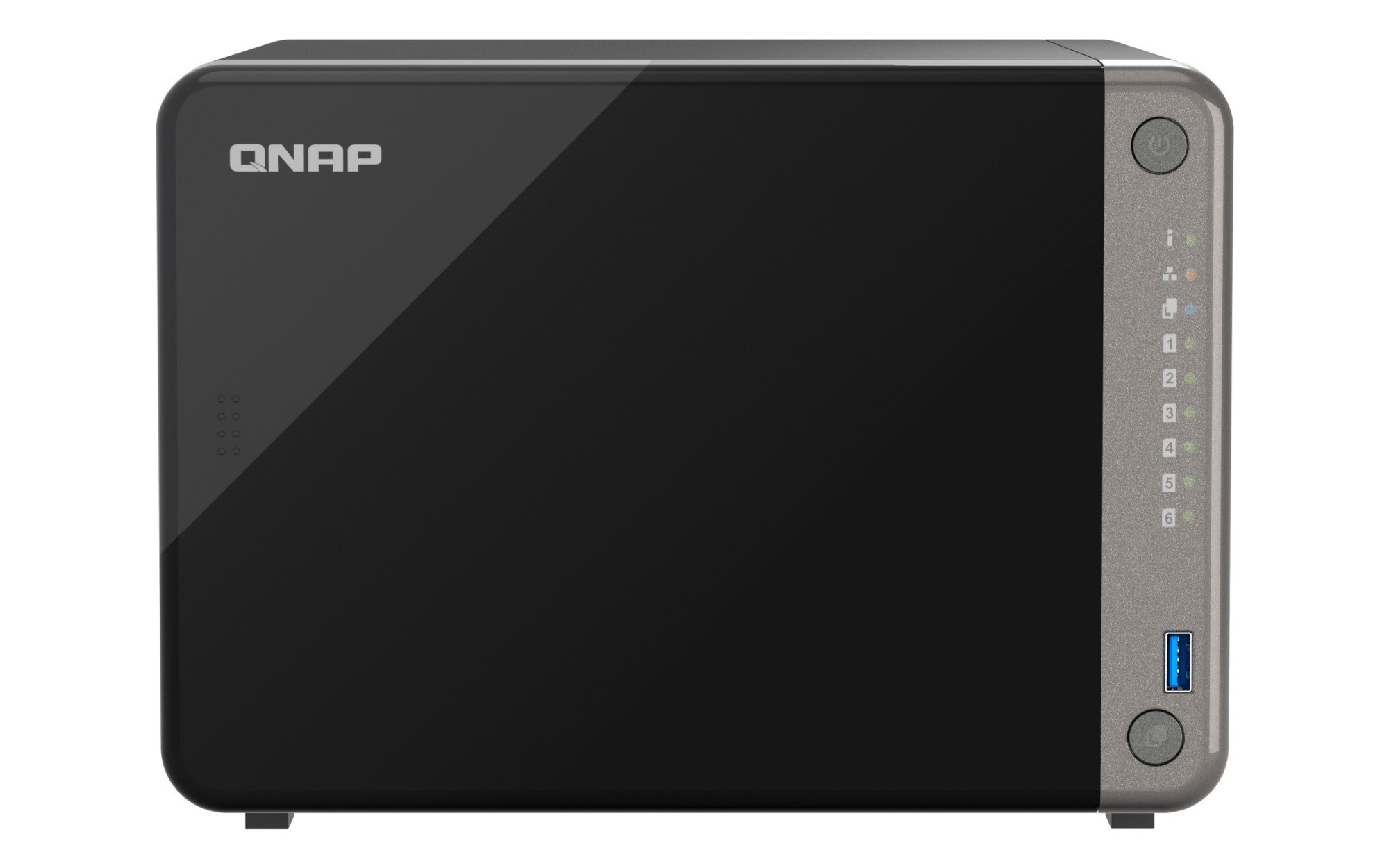
QNAP TS-AI642-8G QNAP TS-AI642-8G NAS/storage server Tower Ethernet LAN Black Cortex-A76
TS-AI642AI NAS with a power-efficient ARM SoC processor and NPU for AI-powered video and image recognition applicationsThe next-generation TS-AI642 AI NAS is specifically designed for AI-powered video and image recognition applications. Adopting the 64-bit ARM Cortex-A76/-A55 SoC octa-core processor with up to 6 TOPS NPU (Neural network Processing Unit), the TS-AI642 not only tackles image processing and analysis tasks, but also offloads CPU workloads when running AI applications to reduce system operation power consumption. With powerful computing performance, high-capacity storage space and flexible I/O expandability, the TS-AI642 allows enterprises to easily deploy an AI NAS solution for video surveillance, image recognition, and face recognition applications.Expand storage capacity up to 18 hard drivesThe TS-AI642 supports a storage capacity of up to 110 TB by installing six 3.5-inch 22 TB hard drives in RAID 5. By connecting a TL-D1600S QNAP storage expansion unit, you can add an additional twelve hard drives to the TS-AI642 to achieve up to 350TB storage space to meet growing storage requirements. Or connect TR Series storage expansion units to add Hardware RAID protection for expanded storage.NPU accelerates on-device AI performance. 3x Faster face recognition.Adopting an NPU (Neural network Processing Unit), the TS-AI642 boosts QNAP AI Core (the AI-powered engine for image recognition) performance for high-speed face and object recognition.QuMagie photo managementNPU greatly accelerates image recognition performance when uploading pictures in QuMagie, realizing intelligent classification.200% performance boost in image recognitionQsirch full-text search engineNPU accelerates AI OCR image recognition technology to make capturing text in images more efficient.20% performance boost capturing text from images with AI OCRQVR Face Insight facial recognitionQVR Face instantly recognizes faces and runs analytic tasks within 0.2 seconds. NPU allows more IP cameras to be analyzed at the same time.10 cameras for real-time attendance management analyticsQVR Human people counting solutionQVR Human provides real-time counting data and analytics, and NPU allows more IP cameras to be analyzed at the same time.3 cameras for real-time analyticsEfficient image search with AI photo managementTS-AI642 is the best photo and file storage center. Store and organize thousands of photos and find them anytime you want with powerful AI image recognition.QuMagie smart photo managementBy auto-organizing thousands of photos by People, Things, or Places, QuMagie creates AI albums for smarter filtering and faster searching.Qsirch fast file searchAs powerful as Google™, Qsirch allows you to find files faster and smarter by using keywords, color, and metadata. AI OCR image recognition technology recognizes and captures text inside images.Smart surveillanceThe TS-AI642 provides a professional surveillance NAS solution, compatible with 6,000+ IP cameras of 190+ brands and thousands of ONVIF network cameras. Full HD (1080p) surveillance video recordings of 2 cameras can be stored for 2 years.Next-generation 2.5G NAS with power-efficient ARM SoC 8-core processorThe TS-AI642 adopts the ARM Cortex 64-bit-A76/A55 SoC octa-core processor with ARM Mali-G610 MC4 GPU, offering excellent computing performance at a low power comsumption. TS-AI642 has one 2.5GbE port and one PCIe slot for upgrading to 10GbE connectivity. SATA 6Gb/s drives are supported to deliver reliable read/write performance for hosting versatile NAS applications in offices.ProcessorARM Cortex 64-bit A76/A55 octa-core processor (2.2 GHz/1.8 GHz)NPUUp to 6 TOPS NPU high compute performance for boosting high-speed face and object recognition.Memory8 GB RAM (non-expandable)ConnectionsTwo USB 3.2 Gen 1 (5Gbps) ports and two USB 2.0 portsAbundant I/O capabilities with PCIe expansionThe TS-AI642 has one PCIe Gen 3 x2 slot, allowing you to increase its application potential.Simple BackupSuperior hardware performance with an all-in-one Backup Solution to speed up backup/recovery tasks.Multi-version snapshots mitigate ransomware threatsThe TS-AI642 supports block-based snapshots that record the state of the system at any time. It helps protect data, which can be restored back to a specific point of time, greatly helping in mitigating the threat of ransomware.Volume and LUN snapshotsTake snapshots in seconds and revert the entire volume/LUN back to a specific point in time to prevent loss of important data.Instantly restore snapshotsSnapshot content can be quickly restored to a local NAS, or restored on a folder/file basis to a local/remote NAS or cloud storage. You can also conveniently view and restore snapshots from the client side.Back up snapshotsMultiply data protection by backing up snapshot files! Replicate volume/LUN snapshots in the TS-AI642 to a remote NAS (Snapshot Replica) by copying only the changes made. This helps save time & bandwidth, and can be run manually or on a scheduled basis.Host container applicationsIf you are curious about Docker or are a hobbyist developer, Container Station on the TS-AI642 integrates Docker® lightweight virtualization technology, allowing you to run all kinds of self-contained applications. You can download apps from the built-in Docker Hub®, including popular and fully-configured applications, and deploy them with just one click. From smart homes to multimedia applications, you can explore your creativity and bring containerized applications to life.Besides Container Station, more apps (including tools for backup/sync, content management, communications, download, and entertainment) are available from the App Center. Simply click and install on-demand to further extend the functionality of your TS-AI642.Comprehensive security and privilege settingsThe TS-AI642 is loaded with flexible privilege settings and security measures. Besides IP blocking, QNAP Authenticator, HTTPS connection, there are more apps that help ensure optimal NAS protection against threats like malware and hackers.myQNAPcloud secures remote accessmyQNAPcloud allows convenient connection to the TS-AI642 through the Internet without any complex DDNS settings. To ensure your remote access service is secure, myQNAPcloud strengthens keys on SSL Certificates to 2048-bits.Simplified privilege settingsThe TS-AI642 supports comprehensive access right settings for shared folders, Azure Active Directory Domain Services (Azure AD DS), LDAP, and Windows ACL to help IT staff efficiently manage user accounts and access rights for multiple NAS systems.QuFirewall protectionSupports IPv6, firewall access lists, and GeoIP filtering to restrict access based on geographical locations for higher NAS network security.Superior security with QVPNA virtual private network (VPN) allows secure access to network resources and services across public networks. QVPN supports creating a VPN client, using the TS-AI642 as a VPN server, and WireGuard® VPN service with an easy-to-use interface for setting up a secure connection.Security CounselorA security portal for the TS-AI642 to check for weaknesses and offer recommendations for enhancing NAS security. It also integrates anti-virus and anti-malware scanning software.Malware RemoverRegularly scan your TS-AI642 using the latest malware definitions. If infected files are detected, they will be immediately removed to ensure NAS data security.The best file storage and collaboration centerThe TS-AI642 integrates rich apps for storing, managing, synchronizing, searching, and archiving files. It supports SMB/CIFS, AFP, and NFS protocols for streamlined file sharing across Windows®, Mac®, and Linux®/UNIX®, and provides the smartest NAS solution for professionally managing your files.File StationManage, access, and share all the files in the TS-AI642 and view snapshots files – all from your web browser. You can also easily mount remote NAS folders and cloud storage.QsyncMake any file uploaded to a TS-AI642 available to linked devices, such as computers, laptops and mobile devices. You can sync shared folders and team folders for group file sharing to enhance the flexibility of team projects and collaboration.QfilingAutomate your file organization ─ all you need to do is categorize files, set a schedule, and Qfiling will do the rest. Qfiling also enables smart recycling that instantly moves filtered files to the Recycle Bin.Free exFAT supportexFAT is a file system that supports files up to 16EB and is optimized for flash storage (such as SD cards and USB devices) - helping accelerate large media file transfer and sharing.Flexible and economical storage expansionQNAP provides easy ways to expand your storage capacity. Here are several ways to expand your TS-AI642 storage as needed to accommodate data and business growth.Attach QNAP expansion enclosuresConnect expansion enclosures to the TS-AI642, and manage NAS storage expansion with the user-friendly Storage & Snapshots Manager app.Mount cloud storage or remote file serversMount cloud storage or remote file servers to expand the capacity of the TS-AI642 while also centrally managing files on the NAS, cloud storage, and remote devices.Migrate to a new NASInstall your NAS hard drives into a larger QNAP NAS and retain all your existing data and configurations.Upgrade RAID capacityHot-swap lower-capacity drives with larger-capacity drives to expand your NAS capacity so it can grow with your business.A health check for your hard drivesHard drives are at the heart of your NAS, and ensuring their long-term health and reliability is absolutely crucial. QNAP provides various methods and tools to help you monitor hard drive health, ensuring that you can take proactive decisions to safeguard your data and files.S.M.A.R.T. and back block scanningIf any of the S.M.A.R.T. values are reported as abnormal, or bad blocks are detected, you can take early action and replace drives before potential data loss occurs.DA Drive AnalyzerThe DA Drive Analyzer leverages ULINK cloud-based AI to predict the expected lifespan of drives, assisting you in planning future drive replacements to protect against NAS downtime and data loss.Seagate® IronWolf™ Health ManagementWhen using supported IronWolf™ or IronWolf Pro™ hard drives, overall system reliability is improved by providing you with actionable prevention, intervention, and recovery options.
Part# TS-AI642-8G
SKU S19454
Limited Availability
QNAP
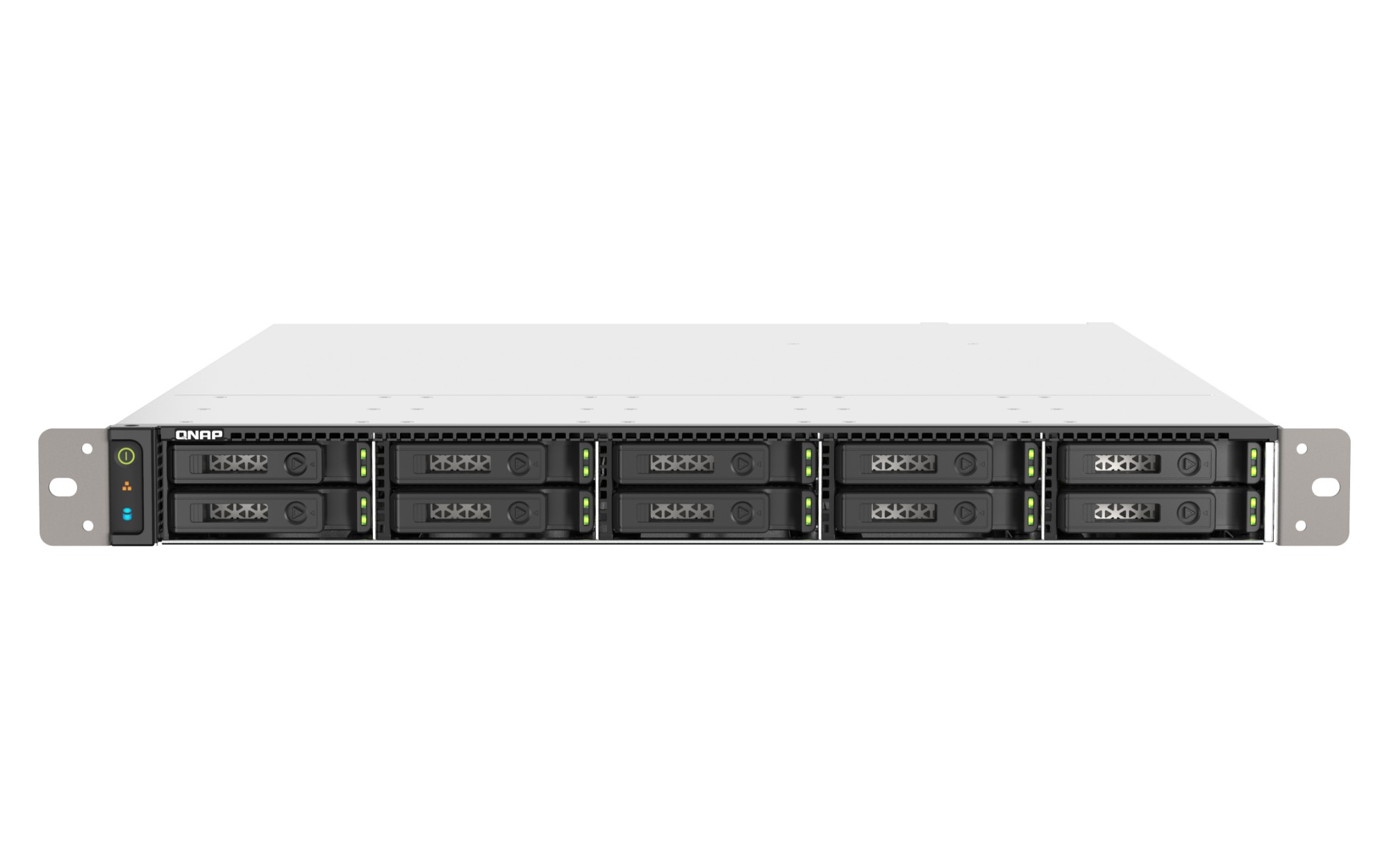
QNAP TSH1090FU7302P256G QNAP TS-h1090FU NAS Rack (1U) EPYC 7302P 256 GB DDR4 0 TB QuTS hero Black, Grey
TS-h1090FUZFS-based, 1U high-density U.2 NVMe PCIe Gen 4 / SATA 6Gbps SSD all-flash storage built for low-latency file servers, virtualized workloads, data centers, and 4K/8K streamsThe TS-h1090FU high-density NVMe all-flash storage is designed for providing extreme performance with high cost-efficiency. Featuring ten U.2 NVMe Gen 4 x4 SSD bays, the TS-h1090FU delivers remarkable random read/write IOPS with ultra-low latency. The ZFS-based QuTS hero operating system supports inline data deduplication and compression for reducing I/O and SSD storage consumption, which significantly extends SSD lifespan with a higher price-performance ratio for all-flash storage arrays. Ideal for I/O-intensive and latency-sensitive applications, the TS-h1090FU eliminates productivity bottlenecks in virtualization, modern data centers, multimedia storage, and mission-critical backup/restore tasks-suitable for Tier 2 storage workloads with an ideal low cost-per-GB.Build high-performance storage infrastructure for IOPS-demanding applicationsVirtualizationEliminates storage bottlenecks for unstructured data and I/O intensive workloads; ideal for server virtualization and virtual desktop infrastructure (VDI).Data CentersDelivers ultra-low latency and high IOPS performance, providing response times within microseconds for data centers that host significant business-critical systems and data.Media and Entertainment (M&E) productionSatisfies smooth 4K/8K media streaming and post-production, empowering multimedia workflows with faster data transfer, access, and backup for boosted efficiency.Powerful, reliable, and multitasking with up to 1 TB DDR4 ECC memoryThe TS-h1090FU is armed with 2nd Gen AMD EPYC™ 7002 series processors (Rome), based on the “Zen 2” architecture with cutting-edge 7nm process technology. With DDR4 ECC memory that detects and corrects single-bit memory errors for higher reliability, the TS-h1090FU provides 12 Long-DIMM slots for up to 1 TB memory to fulfill memory-intensive workloads. Demonstrating immense computing power and multi-tasking capabilities, the TS-h1090FU is the ideal choice for uncompromising performance demands in HPC, virtualization, and 4K/8K multimedia applications.U.2 NVMe PCIe Gen 4 x4 – faster speed, optimal I/O, and lower latencyThe 1U rackmount TS-h1090FU has 10 drive bays that support high-performance U.2 NVMe PCIe Gen 4 x4 SSDs or economical SATA 6Gb/s SSDs. Latency-sensitive applications can be bolstered with U.2 NVMe PCIe SSDs to attain optimized performance and utmost application response times. Coupled with powerful ZFS data deduplication and SSD optimization technologies, the TS-h1090FU provides solid foundations for overcoming performance demands while also maximizing your SSD investments!Leverage the M.2 PCIe NVMe SSD to U.2 AdapterInstall one or more QDA adapters in the TS-h1090FU to maximize PCIe bandwidth utilization in a cost-effective way by using M.2 PCIe NVMe SSD instead of the U.2 SSD for optimizing data-intensive applications. It can also boost IOPS performance when configuring SSD caching. Users can monitor drive health and manage SSD usage from the QTS Storage & Snapshots Manager. The M.2 SSD installed in the QDA adapter is hot swappable.Dual 25GbE connectivity multiplies all-flash superior performanceThe NVMe-ready TS-h1090FU provides breakthrough network connectivity with two 25GbE SFP28 SmartNIC ports (compatible with 10GbE SFP+ / 1GbE SFP) that also support iSCSI Extensions for RDMA (iSER) to increase performance of data transfer between NAS and VMware® ESXi server and offload CPU workloads. With Port Trunking and Auto-Negotiation, the TS-h1090FU empowers your organization with the bandwidth and reliability to allow thousands of endpoint users to smoothly access data stored on the NAS while satisfying the most performance-demanding applications. The TS-h1090FU is also ideally matched with QNAP’s managed and unmanaged 2.5GbE/10GbE/25GbE switches to form high-speed, secure, and scalable network environments without going over budget.Multiple PCIe Gen 4 slots for flexible expansionThe TS-h1090FU is equipped with two PCIe Gen 4 slots. With twice the I/O performance of PCIe Gen 3, the TS-h1090FU can take advantage of PCIe cards to expand application potential.Robust hardware paralleled to boost all-flash NVMe performanceTS-h1090FU features high-level hardware with an expandable architecture to provide businesses with high performance and low latency access.ZFS-based QuTS hero operating system enhances NAS performance and data integrityQuTS hero combines the app-based QTS with the 128-bit ZFS file system to provide flexible storage management, comprehensive data protection, and optimized performance to tackle the complexity and performance demands of modern IT. From storage management, virtualization, to collaborative media workflows, QuTS hero streamlines your business-critical tasks.Data integrity is keyQuTS hero’s self-healing ensures data integrity and reliability. Write Once, Read Many (WORM) is also supported.Data reduction improves storage efficiency and performanceInline data deduplication, compression, and compaction reduce file sizes to conserve storage capacity and optimize performance.Multi-level cache technologyMain memory read cache (L1 ARC), SSD second-level read cache (L2 ARC), and ZFS Intent Log (ZIL) for synchronous transactions with power failure protection are supported to boost performance and security.RAID Z enables robust data protectionMultiple RAID levels allow flexible capacity utilization. RAID Triple Parity and Triple Mirror deliver higher levels of data protection.QSAL (QNAP SSD Antiwear Leveling) enhances data protectionRAID-level SSD lifespan is automatically and regularly detected to prevent simultaneous SSD failure, improving your data protection and system reliability.App Center ecosystem extends NAS functionalityApps for backup/sync, virtual machines/containers, content management, productivity, and more features can be used to expand the application potential of the NAS.Inline data deduplication, compression, and compaction improve SSD enduranceQuTS hero supports advanced block-based data reduction technologies (including inline data deduplication, compression, and compaction) to reduce file sizes, conserve storage capacity, and optimize performance. For example, if 20 virtual machines on a NAS are replicated using the same template, then storage space requirements for all 20 virtual machines can be reduced by up to 95%. Whether acting as primary or backup storage, the TS-h1090FU optimizes storage utilization to provide a reliable storage cornerstone in the Big Data era. All-flash solutions thus achieve higher cost efficiency while improving both random write performance and SSD lifespan.More SSD performance and lifespan optimization technologiesWrite CoalescingTransforms all random writes to sequential writes along with reduced I/O, effectively increasing write performance in all-flash environments.Pool Over-provisioningDedicated space can be flexibly reserved in an SSD storage pool to allow new data to be written into a complete block even if the pool is almost full, thus improving the performance of fragmented pools.TRIMAllows QuTS hero to inform SSDs to delete unneeded data blocks and process the deletion tasks during system idle times, meaning it does not have to wait for when new data is written to the block.Comprehensive backup and disaster recovery solutionThe TS-h1090FU supports various apps that cover all your backup needs. Practice safe IT habits by regularly backing up files and device content, allowing them to be easily restored when needed.Remote backup for NASHybrid Backup Sync makes it easy to back up data from a TS-h1090FU to another QNAP NAS or remote server to fulfill your 3-2-1 backup strategy.VM backupEnjoy license-free VMware® and Hyper-V VM backup with source-side incremental backup, global deduplication, and recovery compression.SaaS backupSafeguard enterprise cloud data by backing up/syncing files, emails, calendars, and contacts from Google™ Workspace and Microsoft® Office 365® to the NAS.Cloud backup for NASHybrid Backup Sync supports mainstream cloud storage for NAS data backup. For backup to object cloud storage, VJBOD Cloud is especially useful to reduce bandwidth usage and backup time.QuDedup technologyHybrid Backup Sync eliminates redundant data at the source and then backs up the deduplicated data, helping to save time and storage costs while providing efficient multi-version backups.Real-time SnapSyncReal-time SnapSync immediately synchronizes data changes with the destination storage, ensuring the primary and secondary NAS always have the same data. RPO is minimal to achieve real-time disaster recovery.Multi-version snapshots mitigate ransomware threatsThe TS-h1090FU supports block-based snapshots that record the state of the system at any time. It helps protect data, which can be restored back to a specific point of time, greatly helping in mitigating the threat of ransomware.Up to 65,536 snapshotsQuTS hero supports enough snapshots for you to create 1 snapshot every hour for 7 years without needing to delete any! Copy-on-write technology makes snapshot creation almost instantaneous without affecting ongoing data writing.Back up snapshotsMultiply data protection by backing up snapshot files! Replicate volume/LUN snapshots in the TS-h1090FU to a remote NAS (Snapshot Replica) by copying only the changes made. This helps save time & bandwidth, and can be run manually or on a scheduled basis.All-in-one solution for hosting virtual machines and containersBy running multiple virtual machines and containers on the TS-h1090FU, you can deploy multi-tenant environments and applications to increase management efficiency and save hardware costs. Coupled with the Network & Virtual Switch app that boosts interoperability between virtual machines, containers, QNAP NAS, and other physical devices on the network, you can flexibly allocate physical and virtual network resources to simplify network deployment.Virtualization StationRun multiple Windows®, Linux®, UNIX®, Android™, and QuTScloud virtual machines and access them via a web browser or Virtual Network Computing (VNC). Businesses can run virtualized server applications on a single NAS without needing additional physical servers.Conainer StationExperience Docker®, LXD, and Kata Containers lightweight virtualization technologies, download apps from the built-in Docker Hub Registry®, import/export containers, and create abundant microservices.Single Root I/O Virtualization (SR-IOV)By installing an SR-IOV compatible PCIe SmartNIC in the TS-h1090FU, you can allocate bandwidth resources from a physical network card directly to VMs, increasing network efficiency and reduced CPU overheads.QuTScloud virtual NASQuTScloud is a virtual appliance based on the QTS operating system. Enterprises can quickly launch QuTScloud on hypervisors including Linux® KVM, Microsoft® Hyper-V, and VMware ESXi™ to acquire advanced NAS features without requiring additional NAS hardware.Reliable, high-performance storage for virtualizationThe TS-h1090FU supports block-based iSCSI LUN as a reliable, high-performance, and affordable storage solution for mainstream virtualization environments. It supports VMware® VAAI and Microsoft® ODX to increase performance by offloading server loading for ESXi server and Hyper-V respectively.Comprehensive security and privilege settingsThe TS-h1090FU is loaded with flexible privilege settings and security measures. Besides IP blocking, 2-step verification, HTTPS connection, there are more apps that help ensure optimal NAS protection against threats like malware and hackers.Simplified privilege settingsThe TS-h1090FU supports comprehensive access right settings for shared folders, Azure Active Directory Domain Services (Azure AD DS), LDAP, and Windows ACL to help IT staff efficiently manage user accounts and access rights for multiple NAS systems.QuFirewall protectionSupports IPv6, firewall access lists, and GeoIP filtering to restrict access based on geographical locations for higher NAS network security.Superior security with QVPNA virtual private network (VPN) allows secure access to network resources and services across public networks. QVPN supports creating a VPN client, using the TS-h1090FU as a VPN server, and WireGuard® VPN service with an easy-to-use interface for setting up a secure connection.QuWAN SD-WANTo facilitate digital transformation, multi-site expansion and remote working, QuWAN SD-WAN helps automatically mesh multi-site VPN. It features IPsec encryption and cloud-centric management, allowing secure multi-site network including QNAP NAS and VMware ESXi platforms.Security CounselorA security portal for the TS-h1090FU to check for weaknesses and offer recommendations for enhancing NAS security. It also integrates anti-virus and anti-malware scanning software.Malware RemoverRegularly scan your TS-h1090FU using the latest malware definitions. If infected files are detected, they will be immediately removed to ensure NAS data security.The best file storage and collaboration centerThe TS-h1090FU integrates rich apps for storing, managing, synchronizing, searching, and archiving files. It supports SMB/CIFS, AFP, and NFS protocols for streamlined file sharing across Windows®, Mac®, and Linux®/UNIX®, and provides the smartest NAS solution for professionally managing your files.File StationManage, access, and share all the files in the TS-h1090FU and view snapshots files – all from your web browser. You can also easily mount remote NAS folders and cloud storage.QsyncMake any file uploaded to a TS-h1090FU available to linked devices, such as computers, laptops and mobile devices. You can sync shared folders and team folders for group file sharing to enhance the flexibility of team projects and collaboration.QsirchQNAP’s powerful, Google-like search tool helps you quickly find images, music, videos, documents, and emails by keywords, color, and more search conditions. It also supports Qfiling to perform one-time or automatic archival tasks based on your search criteria.Free exFAT supportexFAT is a file system that supports files up to 16EB and is optimized for flash storage (such as SD cards and USB devices) - helping accelerate large media file transfer and sharing.Build an affordable Fibre Channel SAN environmentCommon Fibre Channel Storage Area Networks (SAN) devices are often costly. By installing QNAP dual-port 16Gb/32Gb Fibre Channel expansion cards in the TS-h1090FU, you have more budget-friendly options to add a NAS to a SAN environment. You can set a Fibre Channel Target using the iSCSI & Fibre Channel app. Moreover, the LUN Masking and Port Binding features provide an additional layer of data security.Flexible and economical storage expansionQNAP provides easy ways to expand your storage capacity. Here are several ways to expand your TS-h1090FU storage as needed to accommodate data and business growth.Attach QNAP expansion enclosuresConnect expansion enclosures to the TS-h1090FU, and manage NAS storage expansion with the user-friendly Storage & Snapshots Manager app.Mount cloud storage or remote file serversMount cloud storage or remote file servers to expand the capacity of the TS-h1090FU while also centrally managing files on the NAS, cloud storage, and remote devices.Migrate to a new NASInstall your NAS hard drives into a larger QNAP NAS and retain all your existing data and configurations.Upgrade RAID capacityHot-swap lower-capacity drives with larger-capacity drives to expand your NAS capacity so it can grow with your business.A health check for your hard drivesHard drives are at the heart of your NAS, and ensuring their long-term health and reliability is absolutely crucial. QNAP provides various methods and tools to help you monitor hard drive health, ensuring that you can take proactive decisions to safeguard your data and files.S.M.A.R.T. and back block scanningIf any of the S.M.A.R.T. values are reported as abnormal, or bad blocks are detected, you can take early action and replace drives before potential data loss occurs.DA Drive AnalyzerThe DA Drive Analyzer leverages ULINK cloud-based AI to predict the expected lifespan of drives, assisting you in planning future drive replacements to protect against NAS downtime and data loss.Seagate® IronWolf™ Health ManagementWhen using supported IronWolf™ or IronWolf Pro™ hard drives, overall system reliability is improved by providing you with actionable prevention, intervention, and recovery options.Flexibly switch to QTS operating systemThe TS-h1090FU also supports QTS - QNAP’s standard NAS operating system – that provides greater everyday performance, efficient memory utilization, and the advantage of Qtier auto-tiering. You can also migrate drives from your current QTS-based NAS to the TS-h1090FU.QTSSuited for performance-demanding tasks, cross-teams file sync, and HDD-SSD hybrid storage applicationsQuTS heroFeaturing highly reliable data protection and data reduction, and optimized for SSD-based applications
Part# TSH1090FU7302P256G
SKU S19454
Limited Availability
QNAP
QNAP TBS-H574TX-I3-12G QNAP TBS-H574TX-I3-12G NAS/storage server Intel® Core™ i3 i3-1320PE 12 GB
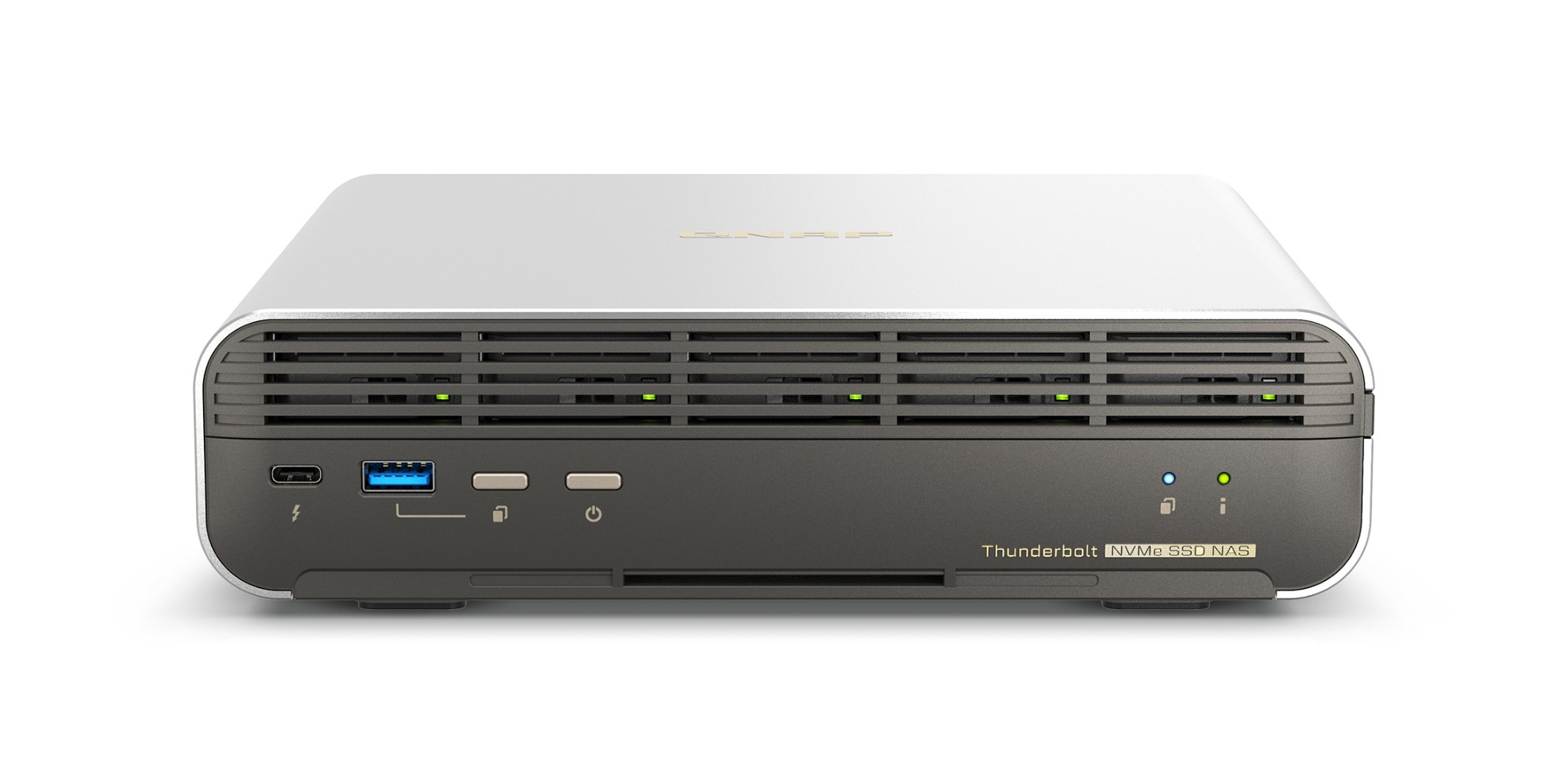
Designed for film sets, small studios, small-scale video production teams and SOHO users, the compact TBS-h574TX Thunderbolt™ 4 all-flash NASbook elevates video production for optimum productivity. It packs high-speed I/O and Intel® Core™ performance required by video production, allowing creators using Mac® or Windows® to enjoy the smoothest experience ever in real-time video editing, large file transfer, video transcoding, and backup. The TBS-h574TX, as the bridge between pre-production and post-production, takes video projects and team collaboration to the next level. The TBS-h574TX runs the ZFS-based QuTS hero operating system that ensures data integrity. You can also switch to QTS operating system based on your needs.Ultra-fast RAW file editingWith an E1.S to M.2 SSD adapter attached in each slot, you can flexibly install five E1.S or M.2 PCIe NVMe SSDs for lightning-fast multimedia file editing.Stay agile for ongoing projectsHot-swappable M.2 SSD and automatic RAID disk replacement enhance system reliability, reduce the risk of data loss, and smoothen ongoing projects.Thunderbolt™ 4 for faster direct connectionsTwo Thunderbolt™ 4 ports allow directly connecting Mac®/PC workstations to the TBS-h574TX, delivering up to 20Gbps for 4K video editing.Hybrid-architecture CPU for multitaskingThe 13th Gen Intel® Core™ processors with hybrid-architecture (P-core and E-core) delivers high performance and efficiency.2.5GbE and 10GbE as standard2.5GbE and 10GbE networks accelerate large file transfer and allow for more connected devices/workstations by attaching a network switch.Faster USB transferTwo USB 3.2 Gen 2 (10Gbps) ports enable fast file import/export from/to external storage devices.All-flash NASbook supporting E1.S/M.2 NVMe SSDs – a perfect companion for video productionCompared to large rackmount all-flash array storage, the TBS-h574TX all-flash NASbook features a compact, portable design with five SSD slots yet delivers extreme performance. It is the ideal choice to accelerate ongoing creative video projects from pre-production to post-production, and seamlessly works with USB DAS (TR-004) for file backup/archiving. The TBS-h574TX is always ready for your next project! An E1.S to M.2 SSD adapter is attached to each drive bay of the TBS-h574TX, providing great flexibility to choose between M.2 SSDs and E1.S SSDs on demand.Enabling hot-swappable M.2 SSDs!As a frontline video production team, there is the risk of project interruptions due to unexpected SSD failures in storage devices. The innovative TBS-h574TX makes M.2 SSDs become hot-swappable for easier drive replacement. Along with supporting automatic RAID replacement with spares (supported from QTS 5.1 / QuTS hero h5.1), if potential drive errors are detected, the system automatically moves data from the affected drive in a RAID group to a spare, before the data on the affected drive is completely corrupted. This reduces system downtime and data loss risks as it avoids RAID rebuilding.High-performance SSDs. Effective heat dissipation.Designed with an excellent cooling system, the TBS-h574TX is equipped with dual fans and supports SSD heatsinks (heatsinks sold separately) to effectively enhance heat dissipation during intensive workloads, allowing creators to confidently enjoy the ultimate performance of SSD.Thunderbolt™ 4 direct connection to workstations for higher productivityThe TBS-h574TX has two Thunderbolt™ 4 ports for high-speed data transfer (up to 20Gbps bandwidth). Mac® (including M1 and M2 chip models) or Windows® workstations can directly connect to the TBS-h574TX for fast and smooth real-time video editing, allowing for the transfer of a 1TB 4K video just in 11 minutes.2.5GbE and 10GbE ports | Productive teamworkThe 2.5GbE and 10GbE ports can be used with a network switch to add more connected devices to the TBS-h574TX for collaboration, significantly reducing file transfer times across devices.USB 3.2 Gen 2 ports | Faster file import/exportCreators and editors can easily import materials from external storage devices to the TBS-h574TX via two USB 3.2 Gen 2 (10Gbps) ports and one USB 2.0 port during pre-/post-production.USB ports | Easier storage expansionThe TBS-h574TX capacity is scalable by connecting QNAP USB DAS TR-004 or USB JBOD TL-D800C to archive massive number of video files for ever-growing storage and backup needs.Compact, aesthetic, yet unmatched performanceThe TBS-h574TX provides content creators the perfect combination of stylish design and performance. With its metal-finish case, it delivers optimized cooling performance. The set-top design makes the TBS-h574TX space-saving – smaller than A4 paper and with only 2.54 liters in volume – ideal for small-scale studios or video production teams looking for a portable solution.Ultimate visual experience with real-time video transcoding and 4K HDMI™ outputThe TBS-h574TX features built-in Intel® Graphics that accelerates video transcoding and graphical computing for converting videos to different formats smoothly. You can also display videos from the TBS-h574TX to a large screen using HDMI™ (4K @30Hz) for capturing details and clearer quality.Manage your video projects flexibly with myQNAPcloud StorageElevate your video production with the compact and powerful TBS-h574TX. During pre-production, you can save large RAW files (hot data) and handle video transcoding on the TBS-h574TX. In post-production you can store small files (cold data) to myQNAPcloud Storage for file archiving and backup, making it easier to remotely access, synchronize, and share files with cross-site team members.Build the best music server with RoonDesigned for music lovers, Roon Server identifies your entire music library stored on the TBS-h574TX, and consolidates it into Roon’s interconnected digital library. Experiencing smooth music streaming service, you just need to download Roon Server app from QNAP App Center and enable Roon music library on SSD storage devices with simple setting.
Part# TBS-H574TX-I3-12G
SKU S19454
Limited Availability
QNAP
QNAP TS-673A-SW5T QNAP TS-673A-SW5T NAS/storage server Tower Ryzen Embedded V1500B 8 GB DDR4 0 TB QNAP QTS Black
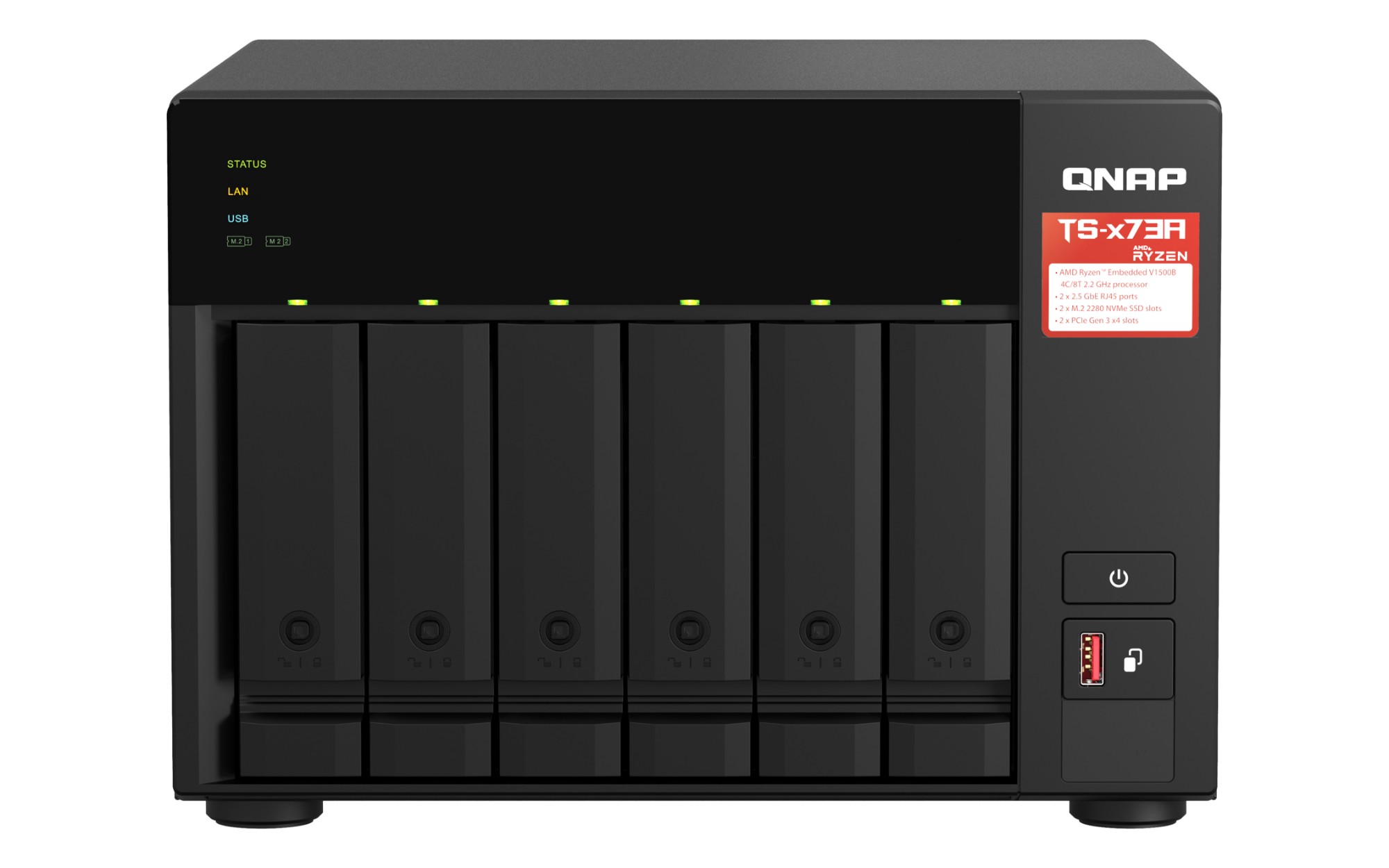
Bye-bye Gigabit, hello 2.5GbE.Gigabit Ethernet isn’t fast enough to unleash your 2.5G LAN and WAN devices. Upgrade to a 2.5G switch now!ISPs offer Multi-Gig internet for homesMany ISPs have started delivering multi-gigabit fiber to the home (FTTH) customers, providing speeds exceeding that of standard gigabit ethernet.Multi-Gig enables Wi-Fi 6Wi-Fi 6 (802.11ax) routers or APs require multi-gig network devices to unleash optimal wireless performance.PC / laptops adopt 2.5G portsModern PCs and laptops have adopted 2.5G ports to fulfill high-bandwidth demands of streaming, video calls, gaming, and other modern web services.Make your work and life smooth with the high-speed Switch and NASQNAP helps you upgrade to a high-speed network and data storage center in your home or office, providing a full 2.5G network experience.Why 2.5G? Cost-effective high-speed option.If you can’t budget a 10GbE upgrade at this time, the more affordable 2.5GbE provides a notable improvement in current Ethernet speeds. Use existing CAT5e cables to upgrade 2.5GbE network without stretching your budget.Why QNAP 2.5G solution? More cost-effective solution.The lack of consumer-grade switches has made it hard for home and personal users to adopt 2.5GbE/5GbE networking. QNAP now offers cost-effective 2.5GbE switches, helping you to transform your home network at a wallet-friendly price.Why now? The most cost-effective timing.QNAP now hosts a flash sale for the 2.5GbE NAS and Switch Bundle. Buy now!TS-673AAMD Ryzen™ Quad-core multi-tasking 2.5GbE NASTS-673A not only provides a secure and reliable storage solution for backing up all your files, but also supports running multiple VMs and containers for diverse applications.QTS 5 empowers VM, surveillance and cybersecurity deploymentThe QTS 5 operating system provides a next-generation data storage usage experience with optimized user interface.Run VMs and containersBy running multiple virtual machines and containers on the TS-673A, you can deploy multi-tenant environments and applications to increase management efficiency and reduce hardware costs.Predict drive life with AIQNAP’s AI-based drive health analysis technology, and automatic RAID disk replacement with spares, ensures a reliable storage environment.All-in-one surveillanceQNAP’s integrated surveillance NAS solution offers a subscription licensing solution or perpetual licensing solution for flexible deployment based on your needs.Enhanced data securityQVPN Service enables secure virtual private network (VPN) connections between NAS and devices. Snapshots, QuFirewall and Malware Remover ensure optimal NAS protection against threats like malware and hackers.QSW-1105-5TAffordable 5-port 2.5G switchEnjoy 2.5x high-speed transmission by connecting more 2.5G devices, such as, NAS, Wi-Fi 6 Router/AP, PC/laptop, etc.- Five 2.5G NBASE-T ports for unleashing LAN/WAN 2.5Gbps potential- Supports auto-negotiation, backward compatible with 1GbE devices- Use existing Cat 5e cables- Hassle free plug and play- Fanless design with ventilated construction for near-silent operation- Automatic loop detection and blocking to ensure continuous network operationEnjoy 5Gbps speeds without an extra network cardEnable SMB Multichannel on TS-673A NAS to combine two 2.5GbE ports for up to 5Gbps transmission speed. This increased bandwidth greatly accelerates large file transfer/backup and video editing applications.Deploy 2.5GbE network environment to boost application efficiencyFaster Backup and RestoreIncreased transfer speeds help save time when backing up files to NAS, or when backing up using HBS (Hybrid Backup Sync).High-quality Video StreamingHigher bandwidth improves the playback quality of 4K/8K videos.Gaming StorageMount an iSCSI LUN from a 2.5GbE NAS to your computer to store your vast game collection. Gaming x 2.5GbE NAS SolutionSmooth Video CallsIn the era of remote working and classes, a faster network provides high-quality live streams for video calls and online courses.
Part# TS-673A-SW5T
SKU S19454
Limited Availability
QNAP
QNAP TS-873A-SW5T QNAP TS-873A NAS Tower Ryzen Embedded V1500B 8 GB DDR4 30.72 TB SSD QuTS hero Black
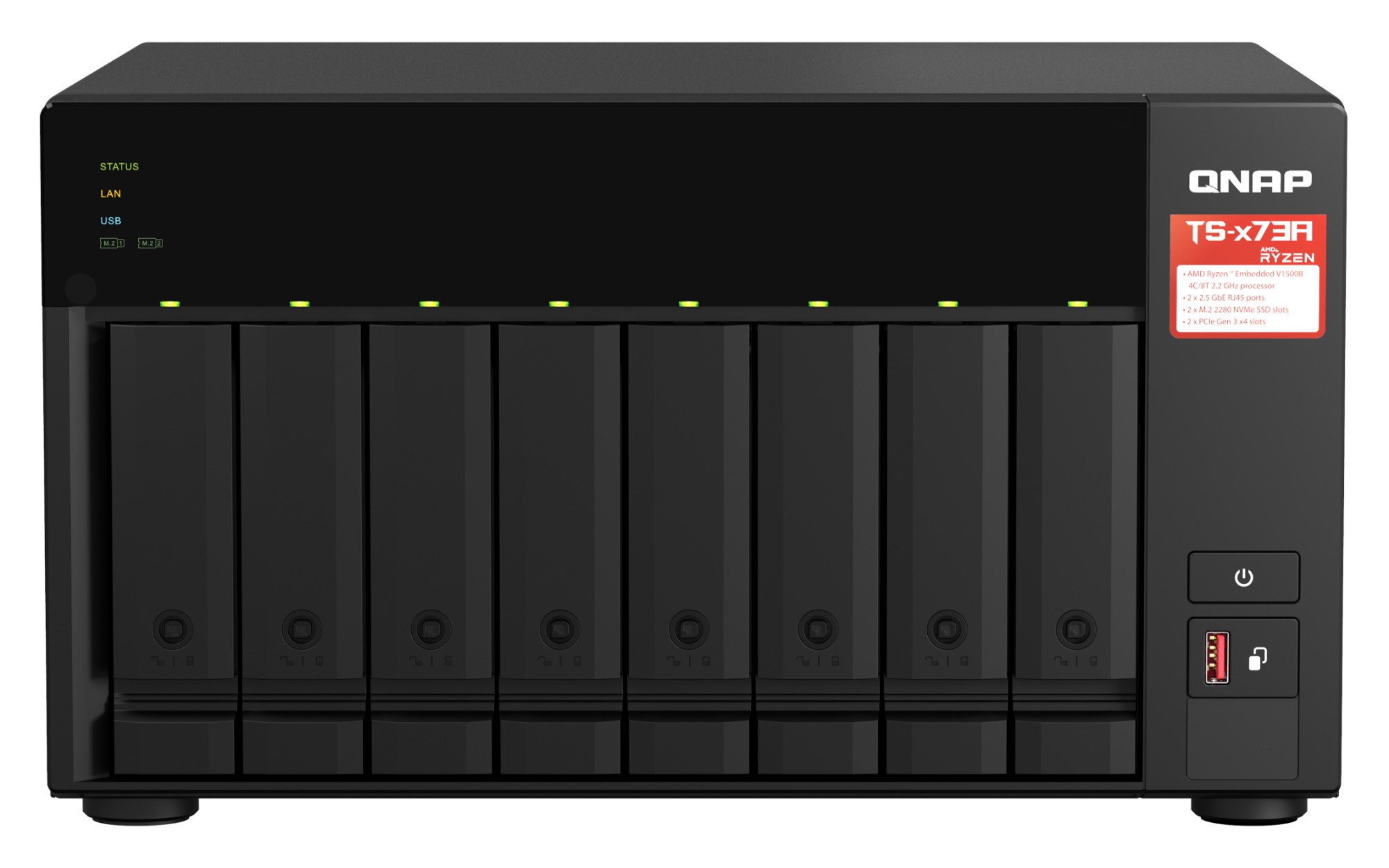
Featuring an AMD Ryzen™ V1000 series V1500B quad-core processor that delivers great system performance with up to quad-core / 8 threads and Turbo Core up to 2.2 GHz. The TS-873A features two 2.5GbE RJ45 ports and two PCIe Gen 3 slots for you to flexibly deploy 5GbE/10GbE networks. Two M.2 NVMe SSD slots for Qtier Technology and SSD Caching enable constant storage optimization. The TS-873A supports QTS and QuTS hero, allowing users to flexibly switch operating system based on their requirements.High performance AMD Ryzen™ processorThe TS-873A is powered by an AMD Ryzen™ V1000 series V1500 quad-core 2.2 GHz processor with up to 64GB RAM (ECC memory is supported*) and features USB 3.2 Gen 2 ports for speeds up to 10 Gb/s. The TS-873A also provides one USB Type-C port for supporting more devices to transfer large media files across devices, providing you with a more efficient workflow.Transform your network with a wallet-friendly 2.5GbE switchUpgrading your network shouldn’t break the bank, and 2.5GbE connectivity provides immediately noticeable improvements compared to standard 1GbE. QNAP offers 2.5GbE switches that supports Multi-Gigabit NBASE-T™ and allows you to use existing CAT5e cables to connect multiple computers and NAS, assisting organizations in implementing high-speed, secure and scalable network environments without going over budget.Switch operating systems for optimal data integrity and reliabilityThe TS-873A also supports QuTS hero - QNAP’s ZFS-based NAS operating system. Providing end-to-end data integrity, data reduction (inline data deduplication, compression and compaction), and much more, QuTS hero uses additional system resources to ensure an optimal environment for protecting business data.Obtain performance benefits from M.2 SSD cachingThe TS-873A features 2 M.2 NVMe SSD slots for you to enjoy SSD caching or Qtier auto tiering TechnologyImprove random data access speeds with an SSD cacheSSD caches accelerate IOPS performance and reduce latency for storage volumes. They are perfect for IOPS-demanding applications (including databases and virtualization) and can significantly improve overall workflows.Maximize the value of SSDs with Qtier TechnologyQtier™ Technology empowers the TS-873A with auto tiering that helps continuously optimize storage efficiency by automatically moving data between M.2 SSDs, 2.5-inch SSDs, and high-capacity HDDs based on the data's access frequency. Qtier™ 2.0 features IO-awareness that empowers SSD-tiered storage with a cache-like reserved space to handle burst I/O in real time, greatly maximizing the advantages of SSDs.Upgrade to 10GbE and abundant capability with PCIe expansionThe TS-873A features two PCIe Gen 3 x4 slots that allows for various expansion cards for expanding application potential.Easy and Secure File ManagementFile Station allows direct management of files stored on the TS-873A and in the cloud. Users can easily upload files from their PC, drag/drop files between folders, rename/delete files, and configure file/folder permissions to prevent unauthorized access. Microsoft Office Online can also be used to directly view/edit Microsoft Office documents stored on the TS-873A. Confidential/sensitive data can be encrypted to add extra security.Install a graphics card for GPU-accelerated computingGraphics cards are optimized for graphical calculations and transformations, but require significantly more power than other hardware. The TS-873A features PCIe slots to support high-profile graphics cards that do not need power cables, including NVIDIA® GeForce® GTX1650 graphics cards to boost performance of applications such as video editing , 4K UHD transcoding, imaging processing in QTS and performance of virtual machines via GPU passthrough.Build an affordable Fibre Channel SAN environmentCommon Fibre Channel Storage Area Networks (SAN) devices are often costly. By installing a QNAP 16Gb Fibre Channel card (QXP-16G2FC 16Gb) in the TS-873A, you can set a Fibre Channel Target using the iSCSI & Fibre Channel app. Moreover, the LUN Masking and Port Binding features provide an additional layer of data security.High-speed 2.5GbE VM Backup SolutionWith Hyper Data Protector, the TS-873A becomes an agentless backup tool for unlimited VMware® vSphere and Microsoft® Hyper-V VM backup. Hyper Data Protector features incremental backup, global deduplication, backup scheduling and recovery compression. With 2.5GbE connectivity, backup and restoration times are greatly reduced, providing a cost-effective solution for disaster recovery.QNAP Backup & Data Protection Solutions: Complete Apps & Utilities at Your FingertipsQNAP provides comprehensive solutions for virtually all data protection requirements. Discover an array of apps/utilities to help you back up various sources, including:Boxafe – Google Workspace (G Suite) /Microsoft 365 SaaS backupHyper Data Protector – VMware vSphere/Microsoft Hyper-V VM backupHybrid Backup Sync – QNAP NAS/file server/macOS backupNetBak Replicator – Windows backupSnapshot – QNAP NAS protection/backupFlexible and economical storage expansionFlexible and economical storage expansionQNAP provides easy storage capacity expansion solutions. Here are several ways to expand your TS-873A storage as needed to accommodate data and business growth.Upgrade RAID CapacityHot-swap lower-capacity drives with larger-capacity drives to expand your NAS capacity so it can grow with your business.Attach Expansion EnclosuresConnect two TR-004 RAID expansion enclosures, or one 8-bay TL-D800S SATA 6 Gb/s JBOD, and use the QTS Storage & Snapshots Manager to easily handle NAS capacity expansion.Migrate to a New NASInstall your NAS hard drives into a larger QNAP NAS and retain all your existing data and configurations.More productivity applicationsQsirchQNAP’s powerful, Google-like search tool for quickly finding specific images, music, videos, documents, and emails by keywords, color, and more search conditions.BoxafeBackup/sync files, emails, calendars and contacts from Google™ Workspace and Microsoft® Office 365® into the TS-873A to safeguard enterprise cloud data.QuMagieAn AI-powered photo management app, supporting automated photo categorization with AI Albums, iOS® Live Photo display, and powerful search tool for ultimate photo management and sharing solution.
Part# TS-873A-SW5T
SKU S19454
Limited Availability

QNAP
QNAP TS-H1277AXU-RP-R5-16G QNAP TS-H1277AXU-RP NAS Rack (2U) AMD Ryzen™ 5 16 GB DDR5 0 TB QuTS hero Black
Powered by AMD Ryzen™ 7000 Series processors based on the cutting-edge AMD socket AM5 platform, the ZFS-based TS-h1277AXU-RP storage and backup solution unleashes superb performance and enterprise-level potential. With a revolutionary multi-core processor, DDR5 RAM, M.2 PCIe Gen 5, and redundant power supplies, the TS-h1277AXU-RP delivers excellent performance, ultra-large bandwidth, and trusted reliability for performance-demanding Tier 2 storage, virtualization, 4K video editing, and PB-level storage applications.
Part# TS-H1277AXU-RP-R5-16G
SKU S19454
Limited Availability
QNAP
QNAP TS-H1677AXU-RP-R7-32G QNAP TS-H1677AXU-RP-R7-32G NAS/storage server Rack (3U) AMD Ryzen™ 7 32 GB DDR5 0 TB
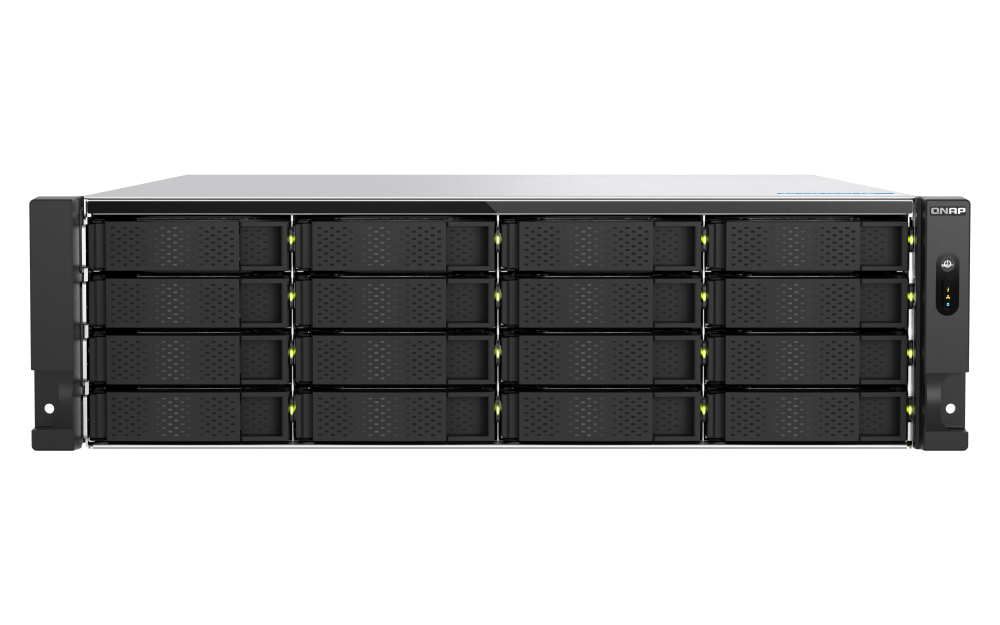
QNAP TS-h1677AXU-RPSKU:TS-h1677AXU-RP-R7-32GDescription: QNAP TS-h1677AXU-RP-R7-32G Enterprise NASPowered by AMD Ryzen™ 7000 Series processors based on the cutting-edge AMD socket AM5 platform, the ZFS-based TS-h1677AXU-RP storage and backup solution unleashes superb performance and enterprise-level potential. With a revolutionary multi-core processor, DDR5 RAM, M.2 PCIe Gen 5, and redundant power supplies, the TS-h1677AXU-RP delivers excellent performance, ultra-large bandwidth, and trusted reliability for performance-demanding Tier 2 storage, virtualization, 4K video editing, and PB-level storage applications.M.2 PCIe Gen 5 ultra-fast transfer speedThe TS-h1677AXU-RP comes with two M.2 2280 PCIe Gen 5 slots that allow for installing NVMe SSDs (including WD®, Micron®, Seagate®, Kingston®) to boost NAS performance. PCIe Gen 5 is backwards compatible with PCIe Gen 4 / PCIe Gen 3 for flexible SSD deployment.Abundant I/O capabilities with PCIe Gen 4 expansionThe TS-h1677AXU-RP has three PCIe Gen 4 slots (twice the bandwidth of PCIe Gen 3) that allow for installing various expansion cards for expanding application potential.Comprehensive backup and disaster recovery solutionThe TS-h1677AXU-RP supports various apps that cover all your backup needs. Practice safe IT habits by regularly backing up files and device content, allowing them to be easily restored when needed.Multi-version snapshots mitigate ransomware threats The TS-h1677AXU-RP supports block-based snapshots that record the state of the system at any time. It helps protect data, which can be restored back to a specific point of time, greatly helping in mitigating the threat of ransomware.Comprehensive security and privilege settingsThe TS-h1677AXU-RP is loaded with flexible privilege settings and security measures. Besides IP blocking, QNAP Authenticator, HTTPS connection, there are more apps that help ensure optimal NAS protection against threats like malware and hackers.All-in-one virtual machine and container hosting solutionYou can count on Virtualization Station and Container Station for comprehensive virtualization support. Coupled with the Network & Virtual Switch app that boosts interoperability between virtual machines, containers, QNAP NAS, and other physical devices on the network, you can flexibly allocate physical and virtual network resources to simplify network deployment.Flexible and economical storage expansionQNAP provides easy ways to expand your storage capacity. Here are several ways to expand your TS-h1677AXU-RP storage as needed to accommodate data and business growth.ZFS-based QuTS hero operating system enhances NAS performance and data integrityQuTS hero combines the app-based QTS with the 128-bit ZFS file system to provide flexible storage management, comprehensive data protection, and optimized performance to tackle the complexity and performance demands of modern IT. From storage management, virtualization, to collaborative media workflows, QuTS hero streamlines your business-critical tasks.Flexibly switch to QTS operating systemThe TS-h1677AXU-RP also supports QTS - QNAP’s standard NAS operating system – that provides great everyday performance, efficient memory utilization, and the advantage of Qtier auto-tiering. You can also migrate drives from your current QTS-based NAS to the TS-h1677AXU-RP.Key Features Remote backup for NAS VM backup/li> SaaS backup/li> Cloud backup for NAS/li> QuDedup technology/li> Real-time SnapSync/li> Volume and LUN snapshots/li> Instantly restore snapshots/li> Up to 65,536 snapshots/li> Back up snapshots/li>
Part# TS-H1677AXU-RP-R7-32G
SKU S19454
Limited Availability
QNAP
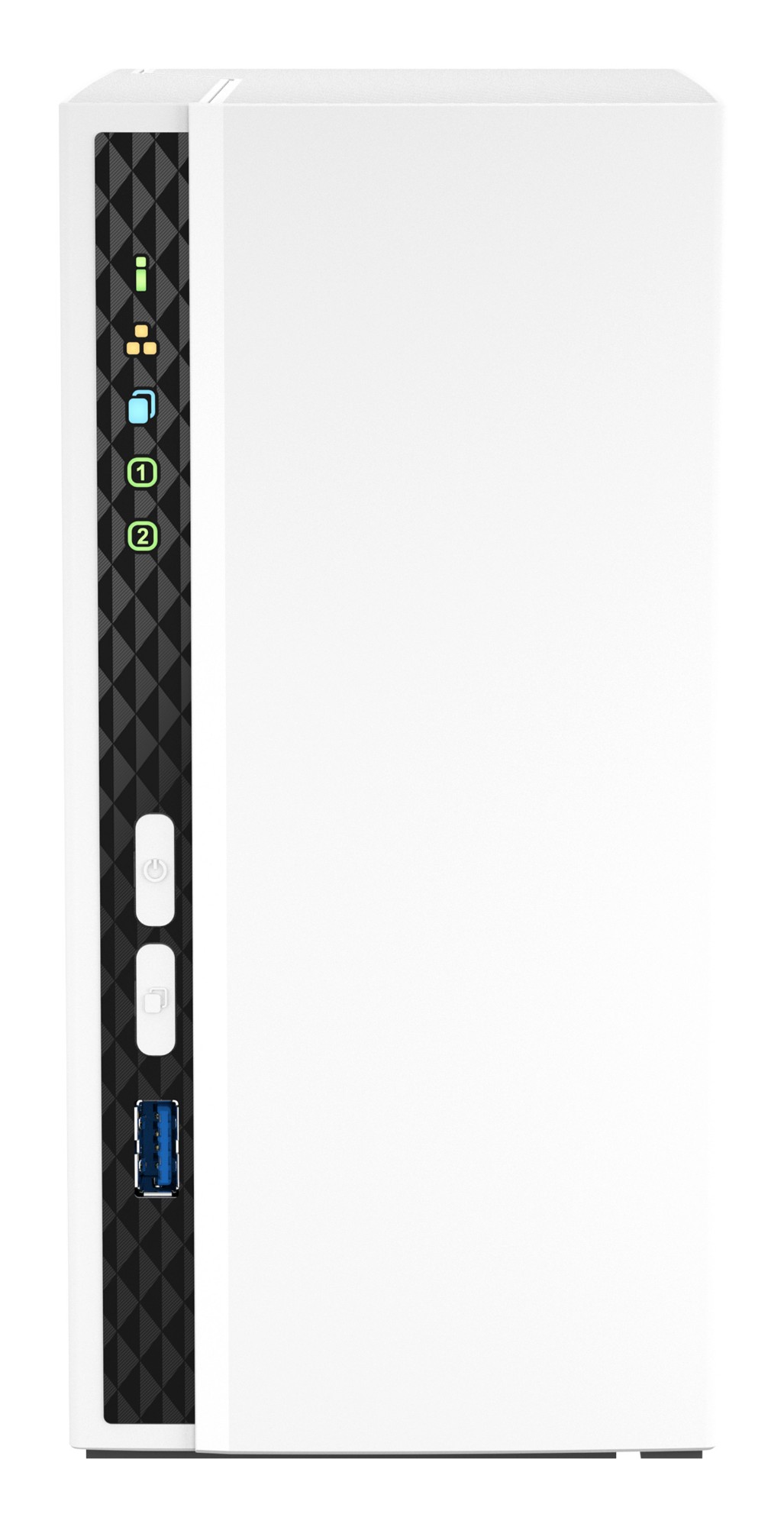
QNAP TS-233+2XST2000VN003_UK QNAP TS-233 + 2x ST2000VN003 NAS Mini Tower Cortex-A55 2 GB 4 TB QNAP QTS White
TS-233Build a personal private cloud & home multimedia center with a built-in NPU to boost AI-powered face recognitionTS-233ARM 4-core Cortex-A55 2.0GHz processor, 2 GB, not expandableMinimalist designThe compact and slim TS-233 prioritizes a clean and essential design, and perfectly blends into your home or office. The design extends to the hard drives, which can be installed without needing a screwdriver.Effective cooling fan for heat flowThe TS-233 is small in size and remains high-performance, cool, and quiet with an effective cooling fan.64-bit Cortex-A55 quad-core 2.0 GHz CPU NAS for everyday use and collaborationPowered by a ARM® Cortex-A55 quad-core 2 GHz processor, built-in 2 GB RAM, one Gigabit LAN port, and supports two SATA 6Gb/s hard drives, the TS-233 provides dependable read/write performance for running various home and business NAS applications. The TS-233 features AES-NI 256 hardware-accelerated encryption for both full NAS volumes and shared folders, boosting system performance while securing sensitive data.NPU accelerates on-device AI performance. 6x Faster face recognition.With a built-in NPU (Neural network Processing Unit) processor, the TS-233 boosts QNAP AI Core (the AI-powered engine for image recognition) performance for high-speed face and object recognition.QTS 5, Fast, smooth, and easy-to-use!The TS-233 comes with the QTS 5 operating system as standard, providing a next-generation usage experience with an updated system kernel, optimized user interface, and advanced security features.Brighter. Smoother. You’ll like it.When navigating QTS 5, you will notice a finer attention to detail for a superior browsing experience. Enjoy a smoother NAS experience, comfortable visual design, and find your favorite apps quicker.Get started with the notice boardWhen performing first-time installation, the notice board guides you through the setup process. Simply follow the step-by-step instructions for a quick and easy setup.Smooth and reactive user interfaceWhether clicking buttons, switching between apps, expanding/collapsing windows – every action is much smoother. The search bar in the main menu also assists in quickly finding desired apps.An easy-to-use, all-in-one backup solutionThe TS-233 can do many things, but at its heart is a complete backup solution to protect your files and data. By regularly backing up your files and device content, you can make data loss a thing of the past.Back up Windows®/Mac® filesFor Windows®, install NetBak Replicator to back up your PC to the TS-233. In macOS®, simply set up the built-in Time Machine® to back up files to NAS.Back up photos on mobile devicesInstall Qfile or QuMagie mobile app and enable the “auto-upload” function. Photos will be automatically uploaded to your TS-233 as soon as they are taken.Back up USB drives & external hard drivesSimply plug in the storage device to the front USB port of the TS-233 and press the One-Touch Copy button to back up all files to the NAS.Back up Google Drive™Hybrid Backup Sync can safely back up files and data from Google Drive™ to the TS-233, helping you save money on cloud storage costs.Back up NAS files to the cloudHybrid Backup Sync supports all your favorite public cloud services, allowing you to effortlessly back up or sync NAS files to cloud storage.Back up NAS files to remote sitesWith Hybrid Backup Sync, you can easily backup or sync files and data from the TS-233 to a remote QNAP NAS or server for multiplied data protection.Protect your data from ransomware threats with SnapshotsSnapshots are an advanced backup method and are normally reserved for high-end business NAS. QNAP provides snapshots as standard for all NAS – including the TS-233. Snapshots work by recording the current state of the system, allowing it to be restored back this state at any time - greatly helping in mitigating the threat of ransomware.Centrally store and protect your huge multimedia collectionThe TS-233 is your private personal cloud for your movies, videos, photos, and files that are securely at your fingertips anywhere and anytime.Storage for music collectionsUse Music Station to collect and play lossless music, sing along with lyrics, and share albums, playlists or folders with friends and family. You can also put tons of music right in your pocket using the Qmusic mobile app.Store high-resolution videosCentrally collect GoPro diaries, videos of your family, friends, and pets in Video Station, and easily share your favorites. Take all your videos with you on your mobile devices using the Qvideo mobile app.Enhanced multimedia experienceThe TS-233 supports ARM NEON technology to accelerate video processing for a greater entertainment experience. Stream media files from the TS-233 to DLNA® devices and TVs using common media streaming devices including Roku®, Apple TV® (via Qmedia), Google Chromecast™, and Amazon Fire TV®.Tips for a more productive workdayWith a wide range of awesome apps, you can easily access files from various devices, instantly synchronize files with friends’ or colleague’s devices, quickly find specific files, and automatically organize your documents and media files. You can also map the TS-233’s shared folders as network drives on your computers, making accessing NAS files easy and intuitive. The TS-233 helps you save time while being more efficient and productive.File StationEasily manage files stored in your TS-233 using the web-based File Station. The Qfile companion mobile app also puts all your files at your fingertips, providing a complete personal cloud service that is accessible from anywhere!QsyncQsync is a perfect replacement of Dropbox®, allowing you to synchronize files with computers and mobile devices belonging to your family, friends, colleagues, and clients.QfilingSave time organizing and archiving your files with Qfiling. Simply categorize your files, set a schedule, and Qfiling will automatically organize and archive them.Access your NAS from anywhereThe myQNAPcloud service enables quick and easy remote access to your TS-233, allowing you to be always connected without needing to configure complex network settings. With myQNAPcloud Link you are provided with a unique domain name for your TS-233, and will automatically connect using the best method based on your network environment.Protect your data with higher securityThe TS-233 provides advanced privacy and security settings but is easy to set up and use. Besides IP blocking and HTTPS connectivity, there are more apps that help ensure an optimal level of NAS protection against threats like malware and hackers.2-step verificationWhen activated, anyone who logs in to the TS-233 must enter a one-time verification code after their username and password.Advanced folder permissionsEasily manage folder permissions, specifying read, read/write, and deny access of individual users to each folder and subfolder.QuFirewall protectionSupports IPv6, firewall access lists, and GeoIP filtering to restrict access based on geographical locations for higher NAS network security.Superior security with QVPNA virtual private network (VPN) allows secure access to network resources and services across public networks. QVPN supports creating a VPN client, using the TS-233 as a VPN server, and WireGuard® VPN service with an easy-to-use interface for setting up a secure connection.Security CounselorA security portal for the TS-233 to check for weaknesses and offer recommendations for enhancing NAS security. It also integrates anti-virus and anti-malware scanning software.Host container applicationsIf you are curious about Docker or are a hobbyist developer, Container Station on the TS-233 integrates Docker® lightweight virtualization technology, allowing you to run all kinds of self-contained applications. You can download apps from the built-in Docker Hub®, including popular and fully-configured applications, and deploy them with just one click. From smart homes to multimedia applications, you can explore your creativity and bring containerized applications to life.Besides Container Station, more apps (including tools for backup/sync, content management, communications, download, and entertainment) are available from the App Center. Simply click and install on-demand to further extend the functionality of your TS-233.Flexible and economical storage expansionQNAP provides easy and affordable solutions to expand your NAS storage capacity.Attach QNAP expansion enclosuresConnect expansion enclosures to the TS-233, and manage NAS storage expansion with the user-friendly Storage & Snapshots Manager app.Mount cloud storage or remote file serversMount cloud storage or remote file servers to expand the capacity of the TS-233 while also centrally managing files on the NAS, cloud storage, and remote devices.Migrate to a new NASInstall your NAS hard drives into a larger QNAP NAS and retain all your existing data and configurations.Upgrade RAID capacityHot-swap lower-capacity drives with larger-capacity drives to expand your NAS capacity so it can grow with your files and multimedia collections.More productivity-boosting applicationsThe TS-233 provides an App Center that includes feature-rich apps to expand your NAS potential!QmailAgentCentralize multiple email accounts and protect your data by using secondary backup, making managing and backing up emails absolutely easy.QcontactzCentrally manage all your contacts, import contacts from Google™, import/export contact information using CSV or vCard files, and enjoy an always-online database of contact information.QmiixAn Integration Platform as a Service (iPaaS) solution that enables you to connect apps and devices with QNAP NAS for automating daily tasks for greater productivity.
Part# TS-233+2XST2000VN003_UK
SKU S19454
Limited Availability

Item(s) added to cart

