
 0
0
Samsung
70 –
80
of
96
Availability
Sort by
Advance Filters
Samsung
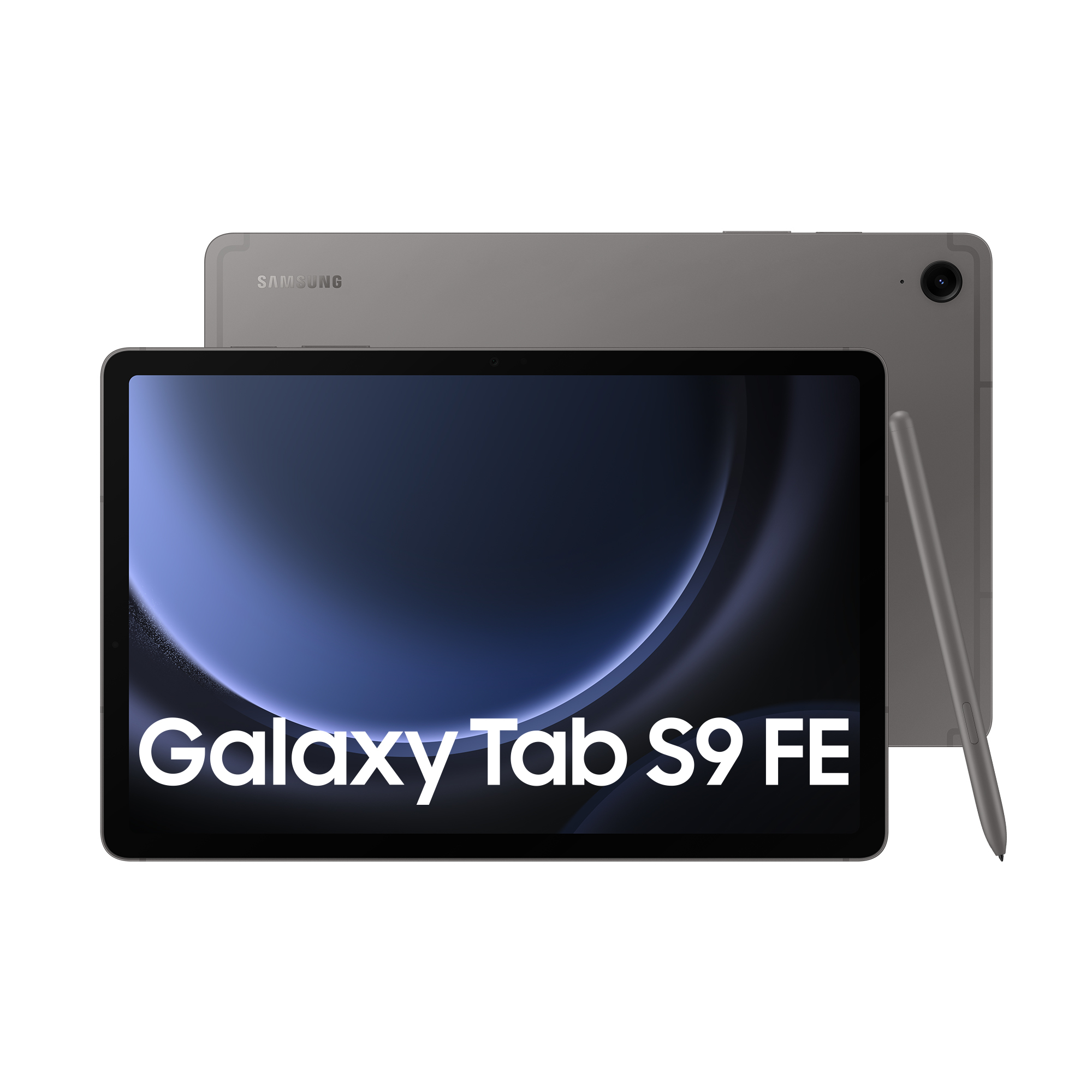
Samsung SM-X516BZAAEUB Samsung Galaxy Tab S9 FE 5G Samsung Exynos LTE 128 GB 27.7 cm (10.9") 8 GB Wi-Fi 6 (802.11ax) Android 13 Grey
Circle it, find it. Just like thatExperience Circle to Search with Google and search like never before, Simply circle around an object to get Google Search results. Its a new visual way to find what youre looking for.Search like never before with Circle to Search with Google.Colourful design that lets you shineStep into a world of fun creative possibilities and entertainment with Galaxy Tab S9 FE and Tab S9 FE+. View, create and share what you love in vivid detail on the bright, immersive screen. Both models come in Grey, Mint, Silver or Lavender to effortlessly match your unique vibe.Power up your notetaking with S PenWrite, sketch, and draw on your favourite notetaking app with the redesigned water and dust-resistant inbox S Pen. Now in four trendy colours, it attaches magnetically to the back of your device and matches its style. Galaxy Tab S9 FE and Tab S9 FE+ even support S Pen Creator Edition to unleash your full creative potential.Vibrant hues. Stunning views.Everything on screen is lifelike with the high-resolution 12.4-inch or 10.9-inch display. Details are crisp and clear with a wide range of vivid colours thanks to the DCI-P3 colour gamut and enhanced brightness, so you can always enjoy a spectacular viewing experience.All your media, super-smoothImmerse your senses in the smooth picture thanks to the screen's adaptive refresh rate of up to 90Hz. Whether you're binge-watching your favourite series, scrolling through social feeds or editing your latest video, the screen adjusts to make every motion look fluid and true to life.Expansive, bright views even outdoors with Vision BoosterVision Booster lets you see your Tab's spacious screen clearly in brightly lit areas thanks to an intelligent outdoor algorithm that detects the sun's glow and shifts to match. Go between the studio and patio with ease thanks to contrast and colour enhancements to keep things vibrant.Eye care for you and your loved onesView content, create and play as long as you like, knowing your eyes are well protected. The display on Galaxy Tab S9 FE and Tab S9 FE+ is engineered with reduced blue light emission to safeguard your eyesight, providing a comfortable viewing experience while you stay in your fun zone.Stay creative on the move with a long-lasting batteryKeep the creative juices flowing with the long-lasting battery. It's got the power to get you through most of your day and perhaps even spare some in case your phone needs a boost, too. Plug in your Samsung Galaxy smartphone with a USB-C cable and Fast Charging takes care of the rest.Elevate your creativity, optimised for the big screenLet your imagination run wild on pro-level notetaking with Samsung Notes and Goodnotes — optimised to provide a seamless S Pen experience and the feel of writing on actual paper. Sketch in portrait view and edit in horizontal view, or vice versa.The first water and dust-resistant Galaxy S FE tabletWhen the day gets tough, Tab and S Pen stay sturdy and durable. The smooth tablet design is suited up with a strong full-metal frame and the IP68 rating means it's our first water and dust-resistant Galaxy S FE tablet with S Pen ever.Speed up your productivity, bump up your storageEquipped with our high-performing Exynos 1380 chipset, Galaxy Tab S9 FE and Tab S9 FE+ keep multitasking, streaming and gaming smooth and fast. Choose up to 256GB internal storage, then grab your microSD to add on more storage in case you need even more room for your videos, compositions, hi-res photos and more.Double your connectivity with an extra eSIMStay connected on the go and swap networks easily with Dual SIM on the Galaxy Tab S9 FE and Tab S9 FE+. Activate your eSIM and set it up as primary with just a few taps. When switching devices, your eSIM contacts move, too, so no friends get left behind.Get a PC-like experience with a single snapAttach the Book Cover Keyboard to topple your to-do lists with ease. Featuring function keys and a trackpad, it supports DeX mode for a seamless PC-like experience. Assign app shortcuts to up your efficiency and connect wirelessly to other Samsung Galaxy devices to type on any screen.
Part# SM-X516BZAAEUB
SKU S19454
Limited Availability


Samsung
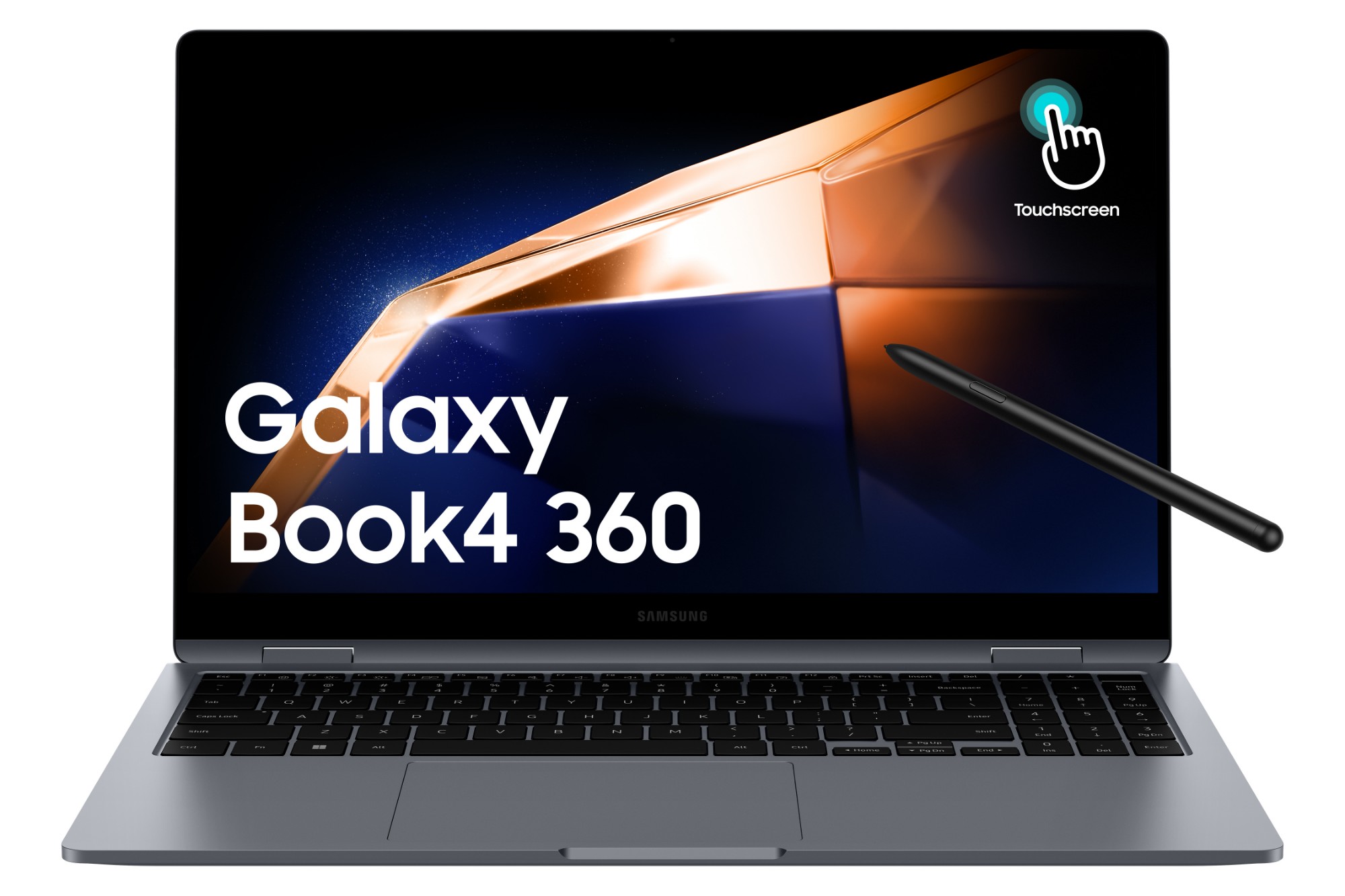
Samsung NP754QGK-KG2UK Samsung Galaxy Book4 360 NP754QGK-KG2UK laptop Intel Core 5 120U Hybrid (2-in-1) 39.6 cm (15.6") Touchscreen Full HD 16 GB LPDDR5x-SDRAM 256 GB SSD Wi-Fi 6E (802.11ax) Windows 11 Pro Grey
Pack it up. Pack it in. So light and thinGalaxy Book4 360 is your versatile 2-in-1 workmate for productivity on the move. Super-thin, light and flexible all around, it easily fits into your everyday routine — and your backpack. Grab yours in sleek Gray or Silver.Super vivid colours. Super AMOLED DisplayDive into the cinematic visuals of the 15.6" Super AMOLED display. Rich, vivid colours and the fast response time turn your games and streams into a spectacle that keeps you on the edge of your seat. Enjoy all the fun with extra eye comfort thanks to reduced blue light emission.Key-bored? Use the touchscreenTap your way around with intuitive multi-touch gestures on Galaxy Book4 360's responsive touchscreen. When inspiration strikes, flip the screen and grab the S Pen to sketch, note down ideas or fine-tune your masterworks with precision.Powerhouse performance on the goThe next-gen Intel® Core™ 7/5 processor combines with powerful Intel® graphics to deliver great performance for both work and play. Speed through projects to stay on top of your to-dos, then engage in action-packed, fast-paced gaming when you're ready to unwind.Ports. All the connections you needVersatile built-in ports let you hook up multiple devices to your Galaxy Book4 360, hassle and dongle-free. Enjoy blazing-fast data transfers with two Thunderbolt™ 4 ports and connect easily via HDMI, USB 3.2 Type-A, microSD and 3.5pi HP/MIC.Super compact, super fast chargerThe 68Wh (typical) battery gives you enough power to keep going throughout the day. To get a quick boost, plug in the universal USB-C charger that's light and compact and power up your Galaxy Book4 360 in a flash.Dolby Atmos. Sound that speaks volumesUpgrade your audio experience with the clear, deep sound of the dual-speaker system on Galaxy Book4 360. Both speakers are tuned with Dolby Atmos, delivering immersive surround sound from your favorite tracks and shows.Wide-angle camera. Wise choiceGet ready to take center stage in video calls with the 1080p wide-angle webcam and high-quality mics with AI noise canceling.Use your phone as a connected cameraUpgrade your video calls from standard laptop webcam to stunning clarity using your Samsung Galaxy smartphone as a connected camera. Connect seamlessly to your Galaxy Book4 360, switch between front and rear cameras to find your angle, and enjoy a high-quality picture with enhanced video effects in video applications.Connect your phone and PC for seamless accessGet direct access to content on your phone right from your laptop with File Explorer. Simply set up the wireless connection between your devices and you're set — search for the files and photos you need, then open them seamlessly from your PC.Meet your AI photo editing ally: Photo RemasterThe AI-powered Photo Remaster tool lets you breathe new life into old photos and low-quality images. Using a smart algorithm, the feature allows you to clean up blurry photos, as well as remove unwanted light and shade from your snaps with just a tap.Samsung Studio. Create and edit seamlesslyCreate and edit your next masterpiece across devices with Samsung Studio. Shoot a video and start cutting on one of your Samsung Galaxy mobile devices, then export easily via Quick Share to add final touches with precision on the big screen of Galaxy Book4 360.Buds Auto Switch keeps you flowin'Your sound follows you seamlessly from one device to another when paired with Galaxy Buds. If you get a call while on Galaxy Book4 360, your Buds will switch automatically to your phone without missing a beat. When done, continue enjoying the clear LE Audio back on your laptop.
Part# NP754QGK-KG2UK
SKU S19454
Limited Availability
Samsung
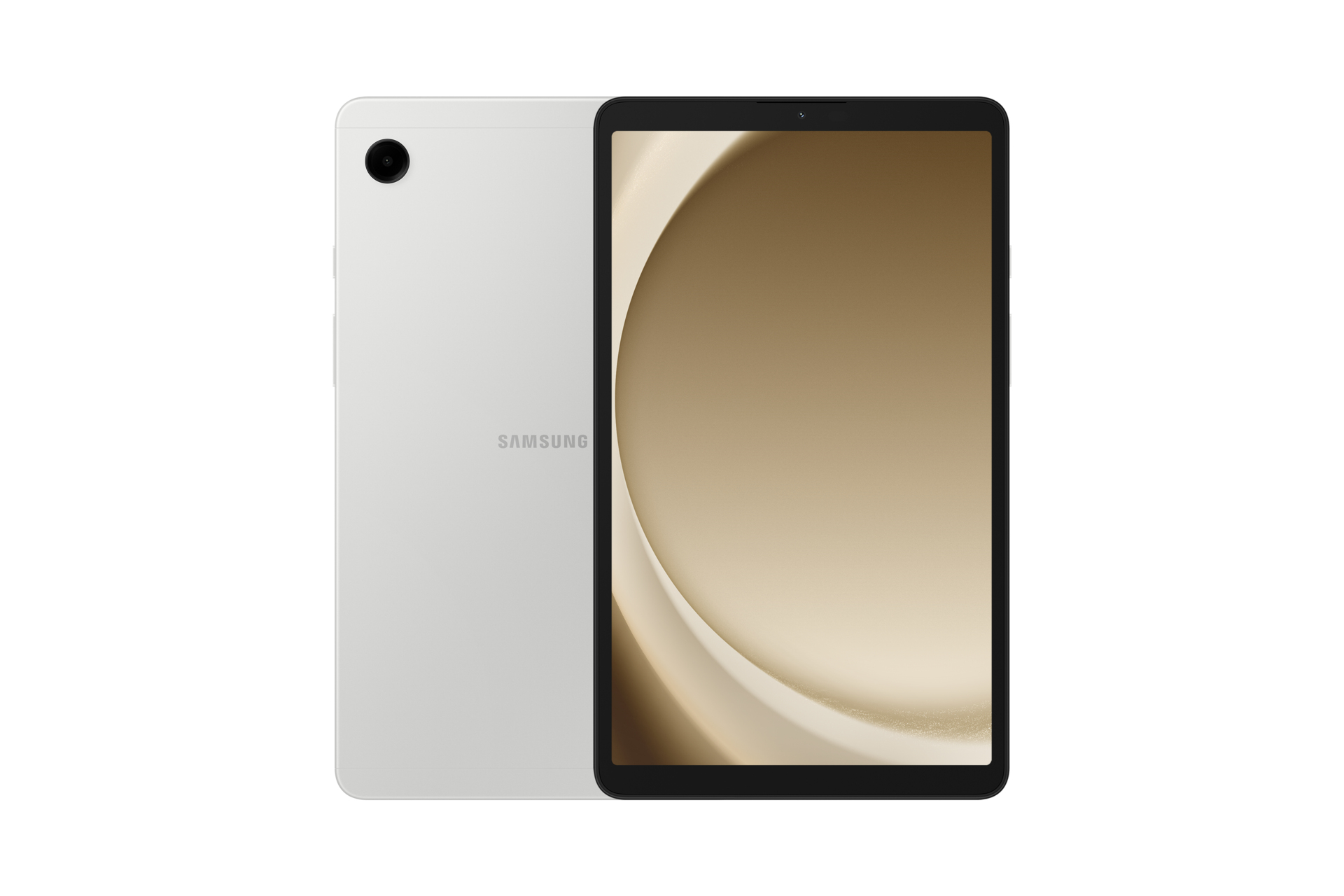
Samsung SM-X115NZSAEUE Samsung Galaxy Tab A9 LTE 4G Mediatek LTE-TDD & LTE-FDD 64 GB 22.1 cm (8.7") 4 GB Wi-Fi 5 (802.11ac) Silver
Samsung Galaxy Tab A9 LTE. Display diagonal: 22.1 cm (8.7"), Display resolution: 1340 x 800 pixels. Internal storage capacity: 64 GB. Processor frequency: 2.2 GHz, Processor family: Mediatek. Internal memory: 4 GB. Rear camera resolution (numeric): 8 MP, Rear camera type: Single camera, Front camera resolution (numeric): 2 MP, Front camera. Top Wi-Fi standard: Wi-Fi 5 (802.11ac). Card reader integrated. Weight: 333 g. Product colour: Silver
Part# SM-X115NZSAEUE
SKU S19454
Limited Availability
Samsung
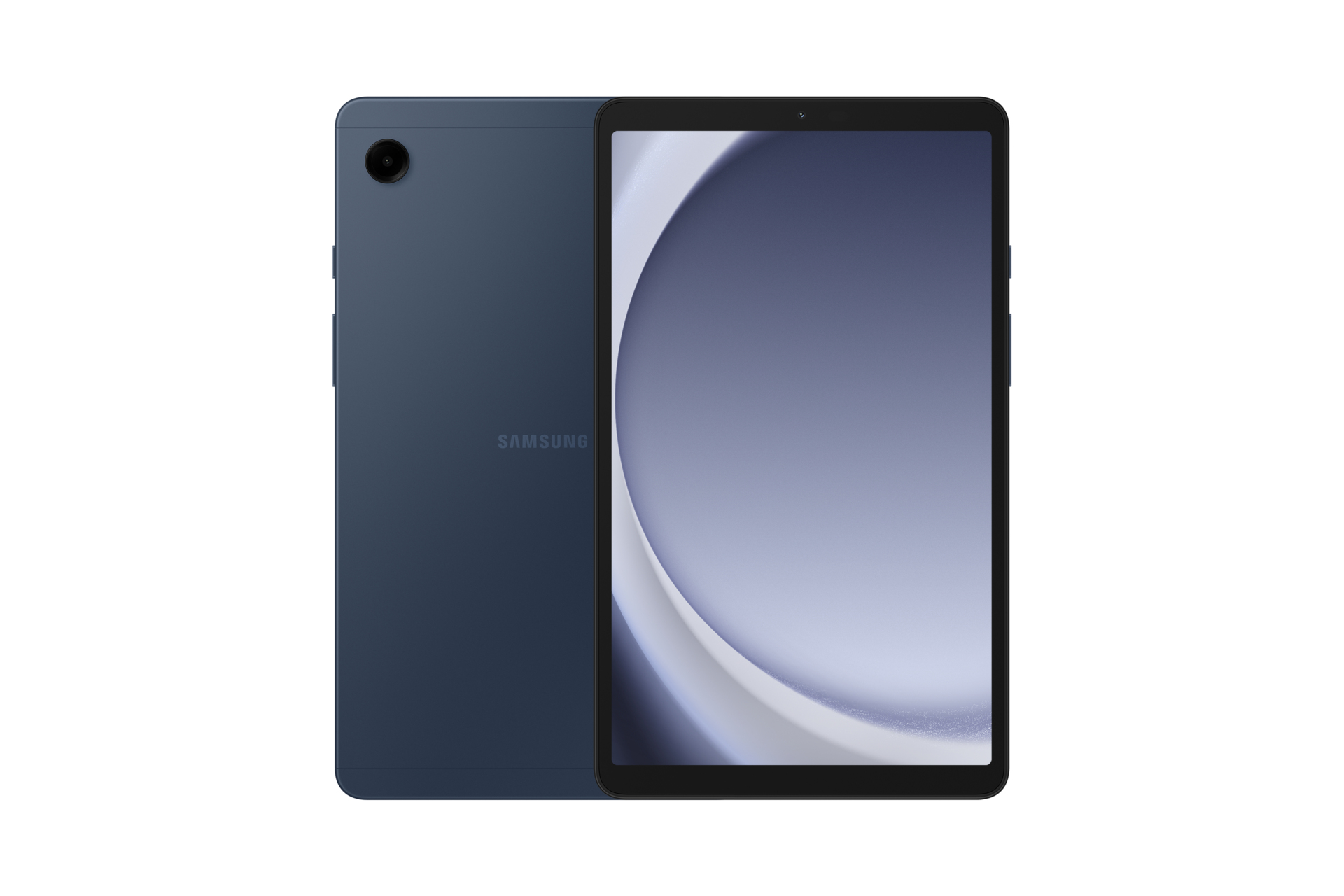
Samsung SM-X110NDBEEUE Samsung Galaxy Tab A9 Wi-Fi Mediatek 128 GB 22.1 cm (8.7") 8 GB Wi-Fi 5 (802.11ac) Navy
Samsung Galaxy Tab A9 Wi-Fi. Display diagonal: 22.1 cm (8.7"), Display resolution: 1340 x 800 pixels. Internal storage capacity: 128 GB. Processor frequency: 2.2 GHz, Processor family: Mediatek. Internal memory: 8 GB. Rear camera resolution (numeric): 8 MP, Rear camera type: Single camera, Front camera resolution (numeric): 2 MP, Front camera. Top Wi-Fi standard: Wi-Fi 5 (802.11ac). Card reader integrated. Weight: 332 g. Product colour: Navy
Part# SM-X110NDBEEUE
SKU S19454
Limited Availability

Samsung
Samsung SM-P625NZAEEUE Samsung Galaxy Tab S6 Lite (2024) LTE 4G LTE-TDD & LTE-FDD 128 GB 26.4 cm (10.4") 4 GB Wi-Fi 5 (802.11ac) Grey
Samsung Galaxy Tab S6 Lite (2024) LTE. Display diagonal: 26.4 cm (10.4"), Display resolution: 2000 x 1200 pixels. Internal storage capacity: 128 GB. Processor frequency: 2 GHz. Internal memory: 4 GB. Rear camera resolution (numeric): 8 MP, Rear camera type: Single camera, Front camera resolution (numeric): 5 MP, Front camera. Top Wi-Fi standard: Wi-Fi 5 (802.11ac). Card reader integrated. Weight: 467 g. Product colour: Grey
Part# SM-P625NZAEEUE
SKU S19454
Limited Availability
Samsung
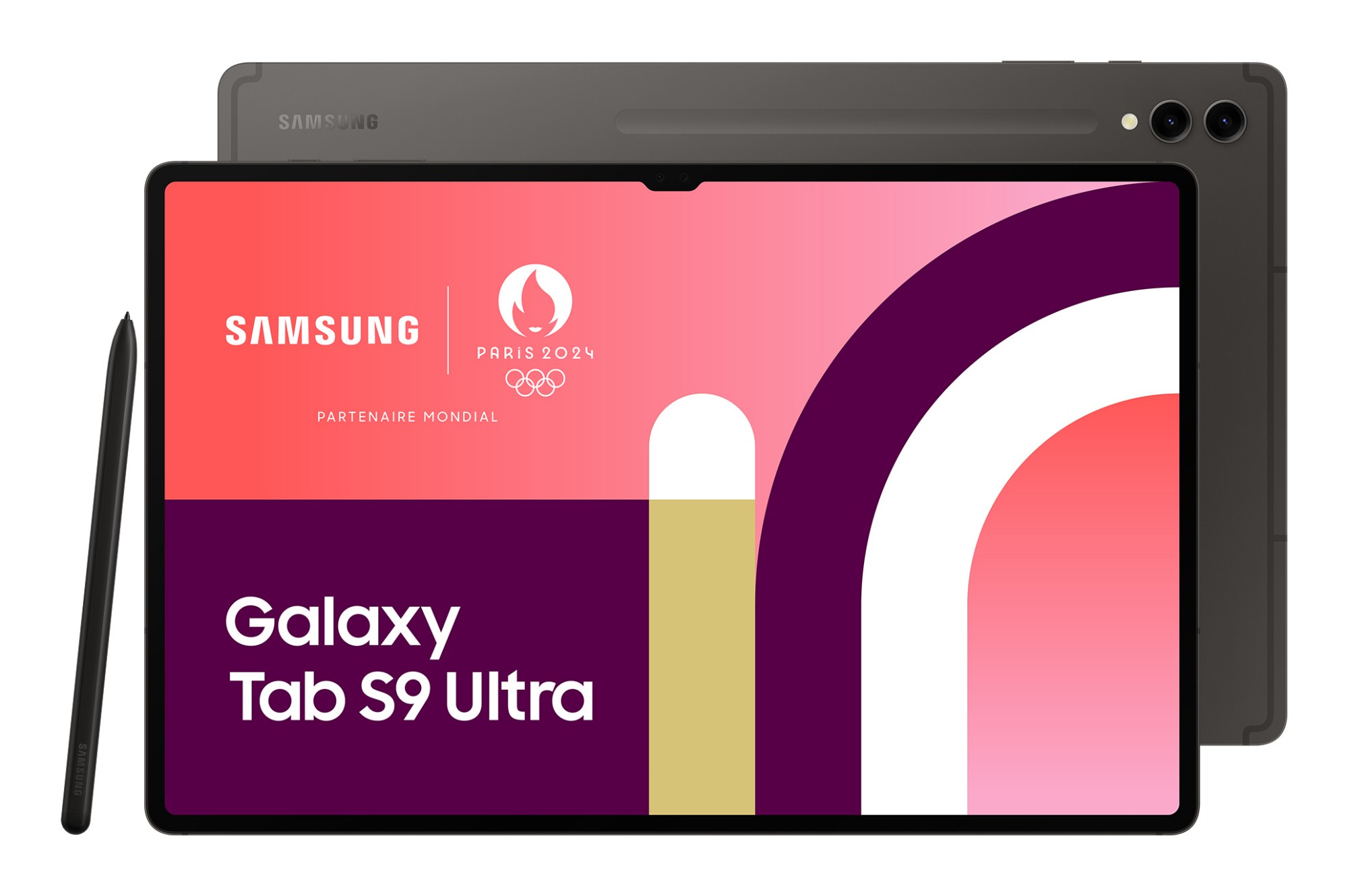
Samsung SM-X910NZAAEUB Samsung Galaxy Tab S9 Ultra SM-X910N Qualcomm Snapdragon 256 GB 37.1 cm (14.6") 12 GB Wi-Fi 6 (802.11ax) Android 13 Graphite
Three sizes. Two nature-inspired colorsChoose between understated, professional Graphite and soft, natural Beige — both accentuated with premium detailing and a smooth blasting finish for a sophisticated look.Get a crystal-clear, comfortable view with Dynamic AMOLED 2XWhether you choose Galaxy Tab S9, Galaxy Tab S9+ or Galaxy Tab S9 Ultra, each is ready to bring your creative vision to life. All three feature a Dynamic AMOLED 2X display, delivering stunning color and visuals. Plus, it's easy on the eyes with reduced blue light emission.Unified design. The beauty is in the detailsIt's always the smallest things that matter most. Like the floating camera design on the back — crafted to elegantly encapsulate the upgraded camera system. We even reimagined the side buttons and speaker arrangement to feel more familiar.Vibrant hues. Stunning viewsEverything on screen is lifelike with the high-resolution Dynamic AMOLED 2X display. Details are crisp and clear with a wide range of vivid colors and true blacks thanks to HDR10+ enhanced visuals and smooth scrolling at up to 120Hz refresh rate.Level up your play with epic, cinematic visualsThe Galaxy Tab S9 Series delivers an engrossing, photo-realistic gaming experience on the Tab's expansive screen for marathon playthroughs.The experience is heightened with immersive audio from the quad AKG speaker system and Dolby Atmos surround sound.The first water and dust-resistant Galaxy S tabletWhen the day gets tough, the Galaxy Tab S9 Series stays sturdy and durable. The smooth metal design is suited up with our strongest Armor Aluminum frame — living up to its name by protecting your tablet from shocks and drops. And the IP68 rating means it's our first water and dust-resistant Galaxy Tab S Series ever.S Pen. Stronger, faster, more responsiveWe rebuilt the included S Pen to be IP68 water resistant just like the tablet. It's also improved across the board, with enhanced tip sensitivity for less accidental clicks. And with the magnetic attachment and bidirectional charging, just snap it on to charge.Enhanced outdoor viewing with Vision BoosterVision Booster lets you see your screen clearly in brightly lit areas thanks to an intelligent outdoor algorithm that detects the sun's glow and shifts to match. Go between the studio and patio with ease thanks to contrast and color enhancements to keep things vibrant.Next-gen processor for next-level, lifelike gamingThe extremely fast Snapdragon® 8 Gen 2 for Galaxy processor is intelligently engineered to deliver revved-up performance and power savings for champion-level gameplay. The graphics engine powers true-to-life reflections and shadows in 3D gaming environments for immersive gaming.Stay creative on the move with a long-lasting batteryKeep the creative juices flowing with the long-lasting battery. It's got enough power to get you through your day and even spare some in case your phone needs a boost, too. Plug in your Samsung Galaxy smartphone with a USB-C cable and Fast Charging takes care of the rest.Store all your inspiration with microSD supportChoose up to 1TB internal storage, sketch your masterpiece with GoodNotes, then grab your microSD to add on more storage in case you need even more room for your videos, compositions, hi-res photos and more.Elevate your notetaking, optimized for the big screenLet your imagination run wild on pro-level notetaking with GoodNotes — optimized to provide a seamless S Pen experience and feel of writing on actual paper. Sketch in portrait view and edit in horizontal view, or vice versa.Put S Pen to paper with the NotePaper ScreenWith the NotePaper Screen, writing is the next best thing to pen and paper. Add in S Pen — the ultimate drawing tool to elevate your canvas. It is sensitive to pressure and tilt, allowing you to create detailed sketches and illustrations with precision and control.Note taking just got more noteworthyAmp up your productivity with S Pen's enhanced note-taking functions. Quickly jot down novel ideas or make a quick diagram to get your point across. And with S Pen to Text, you can seamlessly turn your handwriting into text input in a wide range of apps like Google, Messages, Maps and more.Live collaboration comes to Samsung NotesPull your teammates in for a brainstorming session, facilitated by S Pen and Samsung Notes. Share notes between Samsung Galaxy devices to edit content in real time directly in the app. You can even scan multi-page documents easily and save them in Gallery to pull them up during video calls.Get a PC-like experience with a single snapAttach the Book Cover Keyboard to topple your to-do lists with ease. Fully backlit with function keys and a trackpad, it supports DeX mode for a seamless PC-like experience. Assign app shortcuts to up your efficiency and connect wirelessly to other Samsung Galaxy devices to type smoothly on any screen.Shoot on your phone, share it to your tabletMove massive files from one Samsung Galaxy device to another in a flash with Quick Share. Open up LumaFusion to take advantage of the expansive screen to edit, cut and add final touches with precision.Streamline creativity and multitaskingPainting on your tablet just got easier with the newly-added Simple Mode on Clip Studio Paint. Elevate multitasking with your smartphone by using Multi Control that allows you to drag and drop images between the devices, or instantly transfer files from your smartphone and continue editing on your tablet.Divide your screen. Multiply your productivityConquer multiple tasks at once. You can sketch out architectural plans and choose captivating visuals and video chat — all on one screen without ever closing a window.
Part# SM-X910NZAAEUB
SKU S19454
Limited Availability
Samsung
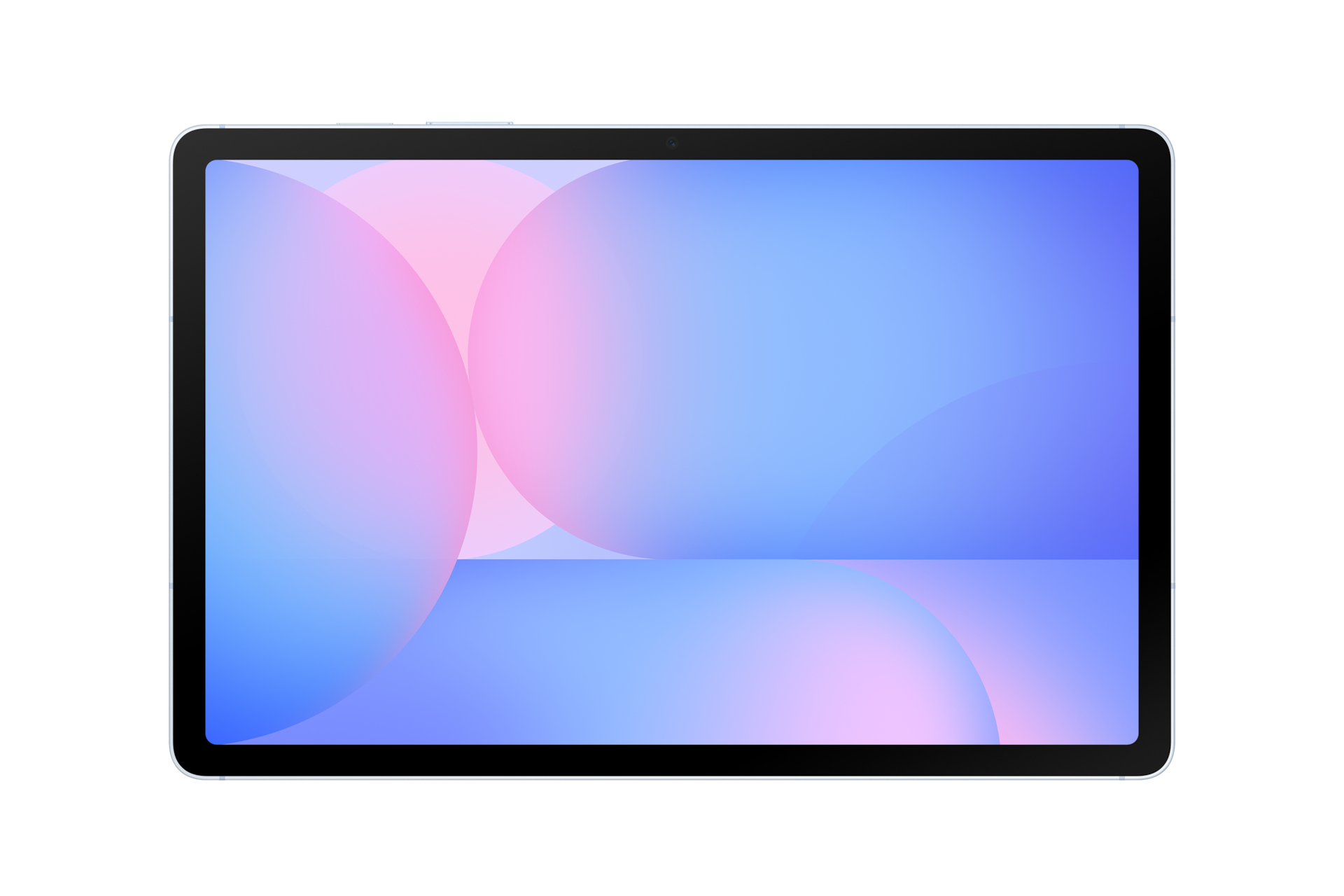
Samsung SM-X526BLBREUB Samsung Galaxy Tab S10 FE 5G (10.9")
Feel seen with an iconic lookGet inspired and express yourself with the sleek, AI-powered Galaxy Tab S10 FE and Tab S10 FE+ with S Pen. Light-tone accents across details in the design add a touch of cool for a head-turning look. Grab yours in Grey, Silver or Blue.Circle it, find it on the big screenSearch any image, video, or text on your screen. Circle, highlight, scribble, or tap to pinpoint what you're curious about, no screenshots necessary.Get Homework helpStudy smarter on your Tab with Google. Just circle study content on the screen and find explainers, videos and results from the web for math, history, chemistry, biology, physics and more — all within one app window.Screen as wide as your imaginationDream big on the wide 10.9" Galaxy Tab S10 FE, or go even bigger with the massive 13.1" Tab S10 FE+ — the largest screen ever on a Galaxy Tab FE Series.Power up with fast performanceCreate, study and game away with the super-smooth performance of the Exynos 1580 processor. Experience AI-driven innovation with handy productivity features. Multitask seamlessly with large memory on both models and store what you love with up to 2TB microSD card support.Display so lit. Picture so smoothCheck out the high-res, clear display with crisp details and fluid 90Hz visuals. Vision Booster makes sure your views stay bright even outdoors with up to 800 nits in High Brightness Mode. Keep vibing with your onscreen content, thanks to low blue light for extra eye comfort.Slim. Light. Fits just rightTake your hustle on the go with Galaxy Tab S10 FE or Tab S10 FE+. Thin and lightweight, it fits effortlessly into your dynamic lifestyle — and your bag, so you can carry your work and fun anywhere.Level up your S Pen notetakingSolve MathStruggling with a complex math formula? No problem — just note it down with S Pen and Solve Math will automatically solve it for you.Handwriting HelpThis intelligent feature lets you quickly fix messy handwritten notes — straighten lines, make spacing even, align letters and correct letter shapes in an instant.One press. The key to AITap once on Galaxy AI key to instantly access your AI world. Customise the button with your preferred AI assistant to simplify your flow and get smart help in a flash.13MP camera bumps up the resolutionGet ready for a dose of photo and video epicness in hi-res. The upgraded 13MP rear camera captures your world with more clarity and detail, making your shots stand out.Go outdoors. Stay protectedWith IP68-rated water and dust resistance, Galaxy Tab S10 FE and Tab S10 FE+ with S Pen are ready to follow you on your next outdoor adventure.Get a personalised home overviewCheck your home status with a bird's eye view summary on the Home Insight widget. The dashboard gives you key information about your home based on connected sensors and devices. Explore your space using a 3D map and get personalised AI suggestions.Galaxy Spotlight apps. Create like a proUnlock more creativity on Galaxy Tab S10 FE and Tab S10 FE+ with pro-grade apps. Get inspired with LumaFusion, Goodnotes, Clip Studio Paint, Noteshelf 3, Sketchbook and Picsart.
Part# SM-X526BLBREUB
SKU S19454
Limited Availability
Samsung
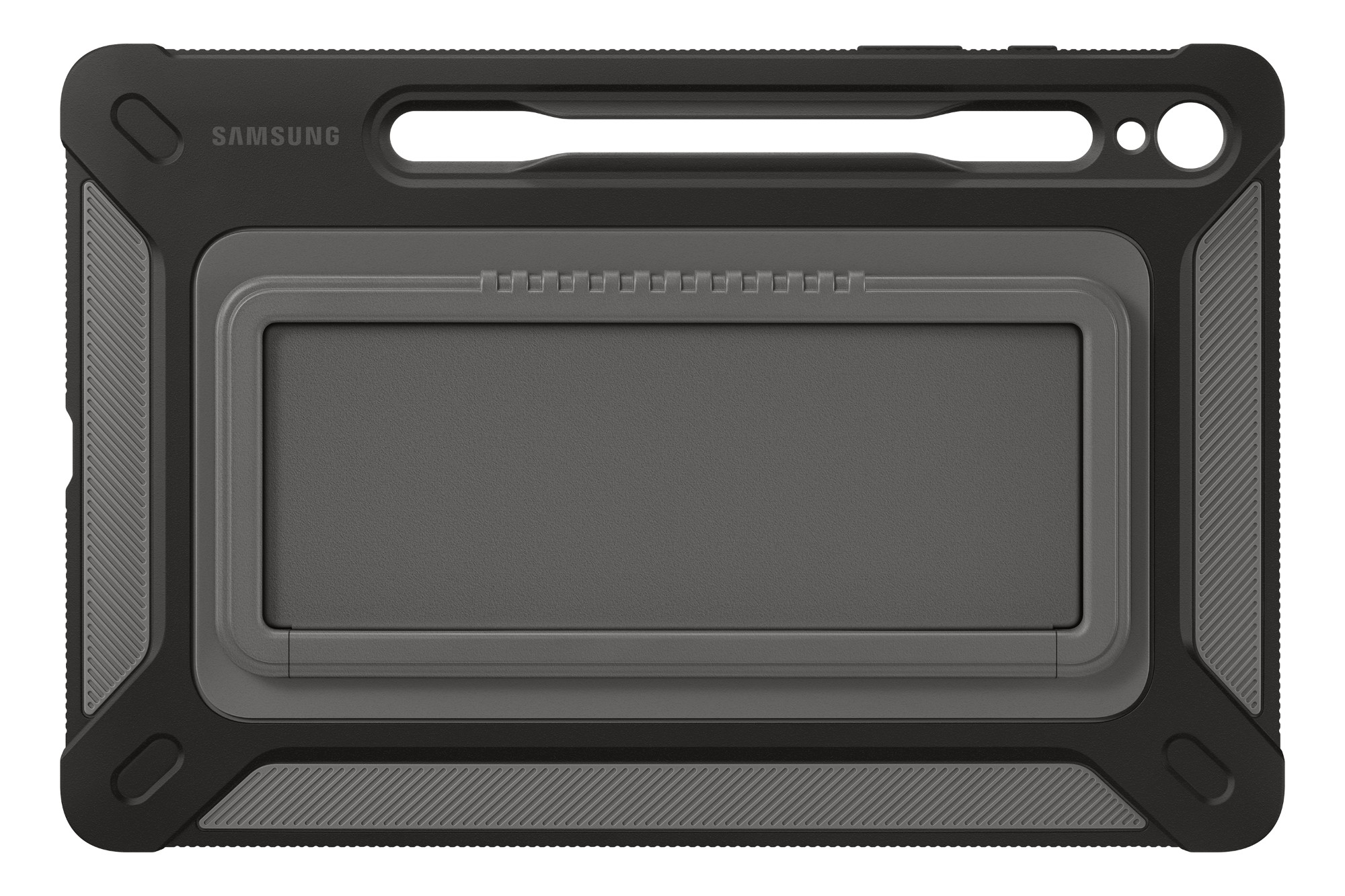
Samsung EF-RX710CBEGWW Samsung EF-RX710CBEGWW tablet case 27.9 cm (11") Cover Titanium
Rugged and reliableCarry your tablet outdoors with confidence. The rugged cover is built with military-grade (MIL-STD 810G-516.7) toughness to protect your tablet from minor drops and bumps when you are on the go.Stable stand, comfortable gripWith the built-in kickstand on the back of the case, you can conveniently view your device in Landscape mode. It also works as a grip for carrying, ensuring that your tablet stays in your hand while you are on the go.Keep your S Pen secure and accessibleThe embedded S Pen holder is a handy addition that lets you keep your S Pen closeby and easily accessible.
Part# EF-RX710CBEGWW
SKU S19454
Limited Availability
Samsung
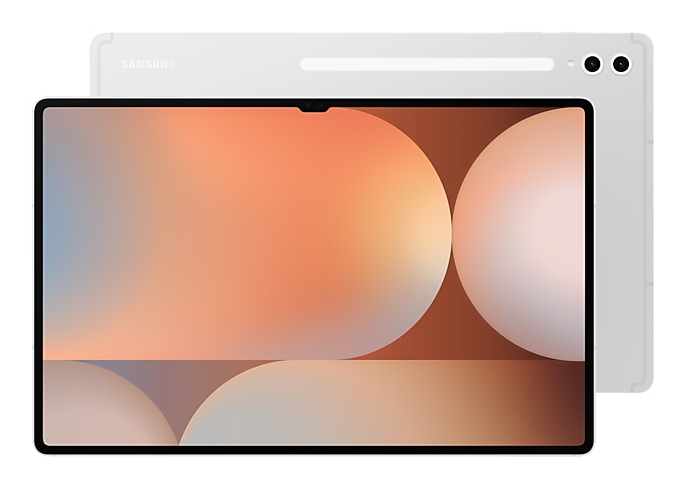
Samsung SM-X920NZSPEUB Samsung Galaxy Tab S10 Ultra (14.6", Wi-Fi)
Iconic design. Iconic feelThere's a touch of innovation in every detail — with all new design accents on the S pen, charging area and camera deco. And each one feels amazing to the touch.Galaxy AI optimised for the big screenYou've seen Galaxy AI, but not like this. This massive screen brings Galaxy AI features to life in a big way to maximise your productivity and fun.Your personal note-taking assistantGet meeting notes while staying completely engaged in the meeting — just record the meeting then transcribe audio to text. Galaxy AI can then format and summarise those notes, making note-taking effortlessly easy.Edit in Split ViewFormatting your notes gets even easier in Split View — helping you format while keeping track of the original.Translate whole PDFsNeed to read a PDF in a language you don't know? Now you can. Get instant translations in an easy-to-read overlay.Rocket science just got easierSolve Math makes calculation a cinch — automatically calculating complex formulas. And with Handwriting Help, it can even decipher your handwriting.Circle to Search with Google on the big screenExperience the power of Circle to Search with Google on a larger screen. Just circle, highlight, or tap an image or text to get Google Search results. You can even get instant translations.Dream it. Draw it. DoneUse Sketch to Image to turn your rough sketches and doodles into artwork with the help of AI and S Pen wizardry. Drawing is more powerful than ever.Launch AI with a single tapPress the Galaxy AI Key to unleash Galaxy AI to search what you want. Your keyboard is now highkey amazing.The power of Galaxy AI across devicesYour Galaxy AI arsenal only grows the more Galaxy AI products you own. Plus, all the Galaxy AI features you love on other Galaxy devices are also here on Tab S10 Series.Go large or ultra largeDive in to deeper colours and truer blacks all optimised for the Dynamic AMOLED 2X display. Immerse yourself in a cinematic experience with incredible resolution and ultra smooth interactions on what many consider the ultimate display.Keeps cool when gaming heats upRev up the excitement with an ultra fast, powerful processor. When the action really heats up, it keeps cool with the larger Vapor Chamber cooling system — built to more efficiently cool the longer you game, or binge videos.Save more of what you loveStore more. From creative projects, to movies, to games to even just photos with tons of available internal storage.Busts dust. Withstands waterA little water won't hurt you. In fact, you're in the clear in up to 1.5 meters of fresh water for up to 30 mins.Durability that can't be beatThe Enhanced Armor Aluminum frame is more durable than ever and ready to take all kinds of drops.More battery. More games. More videoPut all that battery life to good use. Game for hours and hours, binge your favorite shows, then Super Fast Charge back to 100% just like that.An ultra-wide camera to capture more of your worldThe Ultra Wide front-facing camera ensures your video calls keep you framed up to perfection. On the flip side, capture stunning HD video and photos you can edit right on your Tab S10 Series.Amazing alone. Better togetherGet the most out of your Tab S10 Series by pairing with other Galaxy products. They work seamlessly together, so whatever youre doing simply flows naturally.Pro-grade apps optimised for GalaxyAwesome apps like LumaFusion and Clip Studio Paint come preloaded to kickstart your creativity, but its easy to download more including: PicsArt, Sketchbook, Noteshelf3 and Wall Street Journal.Step 1: Tap the Galaxy AI iconUse your S Pen or finger to tap the Galaxy AI icon to open the menu.Step 2: Tap TranslateThen, tap the Translate option.Step 3: ReadAI will assist your very own easy-to-read overlay translation.
Part# SM-X920NZSPEUB
SKU S19454
Limited Availability
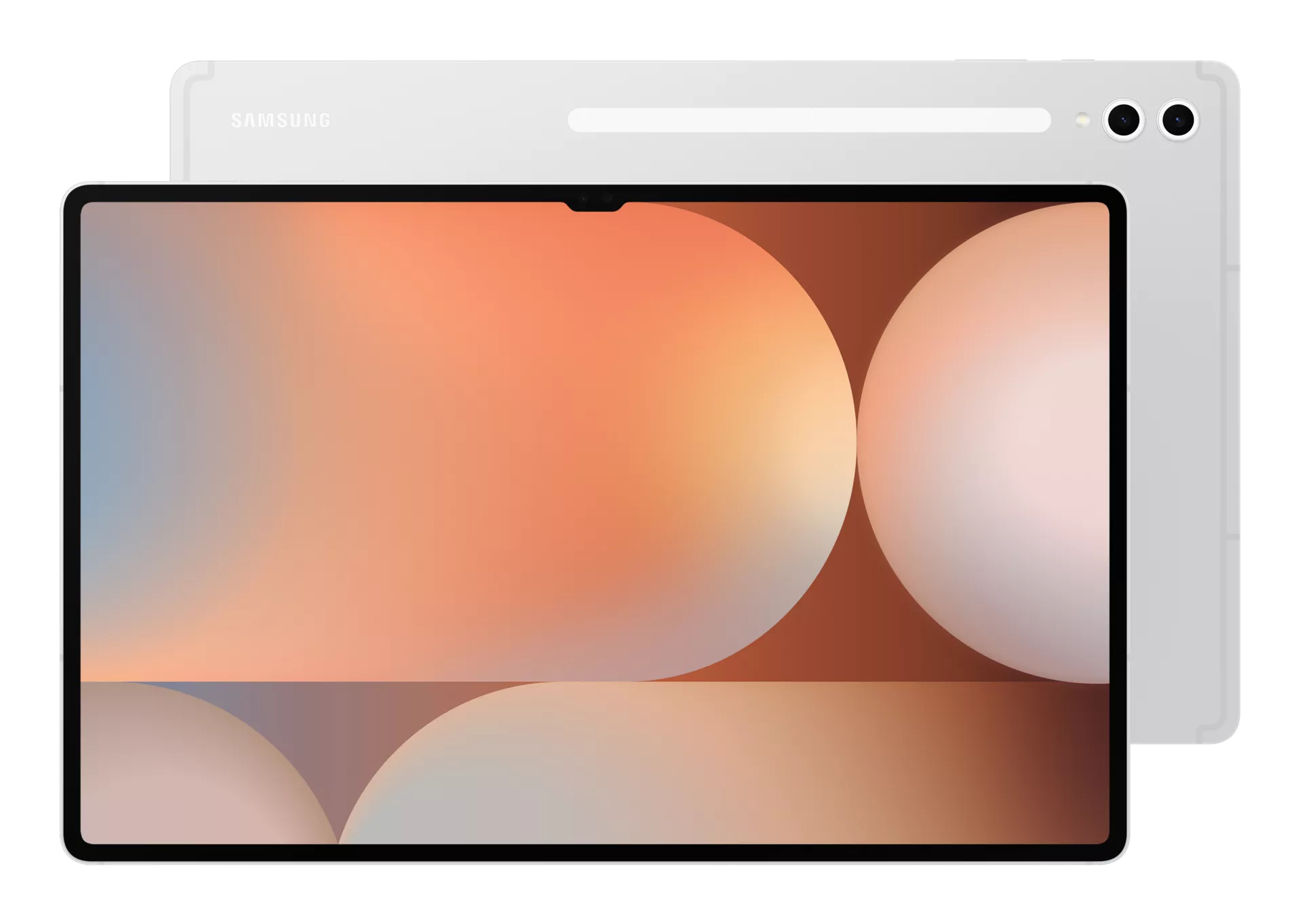
Samsung
Samsung SM-X920NZSREUB Samsung Galaxy Tab S10 Ultra (14.6", Wi-Fi)
Iconic design. Iconic feelThere's a touch of innovation in every detail — with all new design accents on the S pen, charging area and camera deco. And each one feels amazing to the touch.Galaxy AI optimised for the big screenYou've seen Galaxy AI, but not like this. This massive screen brings Galaxy AI features to life in a big way to maximise your productivity and fun.Your personal note-taking assistantGet meeting notes while staying completely engaged in the meeting — just record the meeting then transcribe audio to text. Galaxy AI can then format and summarise those notes, making note-taking effortlessly easy.Edit in Split ViewFormatting your notes gets even easier in Split View — helping you format while keeping track of the original.Translate whole PDFsNeed to read a PDF in a language you don't know? Now you can. Get instant translations in an easy-to-read overlay.Rocket science just got easierSolve Math makes calculation a cinch — automatically calculating complex formulas. And with Handwriting Help, it can even decipher your handwriting.Circle to Search with Google on the big screenExperience the power of Circle to Search with Google on a larger screen. Just circle, highlight, or tap an image or text to get Google Search results. You can even get instant translations.Dream it. Draw it. DoneUse Sketch to Image to turn your rough sketches and doodles into artwork with the help of AI and S Pen wizardry. Drawing is more powerful than ever.Launch AI with a single tapPress the Galaxy AI Key to unleash Galaxy AI to search what you want. Your keyboard is now highkey amazing.The power of Galaxy AI across devicesYour Galaxy AI arsenal only grows the more Galaxy AI products you own. Plus, all the Galaxy AI features you love on other Galaxy devices are also here on Tab S10 Series.Go large or ultra largeDive in to deeper colours and truer blacks all optimised for the Dynamic AMOLED 2X display. Immerse yourself in a cinematic experience with incredible resolution and ultra smooth interactions on what many consider the ultimate display.Keeps cool when gaming heats upRev up the excitement with an ultra fast, powerful processor. When the action really heats up, it keeps cool with the larger Vapor Chamber cooling system — built to more efficiently cool the longer you game, or binge videos.Save more of what you loveStore more. From creative projects, to movies, to games to even just photos with tons of available internal storage.Busts dust. Withstands waterA little water won't hurt you. In fact, you're in the clear in up to 1.5 meters of fresh water for up to 30 mins.Durability that can't be beatThe Enhanced Armor Aluminum frame is more durable than ever and ready to take all kinds of drops.More battery. More games. More videoPut all that battery life to good use. Game for hours and hours, binge your favorite shows, then Super Fast Charge back to 100% just like that.An ultra-wide camera to capture more of your worldThe Ultra Wide front-facing camera ensures your video calls keep you framed up to perfection. On the flip side, capture stunning HD video and photos you can edit right on your Tab S10 Series.Amazing alone. Better togetherGet the most out of your Tab S10 Series by pairing with other Galaxy products. They work seamlessly together, so whatever youre doing simply flows naturally.Pro-grade apps optimised for GalaxyAwesome apps like LumaFusion and Clip Studio Paint come preloaded to kickstart your creativity, but its easy to download more including: PicsArt, Sketchbook, Noteshelf3 and Wall Street Journal.Step 1: Tap the Galaxy AI iconUse your S Pen or finger to tap the Galaxy AI icon to open the menu.Step 2: Tap TranslateThen, tap the Translate option.Step 3: ReadAI will assist your very own easy-to-read overlay translation.
Part# SM-X920NZSREUB
SKU S19454
Limited Availability

Item(s) added to cart

