
 0
0
Computer Components
2880 –
2890
of
4773
Availability
Sort by
Advance Filters

HPE
HPE 860687-B21 Hewlett Packard Enterprise Intel Xeon Gold 6130 processor 2.1 GHz 22 MB L3
Options, accessories, services and support for all your HP and Compaq products.
Part# 860687-B21
SKU S19454
Limited Availability


HPE
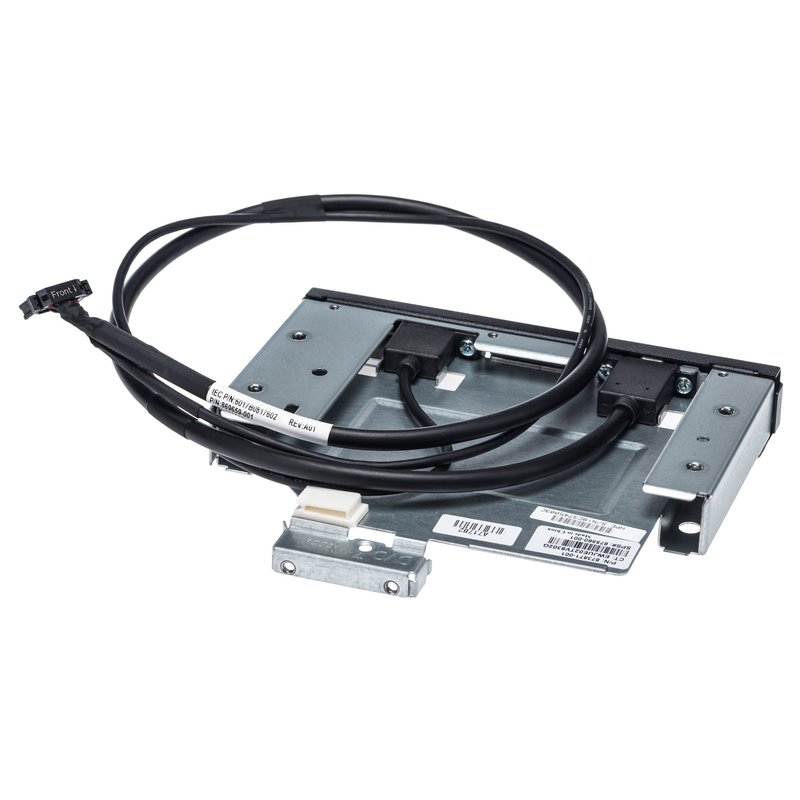
HPE 868000-B21 HPE DL360 Gen10 8SFF Display Port/USB/Optical Drive Blank Kit
Part# 868000-B21
SKU S19454
Limited Availability
Lenovo
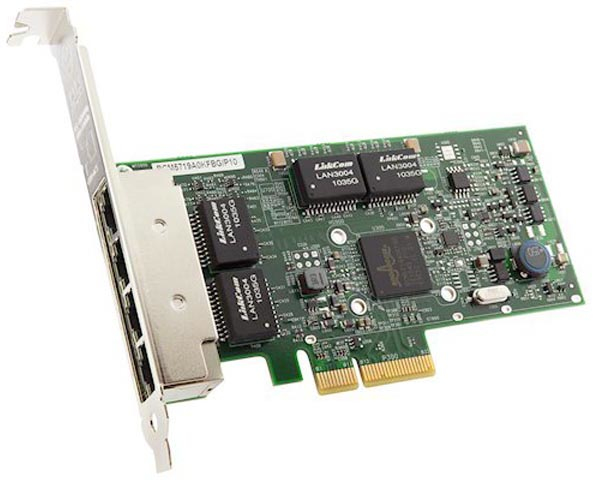
Lenovo 7ZT7A00484 Lenovo ThinkSystem Broadcom 5719 Internal Ethernet 1000 Mbit/s
The Broadcom NetXtreme Gigabit Ethernet Adapters are a family of high performance PCIe and OCP adapters. The adapters are available with either two ports or four ports and are supported on ThinkSystem and System x servers. This product guide provides essential presales information to understand the NetXtreme GbE offerings and their key features, specifications, and compatibility. This guide is intended for technical specialists, sales specialists, sales engineers, IT architects, and other IT professionals who want to learn more about the adapters and consider their use in IT solutions.
Part# 7ZT7A00484
SKU S19454
Limited Availability
StarTech.com
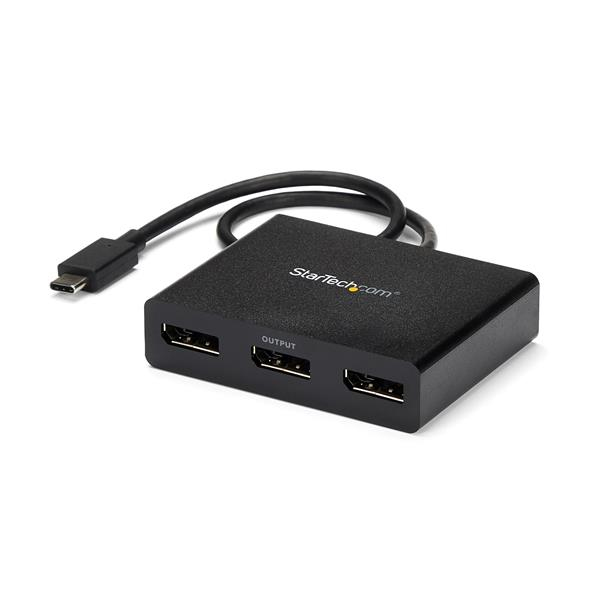
StarTech.com MSTCDP123DP StarTech.com 3-Port USB-C Multi-Monitor Adapter, USB Type-C to 3x DisplayPort 1.2 MST Hub, Triple 1080p 30Hz DP Laptop Display Extender / Splitter, Extra-Long Built-In Cable - Windows Only
Multi-Monitor Video Splitter | Windows | Thunderbolt 3 CompatibleThis 3-port USB-C to DisplayPort MST hub lets you connect three DisplayPort monitors to your USB Type-C Windows device, conveniently helping you to maximize your productivity. Multitasking Made Easy With devices becoming more portable than ever, you can be limited to fewer video outputs and confined to your small integrated screen. This MST hub solves that problem by enabling you to connect three displays to your USB-C computer, making multi-tasking much easier. Using this USB-C to DisplayPort splitter, you can mirror your display onto additional monitors or stream independent content to each display, which makes it the ideal accessory for travel or hot-desking. Astonishing Picture Quality Multi-Stream Transport (MST) technology uses your existing video card to minimize the use of system resources while delivering UHD 4K resolutions for up to two monitors simultaneously. Plus, because the multi-monitor splitter can output HD 1080p on three independent displays, it’s perfect for all high-resolution applications such as graphic design and medical imaging. Hassle-Free Setup MST offers an easy setup, by natively working on any Windows device that supports DP Alt Mode over USB Type-C. This USB-C multi-monitor adapter is Thunderbolt 3 compatible and offers plug-and-play installation with no drivers or software required. Additionally, this DP MST hub is powered by the USB-C port, meaning no external power cords are necessary. MSTCDP123DP is backed by a StarTech.com 3-year warranty, and free lifetime technical support. The StarTech.com Advantage- MULTIPLE MONITORS: USB-C to DisplayPort splitter to drive 2x 4K 30Hz or 3x 1080p 60Hz DP displays using a USB-C DP Alt-Mode port (DP 1.2/HBR2/MST) w/ no video compression; Thunderbolt 3 compatible- CONVENIENCE: With a built-in 1ft cable, this bus-powered 3-port MST hub provides an easy method to connect up to three independent screens with any DisplayPort over USB Type-C Windows host device- COMPATIBLE WITH: Dell XPS / Precision / Latitude, Lenovo ThinkPad X1 Carbon / Extreme, Surface Laptop 3 / Book 3 / Pro 7, HP ProBook / EliteBook / Spectre / ZBook & smaller (Mini -ITX) computers
Part# MSTCDP123DP
SKU S19454
Limited Availability
Lenovo
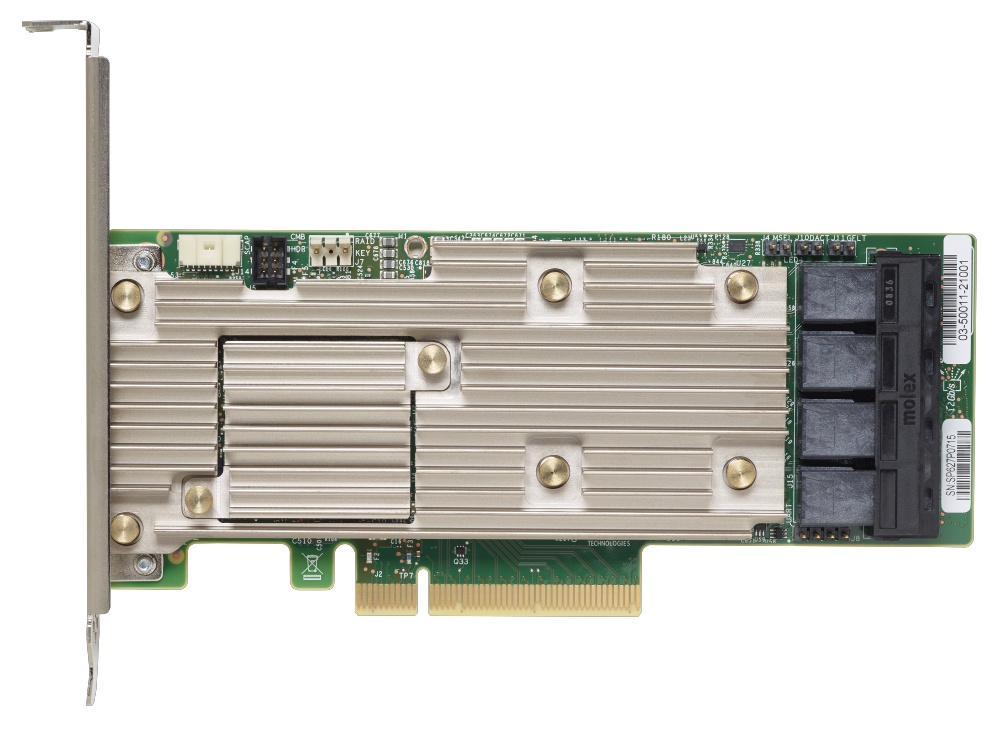
Lenovo 7Y37A01086 Lenovo 7Y37A01086 RAID controller PCI Express x8 3.0 12 Gbit/s
- MegaRAID FastPath SSD performance acceleration- MegaRAID FastPath software provides high-performance I/O acceleration for SSD-based virtual drives by using a low latency I/O path to increase the maximum I/O per second (IOPS) capability of the controller. This feature boosts the performance of applications with a highly random data storage access pattern, such as transactional databases.- MegaRAID flash cache protection- MegaRAID flash cache protection uses NAND flash memory, which is powered by a CacheVault Power Module supercapacitor, to protect data that is stored in the controller cache. This module eliminates the need for a lithium-ion battery, which is commonly used to protect DRAM cache memory on PCI RAID controllers. To avoid the possibility of data loss or corruption during a power or server failure, flash cache protection technology transfers the contents of the DRAM cache to NAND flash using power from the offload power module. After the power is restored to the RAID controller, the content of the NAND flash is transferred back to the DRAM, which is flushed to disk.- Auto-resume on array rebuild or array reconstruction after the loss of system power- Auto-resume uses non-volatile RAM (NVRAM) to save the rebuild progress during a host reboot or power failure to automatically resume from the last checkpoint. Auto-resume ensures that data integrity is maintained throughout the process. The card supports a number of features that can be implemented without rebooting the server. Applications, such as email and web server, benefit from avoiding downtime during the transition.- Online Capacity Expansion- Online Capacity Expansion (OCE) allows the capacity of a virtual disk to be expanded by adding new physical disks or making use of unused space on existing disks, without requiring a reboot.- Online RAID Level Migration- Online RAID Level Migration (RLM), which is also known as logical drive migration, can migrate a virtual disk from any RAID level to any other RAID level without requiring a reboot. System availability and application functionality remain unaffected.- Fast initialization for quick array setup- Fast initialization quickly writes zeros to the first and last sectors of the virtual drive. This feature allows you to immediately start writing data to the virtual drive while the initialization is running in the background.- Consistency check for background data integrity- Consistency check verifies that all stripes in a virtual disk with a redundant RAID level are consistent. The consistency check mirrors data when an inconsistent stripe is detected for RAID 1 and re-creates the parity from the peer disks for RAID 5 or RAID 6. Consistency checks can be scheduled to take place periodically.- Extensive online configuration options and advanced monitoring and event notification- Management tools provide convenience for the configuration of logical volumes and alerting when errors have occurred or are about to occur.- Patrol read for media scanning and repairing- Patrol read is a background sentry service that pro-actively discovers and corrects media defects (bad sectors) that arise normally as a disk drive ages. The service issues a series of verify commands, and if a bad block is discovered, the card's firmware uses RAID algorithms to re-create the missing data and remap the sector to a good sector. The task is interruptible based on controller activity and host operations. The firmware also provides an interface where the patrol read task can be initiated, set up for continuous operation, and terminated from a management application. Patrol read can be activated by a manual command or automatically.- Global and dedicated hot spare with revertible hot spare support- A hot spare rebuilds data from all virtual disks within the disk group in which it is configured. You can define a physical disk as a hot spare to replace a failed drive. Hot spares can be configured as either global or dedicated. A global hot spare allows any physical drive to be designated as a hot spare. A dedicated hot spare allows the user to assign a hot spare drive to a particular array of the same drive type.- Drive roaming- Drive roaming occurs when the physical disks are changed to different ports on the same controller. When the drives are placed on different channels, the controller detects the RAID configuration from the configuration data on the drives.- MegaRAID SafeStore support for self-encrypting drive (SED) services- MegaRAID SafeStore encryption services offer instant secure erase and local key management for self-encrypting drives. This technology represents a step forward in securing data on a disk drive from any unauthorized access or modification resulting from theft, loss, or repurposing of drives. Instant secure erase permanently removes data when repurposing or decommissioning SEDs. SafeStore local key management provides the necessary management and protection of SEDs by using a simple pass phrase, security key identifier, and security key file that can be set and applied to all SEDs that are assigned to a RAID adapter. This feature removes the complexity of managing each SED’s unique encryption key, and it essentially relieves the administrator of most of the daily tasks of securing data.- XClarity Provisioning Manager for pre-boot array configuration and management- Provisioning Manager is the ThinkSystem UEFI-based application that includes a RAID setup wizard to help you configure drive groups and virtual disks before installing or booting the operating system.- XClarity Controller web interface for remote storage management- XClarity Controller (XCC) is the systems management processor integrated in all ThinkSystem servers. The XCC web interface allows you to perform storage inventory, create and edit virtual disks, view events, import a new controller configuration, and perform firmware updates on the adapter.
Part# 7Y37A01086
SKU S19454
Limited Availability
Lenovo
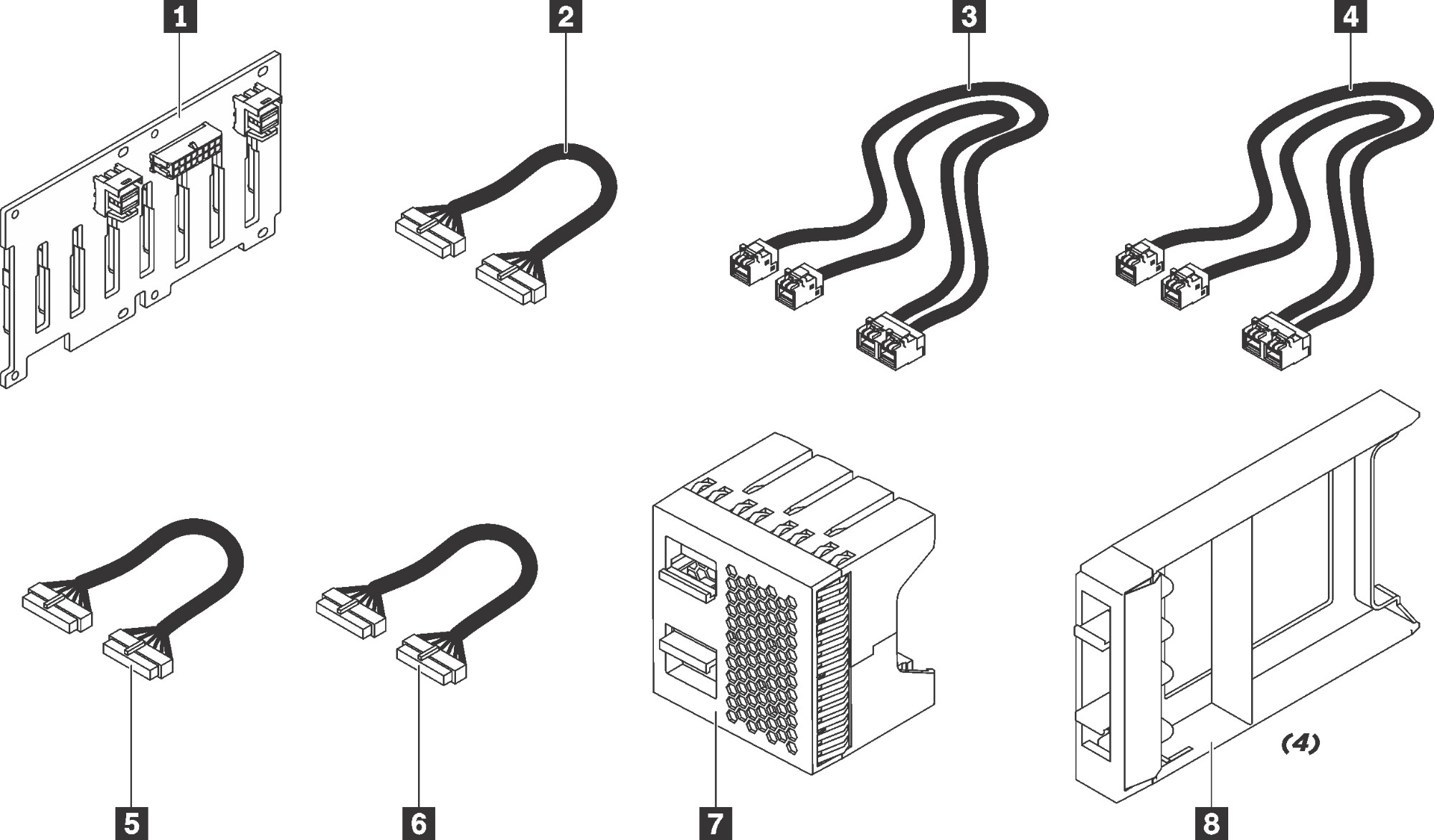
Lenovo 7XH7A06254 Lenovo ThinkSystem SR550/SR650 2.5" SATA/SAS 8-Bay Backplane Kit
1 2U 2.5" SATA/SAS 8-Bay backplane2 SR650 second& third 8x2.5" or 12x3.5" NVME HDD backplane power cable3 SR650 8x2.5" HDD backplane signal cable4 SR550 8x2.5" HDD backplane signal cable5 SR550 second 8x2.5" HDD backplane power cable, SR650 first 8x3.5", 12x3.5" or 8x2.5" HDD backplane power cable6 SR550 first 8x2.5" HDD backplane power cable7 4x1 2.5" HDD filler8 1x1 2.5" HDD fillers (4)
Part# 7XH7A06254
SKU S19454
Limited Availability
Broadcom
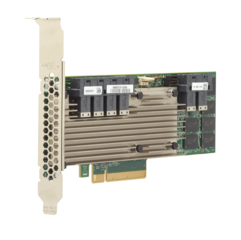
Broadcom 05-50022-00 Broadcom 9361-24i interface cards/adapter Internal SAS, SATA
Data center, web, cloud and high-performance computing environments not only require large amounts of storage capacity, they also must provide the data protection and performance todayâs applications and end users demand. The MegaRAID SAS 9361-24i 12Gb/s SAS and SATA RAID controller card addresses these needs by delivering proven performance and RAID data protection for a range of server storage applications.- Connect up to 240 SATA or SAS drives with eight internal and eight external 12Gb/s SAS ports- Provides internal storage and RAID data protection to address a wide range of storage performance and capacity requirements- Support critical, high-bandwidth applications with PCIe® 3.0 connectivity- Balance protection and performance for critical applications with RAID levels 0, 1, 5, 6, 10, 50, and 60- Add more protection and peace of mind CacheVault® flash cache protection
Part# 05-50022-00
SKU S19454
Limited Availability
Lenovo
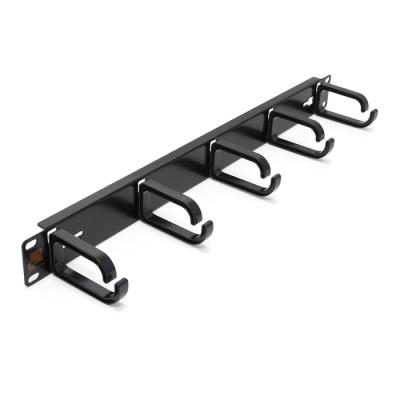
Lenovo 7M27A05699 Lenovo ThinkSystem 1U CMA Upgrade Kit for Tool-less Slide Rail
Kit for ThinkSystem server for small businesses up to large enterprises that need industry-leading reliability, management, and security, as well as maximizing performance and flexibility for future growth.
Part# 7M27A05699
SKU S19454
Limited Availability
Limited Availability
StarTech.com
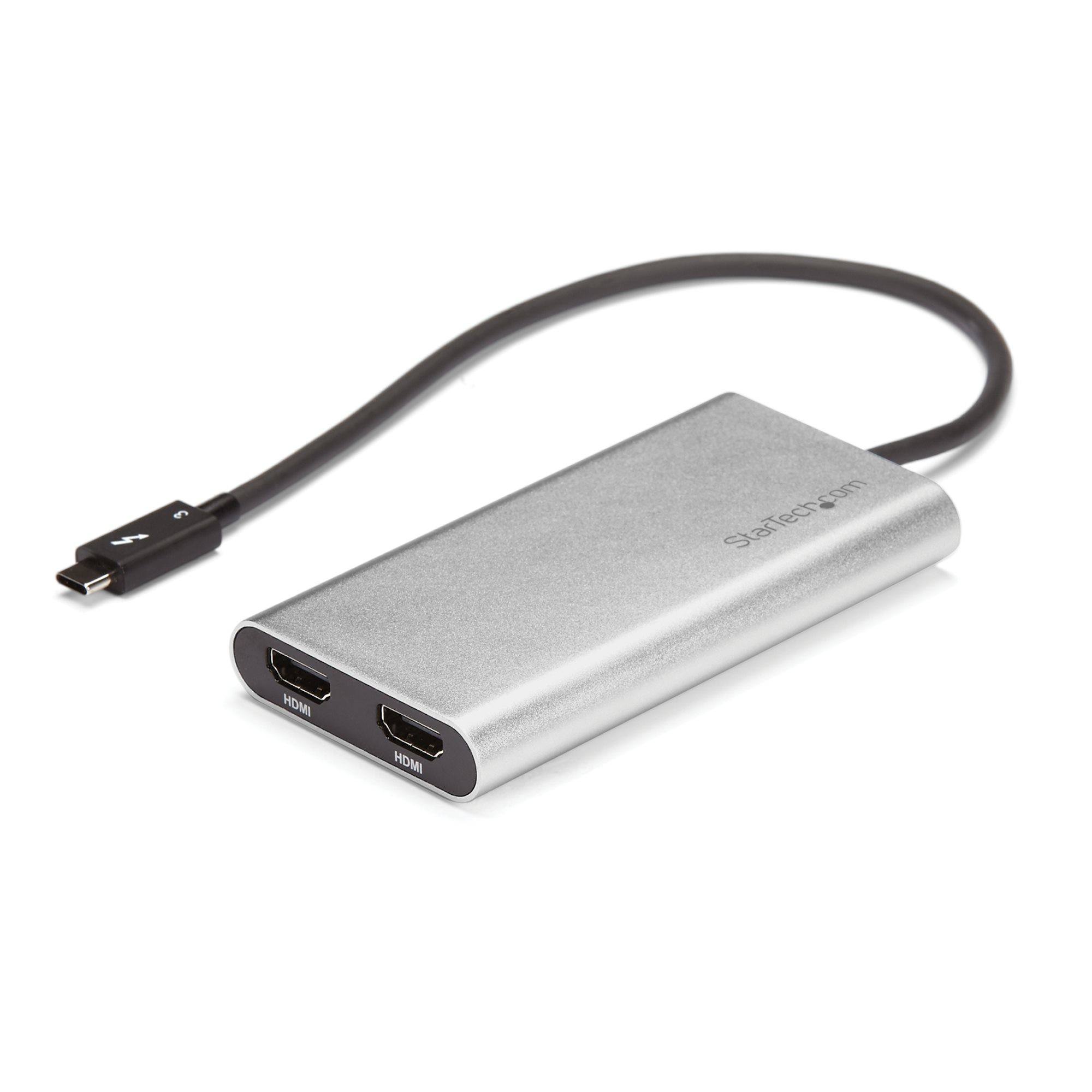
StarTech.com TB32HD24K60 StarTech.com Thunderbolt 3 to Dual HDMI 2.0 Adapter - 4K 60Hz - Thunderbolt 3 Certified - Dual Monitor HDMI Video Converter Adapter - Mac & Windows compatible - Dual 4K Display HDMI
Run the most resource-demanding applications on two 4K 60Hz displays, using your Mac or PCThis high-performance Thunderbolt™ 3 adapter lets you add two 4K 60Hz HDMI monitors to your Windows® or Mac computer through a single Thunderbolt 3 port.The Thunderbolt video adapter is compatible with computer systems that support Thunderbolt 3, such as models of MacBook Pro, Dell™ Precision and Dell XPS. Thunderbolt 3 is a protocol that uses the USB-C™ connector, but your computer system must support Thunderbolt 3 in order for the adapter to function as expected. If you connect the adapter to a USB-C port that does not support Thunderbolt 3, the adapter will not function.Connect two UHD 4K displays to your computer at 60HzWith an unprecedented 40Gbps of throughput, Thunderbolt 3 enables you to achieve the previously impossible feat of using a single port on your laptop to output dual 4K resolution at 60Hz to two independent displays. This performance lets you run the most resource-demanding applications imaginable. You can output independent content to each display at resolutions of up to 4096 x 2160p (60Hz), which is perfect for editing 4K video or performing other Ultra HD tasks such as creating CAD drawings or reviewing medical imagery.Supports dual 4K displays to work more efficientlyFunctioning as an external 2-port graphics adapter with audio support, this is a compact and convenient alternative to a laptop dock when you don’t need full docking capability.With two UHD 4K displays, you can work more efficiently from your laptop, so you can accomplish more in the same amount of time. With each display delivering 4K performance, you can have four times the screen space compared to 1080p. Creative professionals can be more productive with the freedom to edit 4K video on one display while previewing raw video playback on the second 4K display.Won't drain system resourcesThis adapter helps to keep your system running at peak performance. Unlike USB external video solutions, Thunderbolt 3 lets you run Ultra HD 4K resolution at 60Hz on both displays without draining system resources.Because it’s backward compatible with your high-definition 1080p displays, this is a great accessory for home, office or other desktop workspace applications.Your computer’s Thunderbolt 3 ports might not function properly until you update one or more of the following on your computer:• BIOS• Thunderbolt firmware• Thunderbolt 3 controller drivers• Thunderbolt 3 softwareThe required updates will vary depending on your computer.For an up-to-date list of affected computers and instructions, visit http://thunderbolttechnology.net/updates. If your manufacturer isn’t listed on the Thunderbolt website, contact your manufacturer.Note: In order to connect to two displays at 4K 60Hz, your computer system must have a fully enabled Thunderbolt 3 port that supports up to 40Gbps or the host must support dual displays over Thunderbolt 3.The StarTech.com Advantage
Part# TB32HD24K60
SKU S19454
Limited Availability

Item(s) added to cart

