
 0
0
Computer Components
3020 –
3030
of
4773
Availability
Sort by
Advance Filters
QNAP
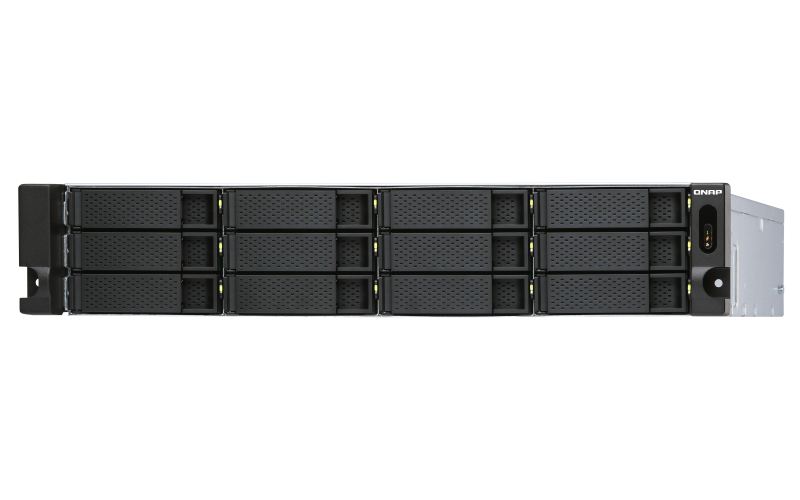
QNAP TL-R1200S-RP QNAP TL-R1200S-RP storage drive enclosure HDD/SSD enclosure Black, Grey 2.5/3.5"
TL-R1200S-RP Rackmount JBOD storage enclosure allows you to back up and expand your QNAP NAS, Windows® and Ubuntu® computers and servers. Features twelve 3.5-inch SATA 6Gb/s drive bays, the TL-R1200S-RP comes with a QXP PCIe card for connecting the enclosure using a SFF-8088 (or SFF-8644) cable. It provides reliable read/write performance for smooth storage and backup tasks.High-performance of TL SATA JBODThe TL SATA JBOD supports multi-lane SATA 6Gb/s transfer, and each SATA lane directly connects to a single SATA drive to help improve performance. With the 1-1 high-speed channel, the TL SATA JBOD delivers excellent transfer performance.Flexible Storage Configuration and ManagementThe TL-R1200S-RP provides software-controlled storage configuration for greater management flexibility. You can configure RAID and monitor JBOD enclosure and disk health with Storage & Snapshots when connected to a QTS or QuTS hero NAS, or with the QNAP JBOD Manager utility when connected to a computer.What you need to knowYou can connect your TL-R1200S-RP to Windows® and Ubuntu® computers and servers through the SFF-8088 (or SFF-8644) high-speed cable and use built-in utility to manage the RAID configuration.Intelligently Monitor JBOD Enclosure Status on PC and Servers with QNAP JBOD ManagerThe QNAP JBOD Manager is a desktop utility for monitoring the TL-R1200S-RP on Windows and Ubuntu computers. You can quickly obtain the disk statuses, JBOD information and health, view fan rotation speed, and check for firmware version updates. All device events are recorded, and will send desktop notifications when a system alert occurs.Flexibly Expand Connectivity with QXP PCIe CardsInstall an exclusive QXP PCIe card onto your QNAP NAS, Windows® or Ubuntu® PC and servers to connect the JBOD enclosure via SFF-8088 (or SFF-8644) cable, for easy and flexible storage expansion.Versatile usage scenarios to meet storage expansion needsThe TL-R1200S-RP meets many storage expansion requirements for the home and office. Below is a list of potential application scenarios:Scenario 1: Expand your NAS capacityThe TL-R1200S-RP provides an alternative method for users to expand their NAS storage capacity. By connecting the TL-R1200S-RP to their NAS and using Storage & Snapshots Manager in QTS or QuTS hero, users can easily configure and manage their storage expansion. The TL-R1200S-RP supports a variety of QNAP NAS storage and file management functions, allowing users to build storage pools, finding files with Qsirch, and organizing files with Qfiling.Scenario 2: External storage for your NASYou can use the TL-R1200S-RP to expand your NAS storage. You can select disks to create storage pools for expanding your NAS capacity, or you can treat each disk as an individual external storage space and use it as a removable drive for greater flexibility. Regardless of the mode you use, you can always use Storage & Snapshots Manager in QTS or QuTS hero to set up and manage your TL-R1200S-RP and use hard drive S.M.A.R.T. and Notification Center to check disk status anytime and anywhere.- Scenario 3: Expand the storage space of your Windows® and Ubuntu computers and serversYou can use your TL-R1200S-RP with Windows® and Ubuntu® computers and servers to expand more storage space. You can set up the RAID configuration of your TL-R1200S-RP to further secure data protection. Moreover, you can also use the single disk mode and format with exFAT file system for more convenient access and sharing of files between Windows® and Ubuntu® computers.Scenario 4: Third-party hardware RAID card for advanced protectionYou can install third-party hardware RAID cards on your TL-R1200S-RP for advanced hardware RAID 1, RAID 5, RAID 6, RAID 10, RAID 50, and RAID 60 protection and use Windows® utility software to manage your TL-R1200S-RP.TL-R1200S-RP Offers Better Performance Than Other USB and eSATA JBOD SolutionsThe TL-R1200S-RP features SFF-8088 (or SFF-8644) connectivity and multiple SATA 6Gb/s bays. This provides better sequential read performance and faster data transfer speeds than existing USB and eSATA expansion enclosures, while also being a more economical option compared to a QNAP REXP SAS enclosure.
Part# TL-R1200S-RP
SKU S19454
Limited Availability


QNAP
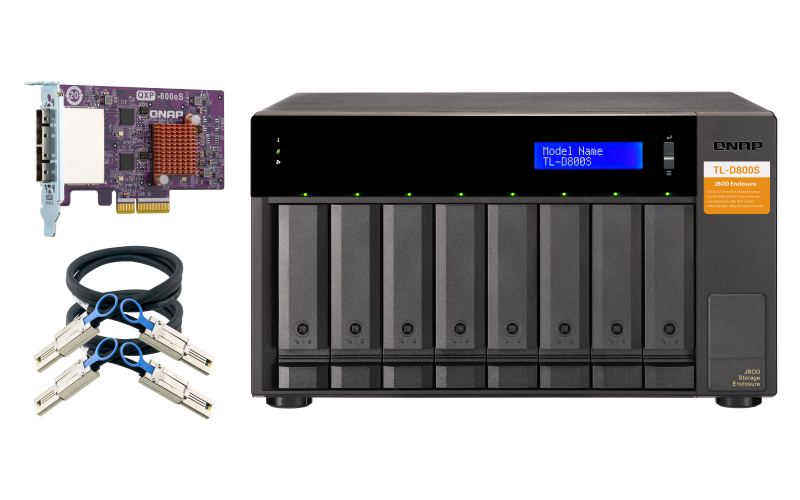
QNAP TL-D800S QNAP TL-D800S storage drive enclosure HDD/SSD enclosure Black, Grey 2.5/3.5"
TL-D800S JBOD storage enclosure allows you to back up and expand your QNAP NAS, Windows and Ubuntu computers and servers. The TL-D800S features eight 3.5-inch SATA 6Gb/s drive bays and comes with a QXP PCIe card for connecting the enclosure using a SFF-8088 (or SFF-8644) cable. It provides reliable read/write performance for smooth storage and backup tasks.High-performing TL SATA JBODThe TL SATA JBOD supports multi-lane SATA 6Gb/s transfer, and each SATA lane directly connects to a single SATA drive to help improve performance. With the 1-1 high-speed channel, the TL SATA JBOD delivers excellent transfer performance.Flexible Storage Configuration and ManagementThe TL-D800S provides software-controlled storage configuration for greater management flexibility. You can configure RAID and monitor JBOD enclosure and disk health with Storage & Snapshots when connected to a QTS or QTS hero NAS, or with the QNAP JBOD Manager utility when connected to a computer.What you need to knowYou can connect your TL-D800S to Windows and Ubuntu computers through SFF-8088 (or SFF-8644) high-speed cable and use built-in utility to manage RAID configuration.Intelligently Monitor JBOD Enclosure Status on PC and Servers with QNAP JBOD ManagerThe QNAP JBOD Manager is a desktop utility for monitoring the TL-D800S on Windows and Ubuntu computers. You can quickly obtain the disk statuses, JBOD information and health, view fan rotation speed, and check for firmware version updates. All device events are recorded, and will send desktop notifications when a system alert occurs.Flexibly Expand Connectivity with QXP PCIe CardsInstall an exclusive QXP PCIe card onto your QNAP NAS, Windows or Ubuntu PC to connect the JBOD enclosure via SFF-8088 (or SFF-8644) cable , for easy and flexible storage expansion.Versatile usage scenarios to meet storage expansion needsThe TL-D800S meets many storage expansion requirements for the home and office. Below is a list of potential application scenarios:Scenario 1: Expand your NAS capacityThe TL-D800S provides an alternative method for users to expand their NAS storage capacity. By connecting the TL-D800S to their NAS and using Storage & Snapshots Manager in QTS or QTS hero, users can easily configure and manage their storage expansion. The TL-D800S supports a variety of QNAP NAS storage and file management functions, allowing users to build storage pools, finding files with Qsirch, and organizing files with Qfiling.Scenario 2: External storage for your NASYou can use the TL-D800S to expand your NAS storage. You can select disks to create storage pools for expanding your NAS capacity, or you can treat each disk as an individual external storage space and use it as a removable drive for greater flexibility. Regardless of the mode you use, you can always use Storage & Snapshots Manager in QTS or QTS hero to set up and manage your TL-D800S and use hard drive S.M.A.R.T. and Notification Center to check disk status anytime and anywhere.Scenario 3: Expand the storage space of your Windows and Ubuntu computersYou can use your TL-D800S to expand the storage space of Windows and Ubuntu computers. You can set up the RAID configuration of your TL-D800S to further secure data protection. Moreover, you can also use the single disk mode and format with exFAT file system for more convenient access and sharing of files between Windows and Ubuntu computers.Scenario 4: Third-party hardware RAID card for advanced protectionYou can install third-party hardware RAID cards on your TL-D800S for advanced hardware RAID 1, RAID 5, RAID 6, RAID 10, RAID 50, and RAID 60 protection and use Windows® utility software to manage your TL-D800S.TL-D800S Offers Better Performance Than Other USB and eSATA JBOD SolutionsThe TL-D800S features SFF-8088 (or SFF-8644) connectivity and multiple SATA 6Gb/s bays. This provides better sequential read performance and faster data transfer speeds than existing USB and eSATA expansion enclosures, while also being a more economical option compared to a QNAP REXP SAS enclosure.
Part# TL-D800S
SKU S19454
Limited Availability

Panasonic
Panasonic PCPE-HAVG103 Panasonic PCPE-HAVG103 mobile device dock station Tablet Black
Part# PCPE-HAVG103
SKU S19454
Limited Availability
StarTech.com
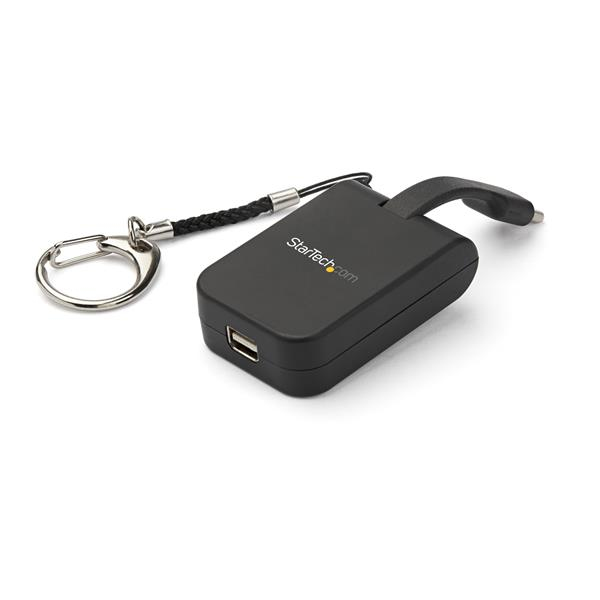
StarTech.com CDP2MDPFC StarTech.com Compact USB C to Mini DisplayPort Adapter - 8K 60Hz/4K USB-C to mDP 1.4 Video Converter w/Keychain Ring - USB Type-C DP Alt Mode (HBR3 HDR DSC) to mDP Monitor - TB3 Compatible
USB Type-C™ Display Adapter | 8K 60Hz | Built-In Flex Cable | Mac & Windows®This compact USB-C™ to Mini DisplayPort™ adapter offers an ultra-portable solution for connecting your USB Type-C laptop or device to an 8K or 4K mDP monitor or display. The adapter is equipped with a removable, quick-connect keychain ring that easily attaches to your laptop or projector bag, maximizing portability.For added convenience, this USB-C adapter is also available with HDMI, DisplayPort or VGA outputs.Perfect Travel CompanionThis lightweight USB-C to Mini DP adapter can easily be taken with you wherever you go. It conveniently attaches to your carrying case and is small enough to fit in your pocket, making it ideal for BYOD (Bring Your Own Device) applications at the office or road warriors who need to connect on the go.It's the perfect solution for:• Delivering high-resolution presentations while in the office or traveling• Connecting your smartphone or tablet to a Mini DisplayPort monitor• Hot-desking environmentsKeep Your Adapter with YouAvoid misplacing your display adapter with the attached keychain that securely snaps to your carrying case so you can always keep it with your devices; the keychain can easily be removed or reattached to the adapter so you can customize it to your preference and need. The adapter also features a built-in 1.3" flex cable that has a folding design, adding to the compact form factor.Plug-and-Play ConnectivityTo ensure a hassle-free connection, this video adapter works with all your Mac and Windows USB Type-C devices and is also compatible with Thunderbolt 3™. It requires no additional software or drivers, supporting true plug-and-play connectivity.CDP2MDPFC is backed by a StarTech.com 3-year warranty and free lifetime technical support.The StarTech.com Advantage
Part# CDP2MDPFC
SKU S19454
Limited Availability
Brocade
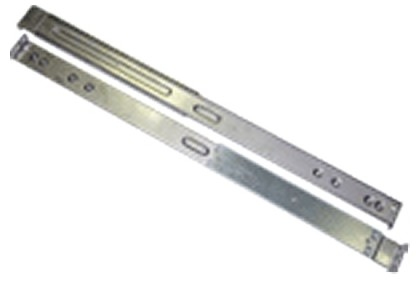
Brocade XBR-R000162 Brocade XBR-R000162 mounting kit
Compatibility:- Brocade SilkWorm 7500 Switch.- Brocade Silkworm 4920 64 Port 4Gb Fibre Channel Switch.
Part# XBR-R000162
SKU S19454
Limited Availability
AMD
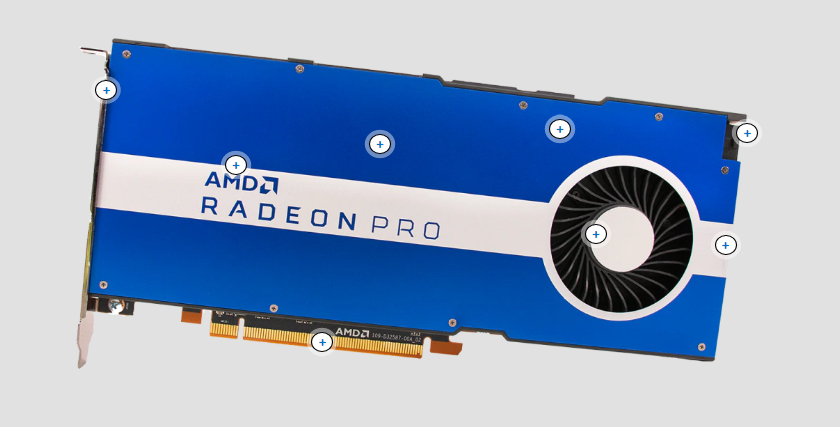
AMD 100-506095 AMD Pro W5500 Radeon Pro W5500 8 GB GDDR6
Four DisplayPort (DP) UHD outputsGet ready for 8K support. We know offices are messy enough, so having connector blocks coupled to your computer is an additional hassle you donât always want. This is why we standardized the AMD Radeon⢠Pro W5500 to use four (4) professional DisplayPort⢠1.4 outputs. Providing support for four 4K or 5K monitors or a single 8K display. These UHD outputs support all common 3D video formats. The DisplayPort standard offers superior bandwidth and can drive multiple monitors at a time. With the AMD Radeon⢠Pro W5500 you not only have superior software and performance, but you also have superior components for your professional workloads.VR Ready Creator supportGet ready to be untethered. In addition to ISV certifications for major Engineering, Design and Digital Content Creation applications, AMDâs Enterprise driver also supports both tethered and wireless Virtual Reality on VR-capable applications. Radeon⢠ReLive for VR not only eliminates the physical cable from the head mounted display to host computer, but also removes any additional cable, tripods or power requirements typically associated with âlighthouseâ tracking components of other VR solutions.1 Additionally, no line-of-site is required using Radeon⢠ReLive for VR. This provides users the ability to âgo anywhereâ including around physical corners where the user doesnât have to consider or keep track of where the host computer resides.18GB high speed GDDR6 memoryGet ready to handle bigger datasets. Datasets are getting larger, and your application performance expectations are also rising. This is why we crammed the AMD Radeon⢠Pro W5500 with 8GB of high speed GDDR6 memory, helping ensure you have a graphics card with price and performance leadership.. The superior 8GB GDDR6 memory can handle large models and textures with smooth performance in your professional applications due to improved generation over generation memory bandwidth.2 This is further enhanced with comparatively low power consumption generationally. The AMD Radeon⢠Pro W5500 is built for your demanding 2D and 3D professional workloads, as well as equipped for the step into memory intensive VR and Real-time workflows.High speed PCIe® 4.0 interface supportGet ready to achieve your best performance. Powered by the ground-breaking 7nm RDNA architecture, the AMD Radeon⢠Pro W5500 professional graphics card supports next generation PCI® Express 4.0 technology by harnessing a supercharged interface to boost 2D and 3D design workflows. The AMD Radeon⢠Pro W5500 workstation graphic card sets a new standard in performance bandwidth for graphics. PCI® Express 4.0 interface support enables 40% more bandwidth2 than the previous generation by increasing memory bandwidth. AMD propels PCIe 4.0 readiness for the most advanced motherboards, graphics, and storage technologies available, to forge the ultimate end user experience.New RDNA architectureGet ready for the latest innovations. The new AMD Radeon⢠Pro W5500 features the latest innovations in graphics technology. AMD leads the industry advancements by creating the worldâs first 7nm professional PC workstation graphics powered by the new RDNA architecture. This employs advanced manufacturing techniques at sizes less than the thickness of a sheet of paper. The RDNA architecture is designed with enhanced GPU features focused on performance. Itâs the DNA that equips engineers and designers with a powerful solution to perform beyond the traditional 3D design workloads and enrich content creators with advanced capabilities like GPU-accelerated rendering, virtual reality and real-time visualization for immersive interaction with their project.Manual fan speed tuningGet ready to maximize environment performance. The Radeon⢠Pro W5500 meets the needs of your environment. If you have a thermally-demanding workstation, or it is simply hotter outside, the customizable âFan Controlâ options in AMD Radeon⢠Pro Settings let you optimize performance when running demanding workloads, giving you the power to choose the best settings for your software. Additionally, we have not overlooked acoustics either, allowing you to run whisper quiet if that is your preference. Easy to use, Fan Control allows you to see your fan speed, while also setting minimum and target speeds, as well as acoustic limits. We have you covered when the heat is on.125W max power consumptionGet ready to use less electricity While the AMD Radeon⢠Pro W5500 has a 125W maximum power consumption rating, you rarely reach this, typically when placing the card under intensive workloads like VR and Real-time. If your workflowâs dependent on 2D and 3D professional design software then itâs likely you will be running at a much lower power consumption due to our Radeon Pro Software driverâs intelligent power usage capability. This efficiency is combined with reliability. The Radeon⢠Pro W5500 driver-set voltage defaults to use lower voltage in real-world professional workflows, offering superior power efficiencies for common tasks like solid modelling, and model rotation, helping improve GPU reliability.224GB/s high speed memory bandwidthGet ready for exceptionally fast memory. The AMD Radeon⢠Pro W5500 is tuned for professional workloads, not only by its ground-breaking 7nm manufacturing techniques but also by its extreme memory bandwidth support of 224 gigabit per second. The more memory bandwidth speed you have in a GPU, the faster your professional viewports can draw. Of course extreme memory bandwidth is not all you need for todayâs demanding professional environment and the Radeon⢠Pro W5500 combines all its core features of RDNA architecture, driver software, variable power consumption, and high speed memory to drive this performance leadership for unmatched multitasking superiority, large dataset support and VR capabilities.Architecture, Engineering and ConstructionStreamlining workflows for Architecture, Engineering and ConstructionDesign and ManufacturingPeak Productivity for Design EngineersAMD RDNA ArchitectureRDNA architecture is designed for the next generation of high-performance gaming.AMD Remote WorkstationYour workstation virtually anywhere.AMD Radeon⢠Pro SoftwareAMD'âs powerful and reliable professional-grade graphics software designed to unleash your creativity.
Part# 100-506095
SKU S19454
Limited Availability
Cisco
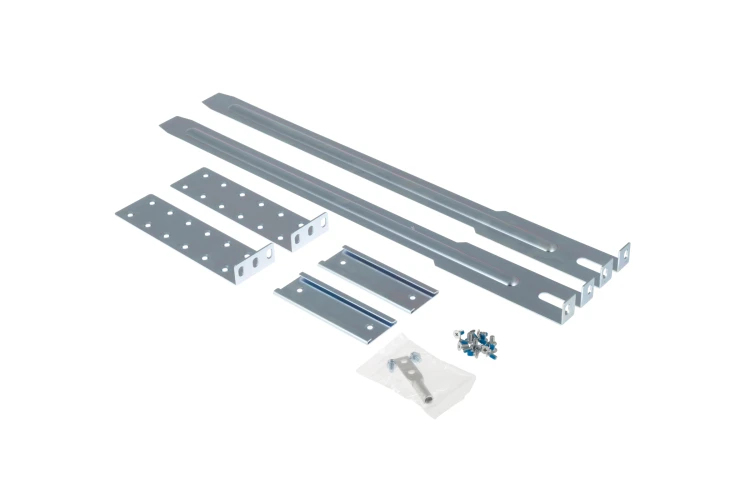
Cisco N3K-C3064-ACC-KIT= Cisco N3K-C3064-ACC-KIT= mounting kit
Nexus 3000 Accessory Kit
Part# N3K-C3064-ACC-KIT=
SKU S19454
Limited Availability
Intel
Intel CD8069504449000 Intel Xeon 6226R processor 2.9 GHz 22 MB Tray
Intel® Trusted Execution TechnologyIntel® Trusted Execution Technology for safer computing is a versatile set of hardware extensions to Intel® processors and chipsets that enhance the digital office platform with security capabilities such as measured launch and protected execution. It enables an environment where applications can run within their own space, protected from all other software on the system.Intel® Virtualization Technology for Directed I/O (VT-d)Intel® Virtualization Technology for Directed I/O (VT-d) continues from the existing support for IA-32 (VT-x) and Itanium® processor (VT-i) virtualization adding new support for I/O-device virtualization. Intel VT-d can help end users improve security and reliability of the systems and also improve performance of I/O devices in virtualized environments.Intel® Virtualization Technology (VT-x)Intel® Virtualization Technology (VT-x) allows one hardware platform to function as multiple âvirtualâ platforms. It offers improved manageability by limiting downtime and maintaining productivity by isolating computing activities into separate partitions.Intel® 64Intel® 64 architecture delivers 64-bit computing on server, workstation, desktop and mobile platforms when combined with supporting software.¹ Intel 64 architecture improves performance by allowing systems to address more than 4 GB of both virtual and physical memory.CacheCPU Cache is an area of fast memory located on the processor. Intel® Smart Cache refers to the architecture that allows all cores to dynamically share access to the last level cache.Intel® AES New InstructionsIntel® AES New Instructions (Intel® AES-NI) are a set of instructions that enable fast and secure data encryption and decryption. AES-NI are valuable for a wide range of cryptographic applications, for example: applications that perform bulk encryption/decryption, authentication, random number generation, and authenticated encryption.Intel® Turbo Boost TechnologyIntel® Turbo Boost Technology dynamically increases the processor's frequency as needed by taking advantage of thermal and power headroom to give you a burst of speed when you need it, and increased energy efficiency when you donât.Max Turbo FrequencyMax Turbo Frequency is the maximum single-core frequency at which the processor is capable of operating using Intel® Turbo Boost Technology and, if present, Intel® Turbo Boost Max Technology 3.0 and Intel® Thermal Velocity Boost. Frequency is typically measured in gigahertz (GHz), or billion cycles per second.Execute Disable BitExecute Disable Bit is a hardware-based security feature that can reduce exposure to viruses and malicious-code attacks and prevent harmful software from executing and propagating on the server or network.Intel® Hyper-Threading TechnologyIntel® Hyper-Threading Technology (Intel® HT Technology) delivers two processing threads per physical core. Highly threaded applications can get more work done in parallel, completing tasks sooner.Intel vPro® Platform EligibilityThe Intel vPro® platform is a set of hardware and technologies used to build business computing endpoints with premium performance, built-in security, modern manageability and platform stability.Intel® VT-x with Extended Page Tables (EPT)Intel® VT-x with Extended Page Tables (EPT), also known as Second Level Address Translation (SLAT), provides acceleration for memory intensive virtualized applications. Extended Page Tables in Intel® Virtualization Technology platforms reduces the memory and power overhead costs and increases battery life through hardware optimization of page table management.Enhanced Intel SpeedStep® TechnologyEnhanced Intel SpeedStep® Technology is an advanced means of enabling high performance while meeting the power-conservation needs of mobile systems. Conventional Intel SpeedStep® Technology switches both voltage and frequency in tandem between high and low levels in response to processor load. Enhanced Intel SpeedStep® Technology builds upon that architecture using design strategies such as Separation between Voltage and Frequency Changes, and Clock Partitioning and Recovery.Intel® Speed Shift TechnologyIntel® Speed Shift Technology uses hardware-controlled P-states to deliver dramatically quicker responsiveness with single-threaded, transient (short duration) workloads, such as web browsing, by allowing the processor to more quickly select its best operating frequency and voltage for optimal performance and power efficiency.Intel® Deep Learning Boost (Intel® DL Boost) on CPUA new set of embedded processor technologies designed to accelerate AI deep learning use cases. It extends Intel AVX-512 with a new Vector Neural Network Instruction (VNNI) that significantly increases deep learning inference performance over previous generations.Instruction Set ExtensionsInstruction Set Extensions are additional instructions which can increase performance when the same operations are performed on multiple data objects. These can include SSE (Streaming SIMD Extensions) and AVX (Advanced Vector Extensions).Intel® Run Sure TechnologyIntel® Run Sure Technology, includes advanced RAS (reliability, availability and serviceability) features that deliver high reliability and platform resiliency, to maximize uptime of servers running mission-critical workloads.Intel® Turbo Boost Max Technology 3.0Intel® Turbo Boost Max Technology 3.0 identifies the best performing core(s) on a processor and provides increased performance on those cores through increasing frequency as needed by taking advantage of power and thermal headroom.Max # of UPI LinksIntel® Ultra Path Interconnect (UPI) links are a high speed, point-to-point interconnect bus between the processors, delivering increased bandwidth and performance over Intel® QPI.# of AVX-512 FMA UnitsIntel® Advanced Vector Extensions 512 (AVX-512), new instruction set extensions, delivering ultra-wide (512-bit) vector operations capabilities, with up to 2 FMAs (Fused Multiply Add instructions), to accelerate performance for your most demanding computational tasks.Intel® Resource Director Technology (Intel® RDT)Intel® RDT brings new levels of visibility and control over how shared resources such as last-level cache (LLC) and memory bandwidth are used by applications, virtual machines (VMs) and containers.Intel® Speed Select Technology - Performance ProfileA capability to configure the processor to run at three distinct operating points.Intel® Speed Select Technology - Base FrequencyEnables users to increase guaranteed base frequency on certain cores (high priority cores) in exchange for lower base frequency on remaining cores (low priority cores). Improves overall performance by boosting frequency on critical cores.Intel® Volume Management Device (VMD)Intel® Volume Management Device (VMD) provides a common, robust method of hot plug and LED management for NVMe-based solid state drives.Intel® Optane⢠Persistent Memory SupportedIntel® Optane⢠persistent memory is a revolutionary tier of non-volatile memory that sits between memory and storage to provide large, affordable memory capacity that is comparable to DRAM performance.  Delivering large system-level memory capacity when combined with traditional DRAM, Intel Optane persistent memory is helping transform critical memory constrained workloads â from cloud, databases, in-memory analytics, virtualization, and content delivery networks.Mode-based Execute Control (MBEC)Mode-based Execute Control can more reliably verify and enforce the integrity of kernel level code.Intel® Transactional Synchronization ExtensionsIntel® Transactional Synchronization Extensions (Intel® TSX) are a set of instructions that add hardware transactional memory support to improve performance of multi-threaded software.
Part# CD8069504449000
SKU S19454
Limited Availability
Intel
Intel CD8069504343701 Intel Xeon 4214R processor 2.4 GHz 16.5 MB
Intel® Trusted Execution TechnologyIntel® Trusted Execution Technology for safer computing is a versatile set of hardware extensions to Intel® processors and chipsets that enhance the digital office platform with security capabilities such as measured launch and protected execution. It enables an environment where applications can run within their own space, protected from all other software on the system.Intel® Virtualization Technology for Directed I/O (VT-d)Intel® Virtualization Technology for Directed I/O (VT-d) continues from the existing support for IA-32 (VT-x) and Itanium® processor (VT-i) virtualization adding new support for I/O-device virtualization. Intel VT-d can help end users improve security and reliability of the systems and also improve performance of I/O devices in virtualized environments.Intel® Virtualization Technology (VT-x)Intel® Virtualization Technology (VT-x) allows one hardware platform to function as multiple âvirtualâ platforms. It offers improved manageability by limiting downtime and maintaining productivity by isolating computing activities into separate partitions.Intel® 64Intel® 64 architecture delivers 64-bit computing on server, workstation, desktop and mobile platforms when combined with supporting software.¹ Intel 64 architecture improves performance by allowing systems to address more than 4 GB of both virtual and physical memory.CacheCPU Cache is an area of fast memory located on the processor. Intel® Smart Cache refers to the architecture that allows all cores to dynamically share access to the last level cache.Intel® AES New InstructionsIntel® AES New Instructions (Intel® AES-NI) are a set of instructions that enable fast and secure data encryption and decryption. AES-NI are valuable for a wide range of cryptographic applications, for example: applications that perform bulk encryption/decryption, authentication, random number generation, and authenticated encryption.Intel® Turbo Boost TechnologyIntel® Turbo Boost Technology dynamically increases the processor's frequency as needed by taking advantage of thermal and power headroom to give you a burst of speed when you need it, and increased energy efficiency when you donât.Max Turbo FrequencyMax Turbo Frequency is the maximum single-core frequency at which the processor is capable of operating using Intel® Turbo Boost Technology and, if present, Intel® Turbo Boost Max Technology 3.0 and Intel® Thermal Velocity Boost. Frequency is typically measured in gigahertz (GHz), or billion cycles per second.Execute Disable BitExecute Disable Bit is a hardware-based security feature that can reduce exposure to viruses and malicious-code attacks and prevent harmful software from executing and propagating on the server or network.Intel® Hyper-Threading TechnologyIntel® Hyper-Threading Technology (Intel® HT Technology) delivers two processing threads per physical core. Highly threaded applications can get more work done in parallel, completing tasks sooner.Intel vPro® Platform EligibilityThe Intel vPro® platform is a set of hardware and technologies used to build business computing endpoints with premium performance, built-in security, modern manageability and platform stability.Intel® VT-x with Extended Page Tables (EPT)Intel® VT-x with Extended Page Tables (EPT), also known as Second Level Address Translation (SLAT), provides acceleration for memory intensive virtualized applications. Extended Page Tables in Intel® Virtualization Technology platforms reduces the memory and power overhead costs and increases battery life through hardware optimization of page table management.Enhanced Intel SpeedStep® TechnologyEnhanced Intel SpeedStep® Technology is an advanced means of enabling high performance while meeting the power-conservation needs of mobile systems. Conventional Intel SpeedStep® Technology switches both voltage and frequency in tandem between high and low levels in response to processor load. Enhanced Intel SpeedStep® Technology builds upon that architecture using design strategies such as Separation between Voltage and Frequency Changes, and Clock Partitioning and Recovery.Intel® Speed Shift TechnologyIntel® Speed Shift Technology uses hardware-controlled P-states to deliver dramatically quicker responsiveness with single-threaded, transient (short duration) workloads, such as web browsing, by allowing the processor to more quickly select its best operating frequency and voltage for optimal performance and power efficiency.Intel® Deep Learning Boost (Intel® DL Boost) on CPUA new set of embedded processor technologies designed to accelerate AI deep learning use cases. It extends Intel AVX-512 with a new Vector Neural Network Instruction (VNNI) that significantly increases deep learning inference performance over previous generations.Instruction Set ExtensionsInstruction Set Extensions are additional instructions which can increase performance when the same operations are performed on multiple data objects. These can include SSE (Streaming SIMD Extensions) and AVX (Advanced Vector Extensions).Intel® Run Sure TechnologyIntel® Run Sure Technology, includes advanced RAS (reliability, availability and serviceability) features that deliver high reliability and platform resiliency, to maximize uptime of servers running mission-critical workloads.Intel® Turbo Boost Max Technology 3.0Intel® Turbo Boost Max Technology 3.0 identifies the best performing core(s) on a processor and provides increased performance on those cores through increasing frequency as needed by taking advantage of power and thermal headroom.Max # of UPI LinksIntel® Ultra Path Interconnect (UPI) links are a high speed, point-to-point interconnect bus between the processors, delivering increased bandwidth and performance over Intel® QPI.# of AVX-512 FMA UnitsIntel® Advanced Vector Extensions 512 (AVX-512), new instruction set extensions, delivering ultra-wide (512-bit) vector operations capabilities, with up to 2 FMAs (Fused Multiply Add instructions), to accelerate performance for your most demanding computational tasks.Intel® Resource Director Technology (Intel® RDT)Intel® RDT brings new levels of visibility and control over how shared resources such as last-level cache (LLC) and memory bandwidth are used by applications, virtual machines (VMs) and containers.Intel® Speed Select Technology - Performance ProfileA capability to configure the processor to run at three distinct operating points.Intel® Speed Select Technology - Base FrequencyEnables users to increase guaranteed base frequency on certain cores (high priority cores) in exchange for lower base frequency on remaining cores (low priority cores). Improves overall performance by boosting frequency on critical cores.Intel® Volume Management Device (VMD)Intel® Volume Management Device (VMD) provides a common, robust method of hot plug and LED management for NVMe-based solid state drives.Intel® Optane⢠Persistent Memory SupportedIntel® Optane⢠persistent memory is a revolutionary tier of non-volatile memory that sits between memory and storage to provide large, affordable memory capacity that is comparable to DRAM performance.  Delivering large system-level memory capacity when combined with traditional DRAM, Intel Optane persistent memory is helping transform critical memory constrained workloads â from cloud, databases, in-memory analytics, virtualization, and content delivery networks.Mode-based Execute Control (MBEC)Mode-based Execute Control can more reliably verify and enforce the integrity of kernel level code.Intel® Transactional Synchronization ExtensionsIntel® Transactional Synchronization Extensions (Intel® TSX) are a set of instructions that add hardware transactional memory support to improve performance of multi-threaded software.
Part# CD8069504343701
SKU S19454
Limited Availability
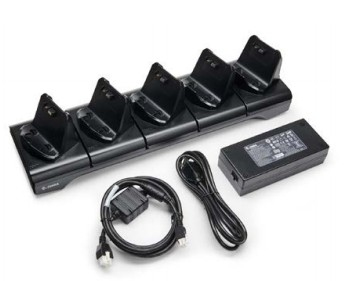
Zebra
Zebra CRD-MPV-5SC2EU1-01 Zebra CRD-MPV-5SC2EU1-01 mobile device dock station Black
Part# CRD-MPV-5SC2EU1-01
SKU S19454
Limited Availability

Item(s) added to cart

