
 0
0
Networking
2830 –
2840
of
3279
Availability
Sort by
Advance Filters
D-Link
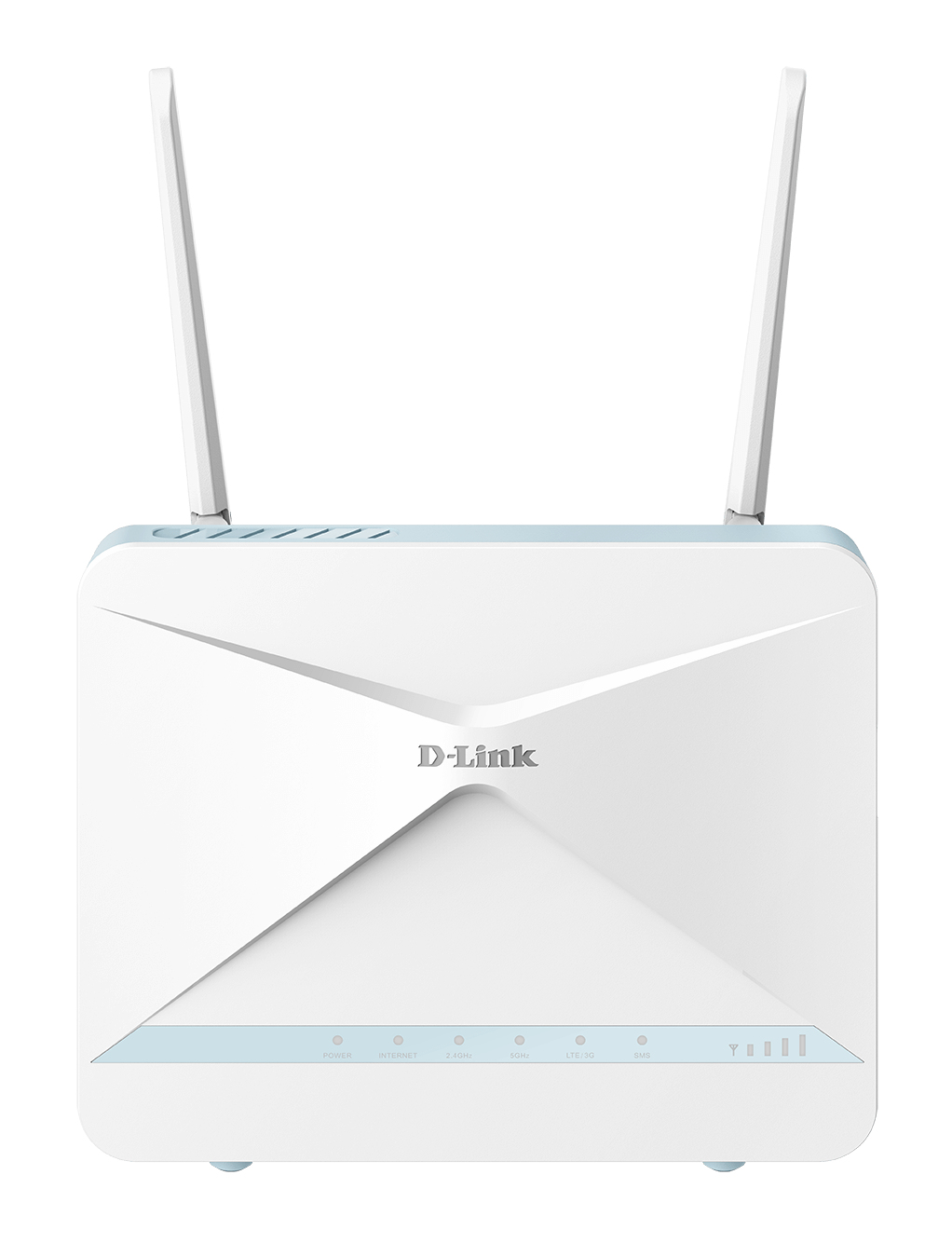
D-Link G416/E D-Link EAGLE PRO AI AX1500 4G+ Smart Router G416
AX1500 Wi-Fi 6Designed for today’s device-dense homes. Ideal for 4K streaming, VR gaming, video calling, and keeping all your smart home devices connected4G+ LTE-A CAT 6Seamlessly switch to a fast 4G+ LTE-A CAT backup network, so you stay connected to the internet when your fixed broadband line goes downAI ConvenienceEasily turn on or off the intelligence that conveniently improves and optimises your network automatically.Efficient connectivity4 simultaneous streams, 1024 QAM, BSS-colouring and MU-MIMO ensure you'll always have the best connection quality possible.Parental ControlsProvide a safe experience for your family with controls for website blocking, setting schedules and guest logins.Wi-Fi SecurityThe latest WPA3 wireless encryption, and compliant with IEC 62443-4-1 to keep your network safe from unauthorised access.Easy Setup & ManagementOur free EAGLE PRO AI app brings you a personal AI Assistant to help you manage your Wi-Fi, with added voice control through Amazon Alexa and Google Assistant.Expandable CoverageAdd E15 Wi-Fi extenders to build a smart Mesh network.Enjoy faster speeds and stay connected.Combining the latest Wi-Fi 6 technology with AI and a 4G+ Cat 6 backup network, the EAGLE PRO AI AX1500 4G+ Smart Router offers incredible Wi-Fi coverage and speed that’s always optimising and improving, for reliable, fast, and efficient Internet coverage that keeps you connected.Share your fast connection.The G416 Smart Router allows you to access and share your super-fast mobile broadband with multiple devices.Simply insert your SIM card and share your 4G+ LTE-A Cat 6 mobile Internet connection through a secure wireless network or by using any of the three Gigabit Ethernet LAN ports.Your internet will never fail you again.Disruptions can happen when you least expect it. We’ve built the G416 to eliminate them altogether with dual-WAN auto-failover technology.When your Internet Service Provider is having technical difficulties, the G416 will jump into action by switching from connecting to the Internet via your fixed-line (Fibre/cable/DSL) to via 4G+ LTE-A Cat 6 mobile internet - so you can keep working, playing or watching, as normal.Perfect for areas with limited or no access to fixed internet.It’s ideal for hard-to-reach areas where fixed-line broadband is unreliable or unavailable. With two high-performance external antennas to ensure a strong, reliable 4G+ LTE-A Cat 6 connection, the G416 delivers the strongest 4G connectivity possible to multiple devices at the same time - allowing you to stream, game or work, without having to worry about buffering, dropouts or interference. Secure & private.Includes the latest advanced WPA3 Wi-Fi security standard, which encrypts your traffic and protects your wireless network from outside threats. WPA3 also has a new protocol built-in to verify and secure your devices’ connections and your network from attacks.Easily add more Wi‑Fi coverage.From 1-storey flats to 4-storey houses, and basements to garden decks, simply add E15 Wi-Fi extenders to build a smart Mesh network. Enjoy seamless, high-speed Wi-Fi coverage that keeps you connected as you move from room-to-room, and eliminates blackspots in those hard-to-reach areas throughout your home.Family-friendly Internet.Create family-friendly internet by taking control of your network. Set clear online boundaries and schedules so you have less complaining and more control.Full ControlFind out which devices are connected, created schedules, check login credentials, reboot the system hand-freeParental ControlsManage internet access with profile-based parental controls.Wi-Fi Guest ZoneSet guest logins for when you have visitors and block any devices you don’t know.Manage your Wi-Fi with a tap.The free EAGLE PRO AI App comes with a personal AI Assistant that sends you reports, continuously monitors traffic for you, and provides convenient suggestions.Voice control with Alexa and Google Assistant.Take control of your network just by using your voice with Amazon Alexa or Google Home devices. Receive instant audio alerts about network updates, check on the security status of any device, and more.Green technology that saves your battery life.Target Wake Time (TWT) automatically helps reduce battery consumption for all your connected devices by devising when and how often transfers are required, TWT then automatically conserves energy and helps save battery life on your devices.
Part# G416/E
SKU S19454
Limited Availability


TP-Link
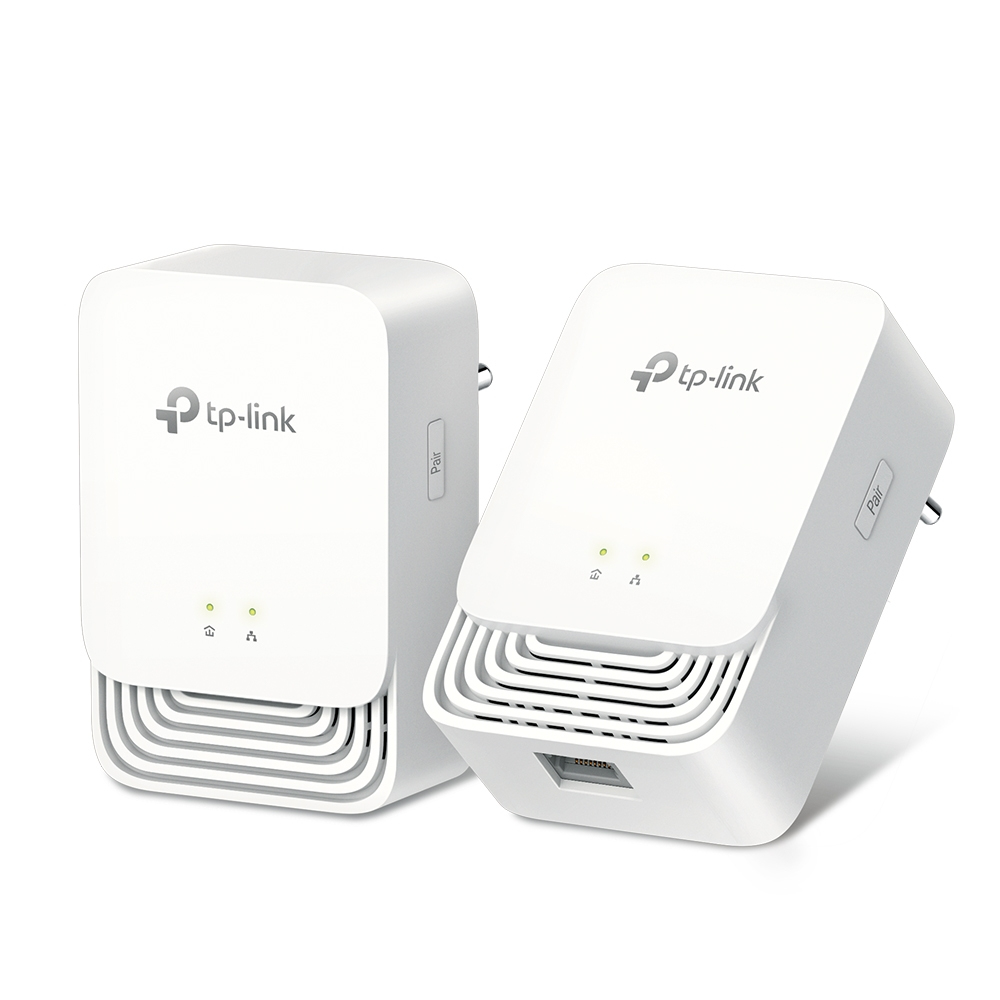
TP-Link PG1200 KIT TP-Link G.hn1200 Powerline Kit
More ReliableNext-Gen PowerlineG.hn1200 Powerline KitNext Generation G.hn Standard- Significant Speed for Better Performance - Anti-Interference from Multi-Devices - Reliable Long Range TransmissionPlug and Play,Pair for More Security!1. First, connect your PG1200 to the router2. Then, plug in another one within 300 meters3. Finally, press the “Pair” button on each adapterWiring up with Gigabit SpeedsIdeal for lag-free gaming and 8K HD Streaming. Just use and Ethernet cable to attach your devices to the Powerline adapter to get started!Power Save by Up to 85%PG1200 KIT is a new-generation of Powerline adapter. Its sophisticated Power-Saving mode automatically switches from its regular “Working” mode to “Power-Saving” mode reducing energy consumption by up to 85%.
Part# PG1200 KIT
SKU S19454
Limited Availability
TP-Link
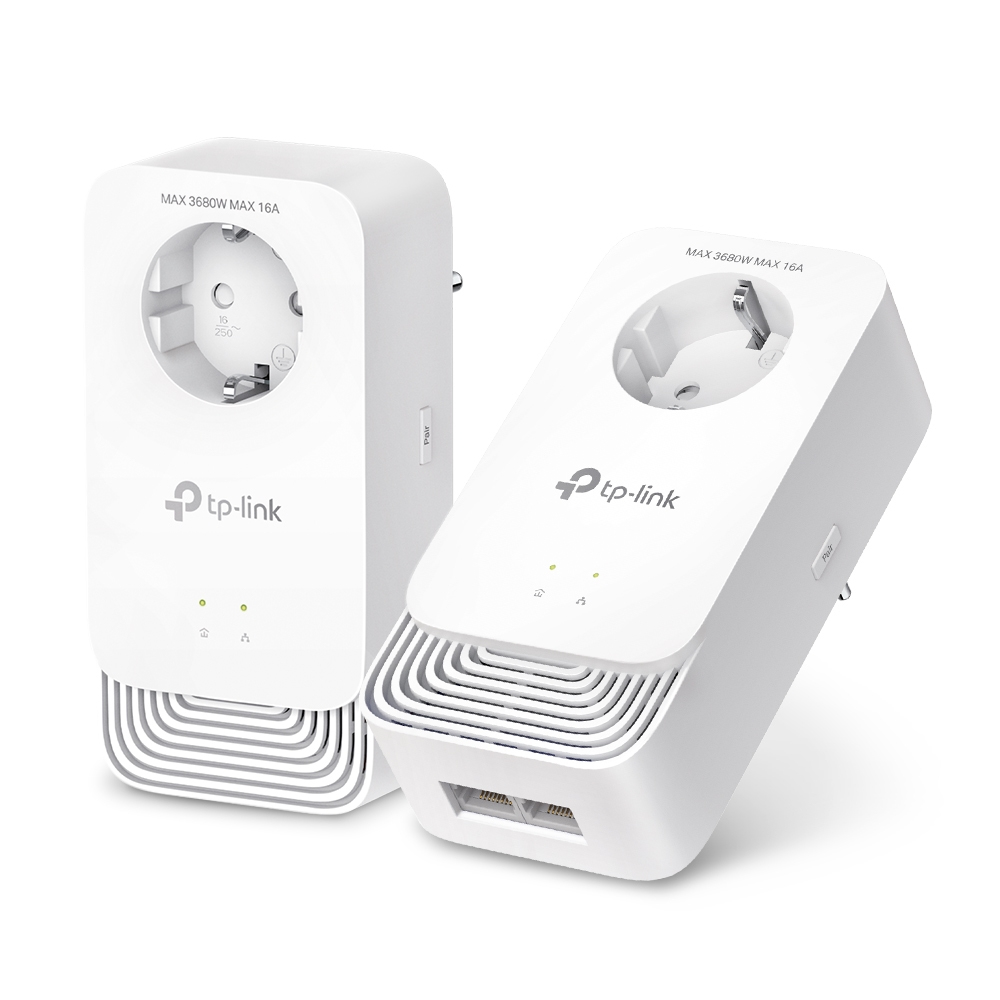
TP-Link PG2400P KIT TP-Link PG2400P KIT PowerLine network adapter 1428 Mbit/s Ethernet LAN White 2 pc(s)
TP-Link PG2400P KIT. Maximum data transfer rate: 1428 Mbit/s, Power plug: Type E / F, Ethernet LAN interface type: Gigabit Ethernet. Product colour: White. Width: 68 mm, Depth: 42 mm, Height: 138 mm. Package width: 230 mm, Package depth: 190 mm, Package height: 100 mm. Quantity per pack: 2 pc(s), Cables included: LAN (RJ-45)
Part# PG2400P KIT
SKU S19454
Limited Availability
QNAP
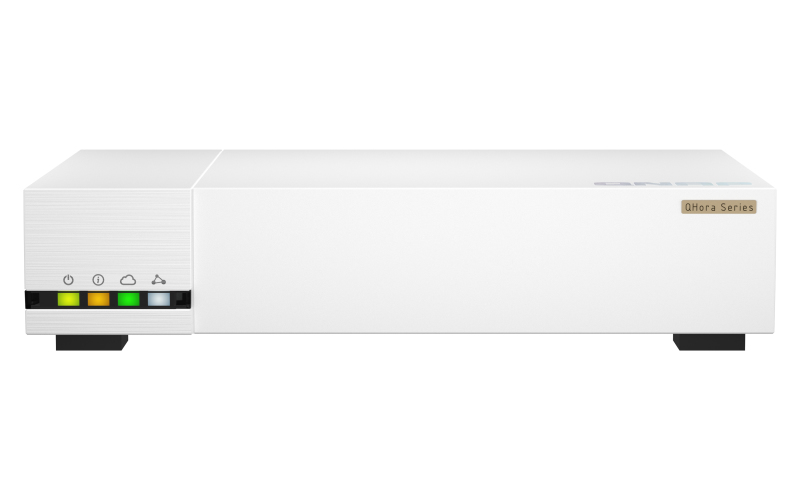
QNAP QHORA-322 QNAP QHora-322 wired router 2.5 Gigabit Ethernet, 10 Gigabit Ethernet White
Next-Generation three-port 10GbE SD-WAN Router, providing a secure networking experience for NAS and IoT environmentsThe QHora-322 enables high-speed connection with 3 x 10GbE and 6 x 2.5GbE ports, while also providing enterprise-grade Mesh VPN networking. You can achieve multi-site LAN development via the cloud through QuWAN Orchestrator, with full software-controlled routing to build a next-generation network. It is strongly recommended to pair QHora-322 with a QNAP NAS for businesses to perform secure remote backup: By using the Hybrid Backup Sync through QuWAN, you can transfer files and snapshot files between multiple NAS through a secure encrypted network. For enhanced security, you can also connect your NAS (QNAP or otherwise) directly behind the QHora-322 to prevent attacks.Ultimate wired networking performanceThe QHora-322 provides three 10GbE ports (compatible with 10G/ 5G/ 2.5G/ 1G/ 100M) and six 2.5GbE ports (compatible with 2.5G/ 1G/ 100M) for ultimate high-speed wired networking performance.WAN/LAN flexible deploymentAs a next-generation router, every port of the QHora-322 gives you flexible high-speed LAN/WAN deployment.Wired network deployment for every scenario IoT Direct-to-device connectivity Directly connect individual IoT devices to the QHora-322 through independent network segments, so that different devices can operate smoothly together.High-speed LANSet multiple LAN ports in one LAN using the QuRouter OS. A high-speed Intranet is ideal for large file transfer or communication between workstations.VLAN Network SlicingUse the VLAN function to segment domains for different applications, so that multiple applications can connect to the network through a single network port.Auto Mesh Multi-site VPNEnable QuWAN SD-WAN at multi-site QHora-322, multi-points will automatically form a Mesh VPN network. providing a simpler and faster multi-point secure connection solution.Secure access to your NASTo secure your remote access and prevent potential attacks, it is highly recommended to connect the QHora-322 in front of your NAS device. The NAT (Network Address Translation) enables private network security by hiding the actual IP address used in the private network from users outside the firewall.Mesh VPN + HBS = Easy and secure remote NAS backupThrough the QuWAN cloud platform, the QHora-322 can automatically establish a mesh VPN network with other QNAP devices to quickly deploy a mesh VPN environment. To effectively complete remote backup tasks for your organization, use the Hybrid Backup Sync (HBS) app in QNAP NAS to easily back up or sync NAS data to another NAS, remote server, or the cloud. Build your 3-2-1 backup up strategy and prevent data loss with HBS now!A modern design for every usage environmentThe QHora-322 has near-silent operation. Even when connected to multiple devices, it maintains dependable performance for office and home use. With a modern appearance and highly effective cooling, the QHora-322 fits perfectly alongside other devices in modern digital homes and offices.QHora – Best-in-class network security solutionFeaturing cutting-edge network security techniques, the QHora offers an all-in-one solution for building a secure next-generation network.Secure local NAS devicesQHora supports L3 firewall, NAT, and Port Forwarding to improve LAN Security.Secure remote devicesQHora at different sites enables interconnected Mesh VPN topology via SD-WAN for secure access to your NAS.Secure end devicesMobile devices can securely access NAS data via the QVPN service (supports OpenVPN, L2TP, and QNAP's proprietary QBelt VPN protocols) offered by QHora.Secure NAS applicationsCross-site NAS data transfers, such as file backup, synchronization and sharing, are protected within the SD-WAN network.QuRouter OS: User-Friendly Router ManagementThe QHora-322 uses the QuRouter OS, providing a user-friendly web-based GUI, at-a-glance dashboard and port indicators to assist in everyday network management tasks. With the QuRouter OS, not only can users efficiently manage all connected wired and wireless devices in real-time, but they can also configure the firewall, VPN, security, and QuWAN advanced functions.VPN setup has never been easierThe traditional multi-site VPN setup is extremely time-consuming and requires subsequent maintenance work. The QHora-322 is equipped with QNAP's next-generation QuWAN SD-WAN technology to greatly simplify installation: setting up a VPN no longer requires additional fixed IP application as local and remote configuration information can be automatically exchanged through the Cloud Orchestrator. In this case, IT professionals can complete VPN setup with minimal user intervention. Centralized QuWAN Orchestrator for efficient Cloud managementQuWAN Orchestrator is a powerful and convenient centralized network management cloud platform, enabling IT staff to remotely deploy and manage edge network devices. Its Zero Touch Provisioning (ZTP) allows IT staff to easily build a large-scale WAN remotely and without the assistance of personnel at each location. IT staff can also monitor bandwidth, set parameters, and analyze network traffic on a single platform – perfect for multi-site, multinational network management and maintenance. Connected to the QHora-322 via wired or wireless connections, client devices can easily access the SD-WAN network.QuWAN AgentInstall QuWAN Agent on your QNAP devices and configure the setting parameters to be connected to each other in a Mesh VPN (Topology view in QuWAN Orchestrator).QVPN ClientInstall QVPN on mobile devices and computers for easy connection to the QHora-322 for accessing multi-site VPN resources.Deploy a multi-site VPN with the subscription-free QuWAN solutionQuWAN can be installed on QNAP NAS, QGD switches and QuCPE servers*. When co-working with the QVPN App, remote workers can be easily connected to SSL VPN via their computer or mobile device. Whether scaling up to accommodate worldwide offices or simply to different departments in the same building, devices in different locations are flexibly segmented to be connected with each other in a micro-segmented network.QuWAN OrchestratorManage the network using a centralized management cloud platform.QuCPE ServerThe high-performance core VPN Server at the HQ.NASAdd branch offices to the VPN Infrastructure with your existing NAS.QGD SwitchFulfill surveillance and VoIP applications at small business sites (such as stores).QHora RouterProvides easy-to-use VPN functions for remote workers.QVPNMobile users can connect to SSL VPN using their PCs, laptops or mobile phones.Enhanced SecurityThe QHora-322 offers many comprehensive security features. QuWAN Identity Verification Log in to the QuWAN Orchestrator by adding your QNAP ID to the SD-WAN Organization in the Account Center. Local Device Identity Verification Use the Local Account to log in to a local device. QuWAN Network Management Form a secure remote VPN connection with multi-site devices through IPSec VPN. QHora Network Management Supports L3 firewall, NAT, and Port Forwarding to improve LAN Security. QVPN Access Authorization Remote workers can be easily connected to SSL VPN via their computer or mobile devices. Edge Device Application Management With the L7 Firewall and DPI (Deep Packet Inspection) technology, users can set multiple segments for different blacklist applications; Web Filter function limits network usage time and browsing guidelines for kids.QVPN: Secure communication with remote devicesThe QHora-322 incorporates both the VPN server and client capabilities of the QVPN Service – allowing you to create a VPN client that connects to a remote server or third-party provider to access content or services. It also allows the QHora-322 to be used as a VPN server for connecting to end devices with OpenVPN, L2TP/IPSec, and QNAP's proprietary QBelt VPN protocols.*WireGuard® - easier VPN tunnels for remote workersQHora-322 now supports WireGuard®*, providing faster and stable VPN connections. With a user-friendly interface, non-IT professional remote workers can easily set up VPN tunnels to access office-based QNAP devices with simplified connection methods.Watch global videos without limitsUnlock the Internet with QHora-322’s QVPN Client service! By setting the OpenVPN protocol in QVPN Client to direct network to a cross-region VPN Server, QHora-322 can be connected to Cloud VPN services (such as NordVPN, ExpressVPN, Surfshark), allowing you to bypass geoblocking and watch regional video streams or news.
Part# QHORA-322
SKU S19454
Limited Availability
QNAP
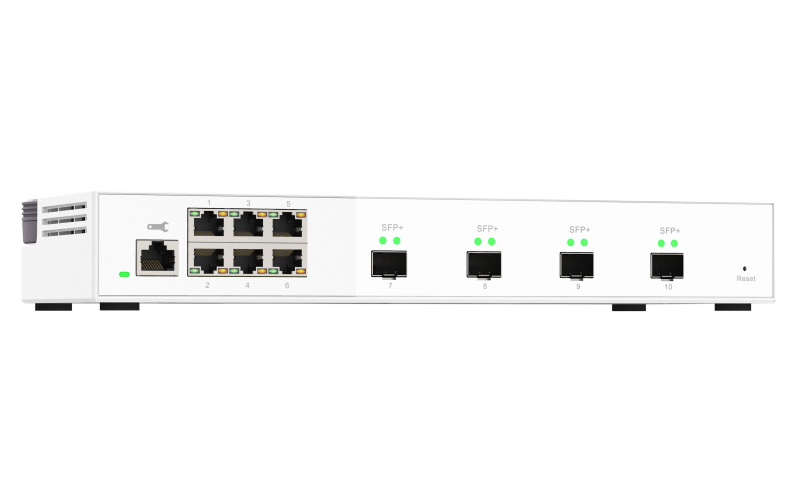
QNAP QSW-M2106-4S QNAP QSW-M2106-4S network switch Managed L2 2.5G Ethernet (100/1000/2500) White
10GbE and 2.5GbE Layer 2 Web Managed Switch for SMB Network DeploymentThe QSW-M2106-4S is a Layer 2 Web Managed Switch with four 10GbE SFP+ fiber ports and six 2.5 Gigabit ports. Supporting Layer 2 switching and network management via a user-friendly web user interface, the QSW-M2106-4S offers flexible deployment in hybrid high-speed network environments and provides an entry-level network management solution that is usable even by non-IT professionals. With high performance, user-friendly management, and a desktop form factor, the QSW-M2106-4S enables cost-effective upgrading to 2.5GbE or 10GbE networking while optimizing bandwidth and ensuring secure network maintenance.Flexible deployment with multiple 10G SFP+ fiber and Gigabit portsThe QSW-M2106-4S provides four 10GbE SFP+ ports and six 2.5 Gigabit ports for connecting various devices and enabling hybrid high-speed networks. With SFP+ interfaces, Direct Attach Copper (DAC) cables can be used for connecting directly to SFP+ devices. You can also use RJ45 ports to connect 2.5GBASE-T/NBASE-T™ devices through RJ45 Category 5e (or better) cabling. The switching capacity of the QSW-M2106-4S is 110Gbps, guaranteeing the full potential of each port.Fully embrace High-Speed Networking with QNAP!QNAP offers comprehensive, budget-friendly storage and networking solutions that provide an array of connectivity possibilities. Easily and flexibly upgrade your workplace or home network now to handle bandwidth-hungry applications.A switch that supports 2.5GbE/10GbEQNAP 2.5GbE/10GbE switches support 2.5G/10G and allow connecting multiple workstations and devices for high-speed collaboration in device-dense environments.A fast NASA QNAP NAS with multiple 2.5GbE ports and Port Trunking allows you to combine multiple ports for greater bandwidth potential.Upgrade desktops and serversServers and desktops can install QNAP PCIe network cards that support 10G/5G/2.5G/1G/100M Multi-Gig.Add a 5GbE/10GbE port to laptopsLaptops and upgrade-limited computers can use the portable QNAP USB 3.2 Gen 1 to 5GbE adapter or QNAP Thunderbolt 3 to 10GbE adapter, allowing you to connect to 5G/2.5G/1G/100M networks.QSS: Human-centered settings guideThe QSW-M2106-4S adopts QNAP Switch System (QSS) featuring an easy-to-use Web GUI with Layer 2 management and value-added functions to simplify network set up and management.Overview DashboardView real-time system information, port connection status and port traffic.Port ManagementView port status, port packet statistics, and configure port speeds.Setting GuideQuickly learn how to set up the network using the introduction and step-by-step guide.Exclusive Status Chart ReferencingRefer to four major status charts during each configuration to avoid going back and forth between different settings pages.Online Firmware Check and UpdateKeep your QNAP switch secure with one-click firmware updates.Optimize Network Performance with bandwidth and packet controlThe QSW-M2106-4S provides bandwidth and packet control functions (such as LACP, VLAN, QoS, and IGMP Snooping) to boost network performance through IP grouping and bandwidth management.LACPLink Aggregation (LAG) combines multiple network connections to increase throughput and protect against connection failure.VLANVirtual Networks (VLAN) allows groups of devices from different networks to be combined into a single network.QoSQoS (Quality of Service) helps prioritize bandwidth usage to optimize network resource allocation.IGMP SnoopingIGMP snooping assists in minimizing bandwidth loss and preventing network information leakage.Powerful security and system functionsThe QSW-M2106-4S has powerful security and system functions (including ACL, LLDP, RSTP and Flow Control) to help administrators enhance network reliability using access controls, troubleshooting, loop prevention and avoiding packet loss.ACLAccess Control List filters packets based on rules to offer firewall-like security protection.LLDPLink Layer Discovery Protocol allows devices to advertise device information to their directly connected peers/neighbors, simplifying troubleshooting processes.RSTPRapid Spanning Tree Protocol, RSTP ensures a loop-free topology for Ethernet networks by blocking or forwarding traffic.Flow ControlFlow Control balances the traffic between a sender and a receiver to avoid network congestion.Desktop form factor for easy use in officesWith a compact and modern design, the QSW-M2106-4S stands out with its textured surface design. The flexible DC power connector enables universal deployment of the QSW-M2106-4S and each port can be easily identified. Being fully plug-and-play, devices can be simply connected to the QSW-M2106-4S and immediately used.
Part# QSW-M2106-4S
SKU S19454
Limited Availability
QNAP
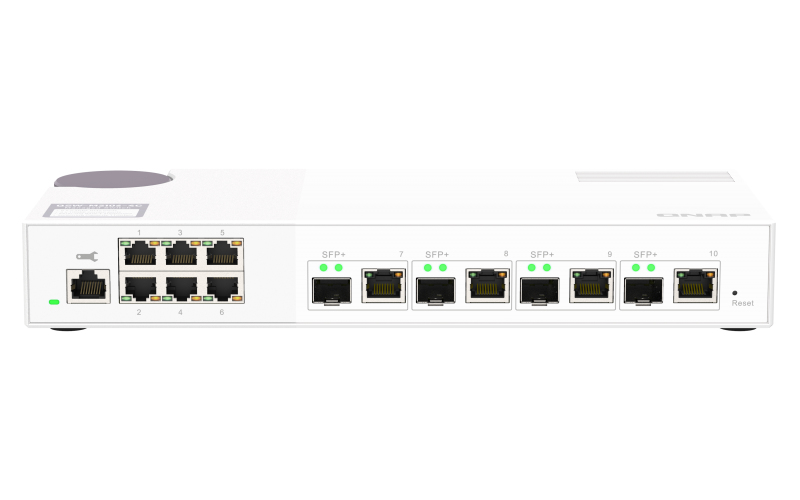
QNAP QSW-M2106-4C QNAP QSW-M2106-4C network switch Managed L2 2.5G Ethernet (100/1000/2500) White
10GbE and 2.5GbE Layer 2 Web Managed Switch for SMB Network DeploymentThe QSW-M2106-4C is a Layer 2 Web Managed Switch with four 10GbE SFP+/RJ45 combo ports and six 2.5 Gigabit ports. Supporting Layer 2 switching and network management via a user-friendly web user interface, the QSW-M2106-4C offers flexible deployment in hybrid high-speed network environments and provides an entry-level network management solution that is usable even by non-IT professionals. With high performance, user-friendly management, and a desktop form factor, the QSW-M2106-4C enables cost-effective upgrading to 2.5GbE or 10GbE networking while optimizing bandwidth and ensuring secure network maintenance.Flexible deployment with multiple 10G SFP+ fiber and Gigabit portsThe QSW-M2106-4C provides four 10GbE SFP+/RJ45 combo ports and six 2.5 Gigabit ports for connecting various devices and enabling hybrid high-speed networks. With SFP+ interfaces, Direct Attach Copper (DAC) cables can be used for connecting directly to SFP+ devices. You can also use RJ45 ports to connect 10GBASE-T/NBASE-T™ devices through RJ45 Category 6 (or better) cabling. The QSW-M2106-4C is backward compatible with other Ethernet devices.Fully embrace High-Speed Networking with QNAP!QNAP offers comprehensive, budget-friendly storage and networking solutions that provide an array of connectivity possibilities. Easily and flexibly upgrade your workplace or home network now to handle bandwidth-hungry applications.A switch that supports 2.5GbE/10GbEQNAP 2.5GbE/10GbE switches support 2.5G/10G and allow connecting multiple workstations and devices for high-speed collaboration in device-dense environments.A fast NASA QNAP NAS with multiple 2.5GbE ports and Port Trunking allows you to combine multiple ports for greater bandwidth potential.Upgrade desktops and serversServers and desktops can install QNAP PCIe network cards that support 10G/5G/2.5G/1G/100M Multi-Gig.Add a 5GbE/10GbE port to laptopsLaptops and upgrade-limited computers can use the portable QNAP USB 3.2 Gen 1 to 5GbE adapter or QNAP Thunderbolt 3 to 10GbE adapter, allowing you to connect to 5G/2.5G/1G/100M networks.QSS: Human-centered settings guideThe QSW-M2106-4C adopts QNAP Switch System (QSS) featuring an easy-to-use Web GUI with Layer 2 management and value-added functions to simplify network set up and management.Overview DashboardView real-time system information, port connection status and port traffic.Port ManagementView port status, port packet statistics, and configure port speeds.Setting GuideQuickly learn how to set up the network using the introduction and step-by-step guide.Exclusive Status Chart ReferencingRefer to four major status charts during each configuration to avoid going back and forth between different settings pages.Online Firmware Check and UpdateKeep your QNAP switch secure with one-click firmware updates.Optimize Network Performance with bandwidth and packet controlThe QSW-M2106-4C provides bandwidth and packet control functions (such as LACP, VLAN, QoS, and IGMP Snooping) to boost network performance through IP grouping and bandwidth management.LACPLink Aggregation (LAG) combines multiple network connections to increase throughput and protect against connection failure.VLANVirtual Networks (VLAN) allows groups of devices from different networks to be combined into a single network.QoSQoS (Quality of Service) helps prioritize bandwidth usage to optimize network resource allocation.IGMP SnoopingIGMP snooping assists in minimizing bandwidth loss and preventing network information leakage.Powerful security and system functionsThe QSW-M2106-4C has powerful security and system functions (including ACL, LLDP, RSTP and Flow Control) to help administrators enhance network reliability using access controls, troubleshooting, loop prevention and avoiding packet loss.ACLAccess Control List filters packets based on rules to offer firewall-like security protection.LLDPLink Layer Discovery Protocol allows devices to advertise device information to their directly connected peers/neighbors, simplifying troubleshooting processes.RSTPRapid Spanning Tree Protocol, RSTP ensures a loop-free topology for Ethernet networks by blocking or forwarding traffic.Flow ControlFlow Control balances the traffic between a sender and a receiver to avoid network congestion.Desktop form factor for easy use in officesWith a compact and modern design, the QSW-M2106-4C stands out with its textured surface design. The flexible DC power connector enables universal deployment of the QSW-M2106-4C and each port can be easily identified. Being fully plug-and-play, devices can be simply connected to the QSW-M2106-4C and immediately used.
Part# QSW-M2106-4C
SKU S19454
Limited Availability
TP-Link
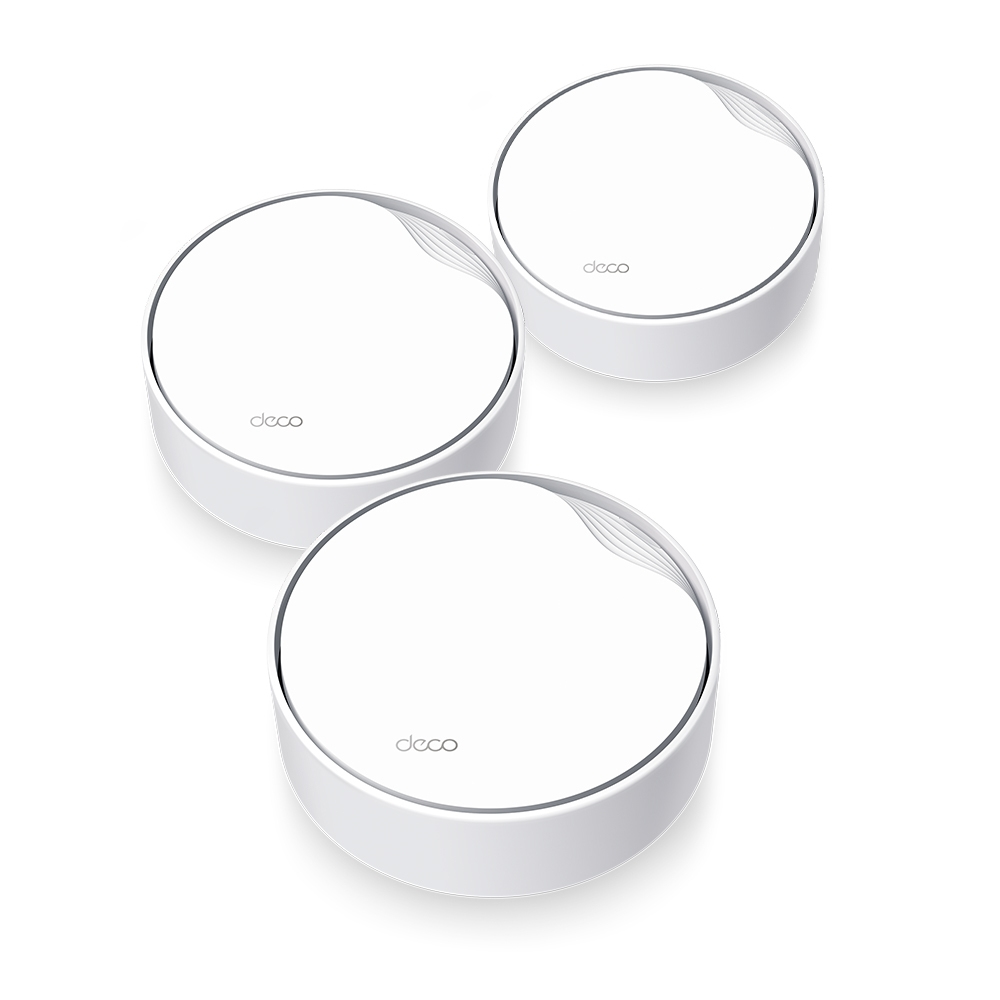
TP-Link DECO X50-POE(3-PACK) TP-Link AX3000 Whole Home Mesh WiFi 6 System with PoE
Multi-Scenario Mesh WiFi Meets All Your NeedsAX3000 Whole Home Mesh WiFi 6 System with PoEMultiple Installation Options,Put Your Deco Anywhere You WantDeco X50-PoE has flexible installation to meet various demand scenarios. Place it on a tabletop or install it on a ceiling or wall with our adaptive accessories.Ideal for Non-Stop EntertainmentsArmed with WiFi 6 technology, Deco whole home mesh WiFi is designed to deliver a huge boost in coverage, speed, and total capacity. Get on the latest mesh WiFi to enjoy the future network that loads faster and connects more.Powerful AX3000 Dual-Band WiFi SpeedThe latest 1024-QAM boosts speeds up to 3.0 Gbps — ideal for bandwidth-intensive tasks like cloud gaming and 8K video. Families will enjoy immersive live-streaming with flawless video and clear audio without buffering.Multi-Gig 2.5 Gbps PoE PortArmed with a 2.5 Gigabit Ethernet Port, Deco X50-PoE delivers exceptional multi-gigabit performance to support the insatiable demand for better and faster WiFi. Breakthrough the 1G bottleneck and drive your devices to peak performance. Or using 2.5 GbE port to enjoy blazing-fast wired connections.Power over Ethernet for Simplified Network DeploymentDeco X50-PoE is designed to use a single Ethernet cable for both data and power transmission. It also supports DC (power adapter included) power supply for flexible installations.No FussSimplify the installation and streamline the deployment—no need for electricians.Cost-EfficiencyNo need for additional cables and power adapters—reduce costs on infrastructure.FlexibilityMore placement options allow for deployment in complex environments.Cover Every Corner of Your HomeDeco units work together as a powerful mesh network to boost broader coverage for connections in every corner.Want more coverage? Simply add another Deco. All TP-Link Deco can work together.Engineered for More DevicesDeco products are aimed to dramatically improve capacity and efficiency in traffic-dense environments. No matter how many screens or devices are on at once, everyone is able to enjoy a more efficient network that loads faster without dragging down performance.Intelligent Networking for a Smarter HomeDeco uses its custom algorithms to automate the connections on your network, ensuring the strongest possible signals at all times.Seamless Roaming with One WiFi NameTP-Link Mesh means Deco units work together to form one unified network. Your phone or tablet automatically connects to the fastest Deco as you move through your home, creating a truly seamless WiFi experience.Whole Home CoverageEliminate weak signal areas throughout your houseSmart RoamingUninterrupted streaming when moving between roomsOne WiFi NameNo more switching WiFi network namesUnified ManagementControl your home WiFi by managing the central node via the Deco AppCompact Design, Easy to MountExceptional performance with compact design ensures simple WiFi installation while saving space. The elegant appearance makes Deco X50-PoE with a delicate body case makes it perfect to blend into various home decorations.Simple. Easy. Yet Powerful.Setup and manage your network anytime and anywhere on the user-friendly TP-Link Deco app. In just three easy steps your entire home can be blanketed in strong and reliable WiFi.Easy ManagementManage your WiFi at home or away on the Deco app. See every connected device, prioritize your own, and set up a guest network.Voice ControlUse an Amazon Alexa or Google Assistant-enabled device to control Deco X50-PoE with just your voice.All Decos Work TogetherDeco X50-PoE is compatible with every other Deco model to form a Mesh network. Expand Mesh WiFi coverage anytime by adding more Decos.
Part# DECO X50-POE(3-PACK)
SKU S19454
Limited Availability
D-Link
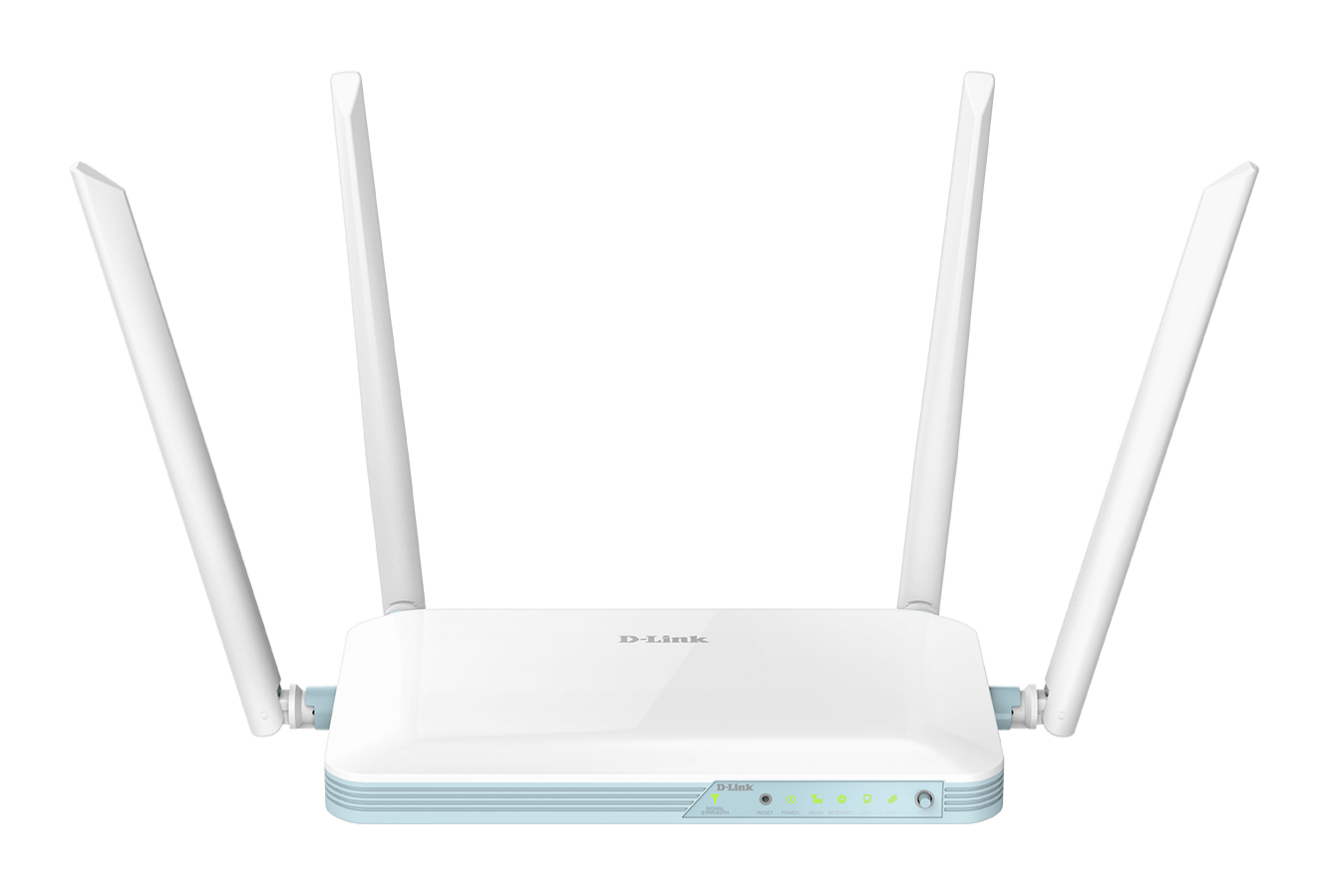
D-Link G403/B D-Link EAGLE PRO AI N300 4G Smart Router
4G LTE CAT 4Seamlessly switch to a fast 4G CAT 4 LTE backup network so you always stay connected the internet.High-Speed ConnectivityCreate your personal high-speed Wireless N hotspot with speeds of up to 150Mbps.WPA3 SecurityThe latest Wi-Fi security for more protectionParental ControlsProvide a safe experience for your family with controls for website blocking, setting schedules and guest logins.Easy Setup & ManagementOur free EAGLE PRO AI app brings you a personal AI Assistant to help you manage your Wi-Fi, with added voice control through Amazon Alexa and Google Assistant.A network you can rely on to keep you connected.Enjoy a network you can rely on to stay connected, even when your ISP’s broadband goes down. The built-in 4G / LTE backup network’s failover mode allows you to connect and share fast 4G LTE download speeds of up to 150 Mbps from anywhere, giving you peace of mind that you’ll always automatically stay online.Share your mobile internet.Once connected, you can transfer data, stream media, and send SMS messages. Simply insert your SIM/USIM card and share your 4G LTE or 3G Internet connection through a secure wireless network or any of the four Ethernet ports.Designed with a constant connection in mind, the dual-band 4G LTE and 3G support allows automatic 3G connection if the 4G LTE signal strength becomes low, whereas the additional Ethernet WAN option gives fail-safe connectivity if either your fixed line or mobile broadband fails.Fast 4G speeds.Connect to your 4G LTE mobile connection with fast download speeds of up to 150 Mbps and upload speeds of up to 50 Mbps1, and enjoy a fast and responsive Internet experience, allowing you to surf the web with ease and stream music and video without buffering.Failover mode, so you always stay online.Designed with a constant network connection in mind, the router will automatically switch to the backup mobile internet when you need it most, allowing you to seamlessly stay online without interruptions and maintain your productivity.Built with the latest wireless security.The active SPI firewall prevents unwanted intrusions from Internet. And the router utilises both WPA/WPA2 wireless encryption and the latest WPA3 security to keep your wireless network secure and your traffic safe, allowing you to securely share your 4G LTE or 3G connections without worrying about unauthorised users accessing your network.Family-friendly Internet.Create family-friendly internet by taking control of your network. Set clear online boundaries and schedules so you have less complaining and more control.Full ControlFind out which devices are connected, created schedules, check login credentials, reboot the system hand-freeParental ControlsManage internet access with profile-based parental controls.Wi-Fi Guest ZoneSet guest logins for when you have visitors and block any devices you don’t know.Manage your Wi-Fi with a tap.The free EAGLE PRO AI App comes with a personal AI Assistant that sends you reports, continuously monitors traffic for you, and provides convenient suggestions.Voice control with Alexa and Google Assistant.Take control of your network just by using your voice with Amazon Alexa or Google Home devices. Receive instant audio alerts about network updates, check on the security status of any device, and more.
Part# G403/B
SKU S19454
Limited Availability
Netgear
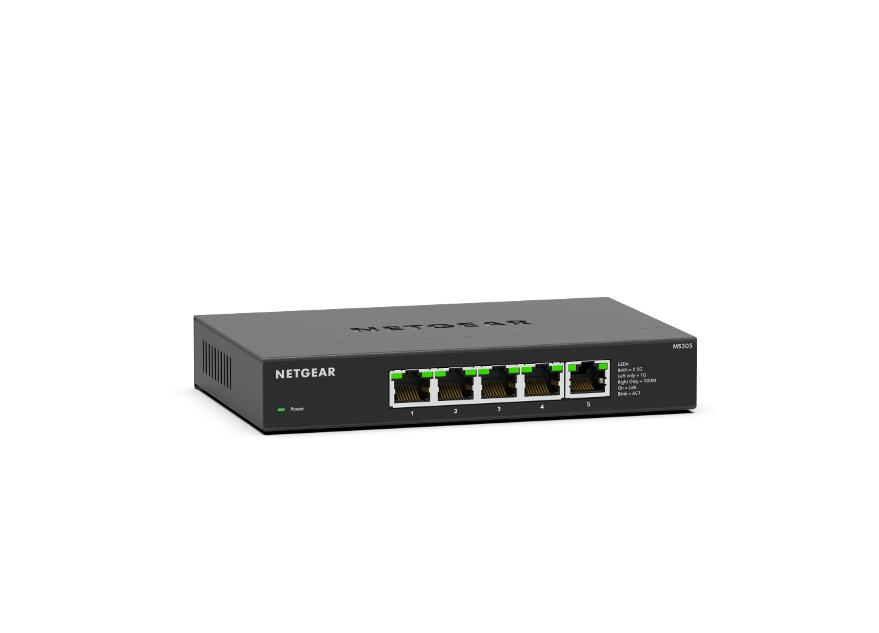
Netgear MS305-100EUS NETGEAR MS305-100EUS network switch Unmanaged 2.5G Ethernet (100/1000/2500) Black
The NETGEAR 5-port Multi-Gigabit Unmanaged Switch, MS305, helps businesses cost-effectively expand their networks with multi-gig speeds. The MS305 Multi-Gigabit Ethernet switch comes with five (5) 2.5G ports in a metal case and can be placed on a desk or mounted on a wall with the included wall mount kit. This switch is energy efficient, built to last, and rigorously tested to provide the reliability businesses need. 802.1p traffic prioritization and jumbo frame support allow for seamless integration with more sophisticated networks.RELIABLE PERFORMANCESuperior network performance at non-blocking rate delivers true Multi-Gig speed with no compromiseENERGY EFFICIENTEnergy Efficient Ethernet (IEEE 802.3az) standard, which reduces energy consumption when there is light traffic on an active port or when there is no link or no activity detectedPLUG-AND-PLAYNo software to install. No configuration needed. Zero maintenance requiredSILENT OPERATIONThe fanless design means zero added noise wherever its located, making it ideal for noise-sensitive environmentsVERSATILE MOUNTING OPTIONSInstall your switch on your desktop, or mount it to your wall with the hardware provided in the box.
Part# MS305-100EUS
SKU S19454
Limited Availability
AddOn Networks
AddOn Networks CWDM-SFP10G-153040AO AddOn Networks CWDM, SFP+ 1530nm, 40km network transceiver module Fiber optic 10000 Mbit/s SFP+
This Cisco® compatible SFP+ transceiver provides 10GBase-CWDM throughput up to 40km over single-mode fiber (SMF) at a wavelength of 1310nm using a LC connector. It is guaranteed to be 100% compatible with the equivalent Cisco® transceiver. This easy to install, hot swappable transceiver has been programmed, uniquely serialized and data-traffic and application tested to ensure that it will initialize and perform identically. Digital optical monitoring (DOM) support is also present to allow access to real-time operating parameters. All of our transceivers are Trade Agreements Act (TAA) compliant. We stand behind the quality of our products and proudly offer a limited lifetime warranty.
Part# CWDM-SFP10G-153040AO
SKU S19454
Limited Availability

Item(s) added to cart

